Why does a new TV make every film move strangely fast and smooth? Most often a motion-smoothing control that arrives switched on is behind it, and turning that control off for films fixes the look in about a minute. The picture is sharp, yet the pace feels like a soap. Cinema film runs at 24 pictures per second and the TV invents extra frames to fill the gaps. The example is one UK living room with a panel that refreshes 120 times a second. Each number below is only an assumption; swap it for one taken in your room. Four tests come before four fixes in order, then one popular fix that fails.
What Makes a New TV Make Every Film Move Strangely?
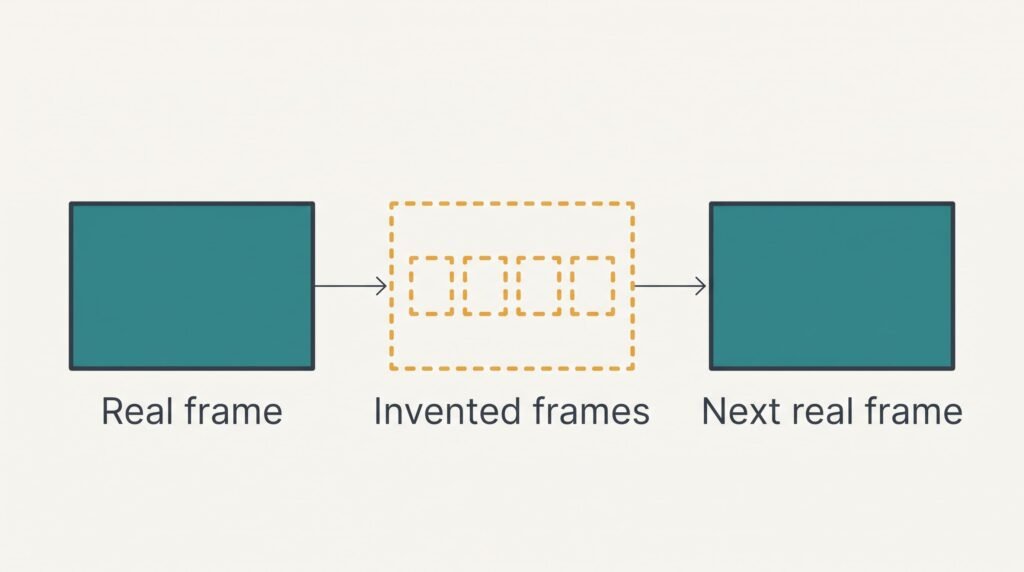
A film is a stack of 24 stills for every second of running time. A new picture arrives every 41.7 ms. The panel in this room redraws 120 times per second with one refresh every 8.3 ms, which gives five refreshes for each film frame. A plain TV repeats the same frame five times. Motion smoothing does something else: it compares two neighbouring film frames, estimates where each object moved and draws four invented frames in between.
Take a figure crossing the full 1,920 pixel width of the screen in 2 s. That’s 48 film frames, and the figure jumps 40 pixels with each one. With smoothing on, the TV shows 240 frames in the same 2 s: 48 real ones plus 192 invented ones. Each step shrinks to 8 pixels. The motion becomes as smooth as live video, and viewers read smooth motion as fast, because the stutter that tells the eye “this is film” has gone. Nothing on screen actually moves quicker. Each invented frame also adds delay, since the TV must see the next real frame before it can draw the ones between.
Edges give the guesses away. A hand or a strand of hair crossing a busy background often shimmers.
Four Tests When a New TV Can Make Every Film Move Oddly
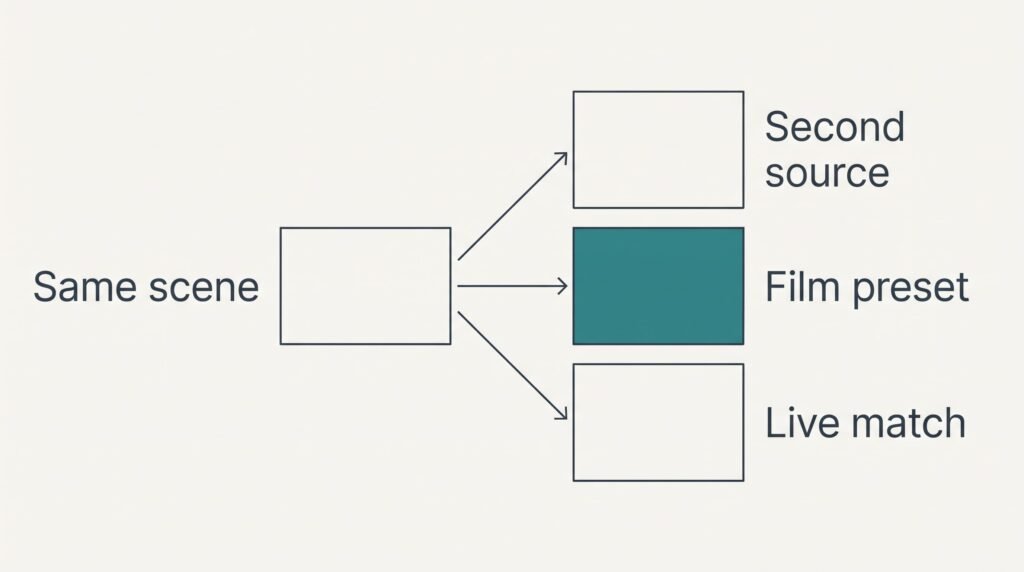
Choose a film scene with a slow pan across a room, and note what each test shows.
The source test: play the same scene from a second source, such as a disc player or another app. Would a new TV make every film move this way from a disc as well? If both look smooth, the TV is adding the effect. If just one does, that source is converting the picture before it reaches the panel.
The preset test: switch the picture to a cinema or film preset for one minute. If the pan slows to a film pace, smoothing is part of your normal preset.
The sport test: watch a live match for a minute. Football often looks natural on a smoothed TV because broadcasts already carry about 50 pictures a second. Only films show the difference.
The edge test: watch a hand crossing a patterned wall. A faint halo or shimmer around the hand confirms invented frames.
These checks cost nothing, and each can be undone in seconds.
Four Fixes for a New TV, in Order
Go down the fixes in sequence, changing a single thing per step and replaying the same scene between steps. Don’t let a new TV make every film move that way again by leaving a fix half done.
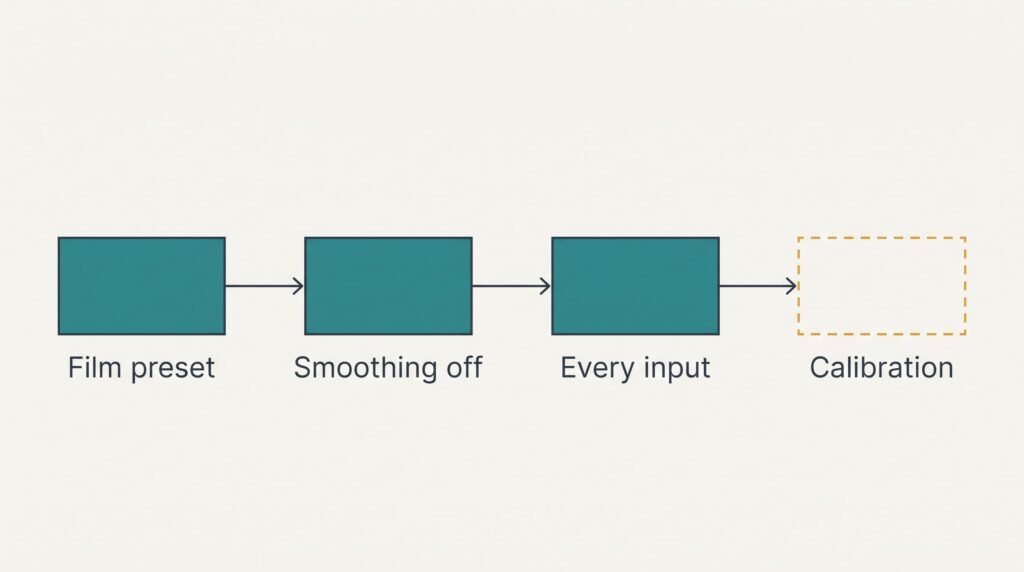
Choose the cinema or film preset. That’s free, and a minute is enough. Presets bundle many settings, and the film ones usually leave smoothing off, which removes the invented frames in one move. Treat the preset as a quick diagnostic as well as a fix. It maps straight to the cause, because the factory preset is what switched smoothing on. The cost of this fix is brightness. Film presets run noticeably dimmer, and a sunny afternoon room can wash the picture out. The choice may also apply to one input only, and a second source can still look wrong until you repeat it there.
Turn motion smoothing off for films. One menu option handles this in about two minutes. Makers call it motion interpolation or motion enhancement. Some TVs add low and high steps, and off is the right choice rather than low. It removes the invented frames directly. The loss is a choppier pan: a 24 frame sweep then steps 40 pixels at a time, which some viewers find jerky. Fast sport may also look slightly softer.
Repeat the setting for every input. Many TVs keep separate picture settings for each input and each built-in app, and about twenty minutes covers them all. Start with the living-room input, because that’s where films are watched. The setting is the same each time. Only its location differs. The cost is upkeep: a software update can restore the defaults and bring smoothing back without telling you. Write down the control’s name and where you left it.
Book a calibration visit. Of the four, only this one spends money. A calibrator sets the film preset with smoothing off on every input in one visit and saves the result, which removes the guesswork from the second and third fixes. The visit also checks neighbouring settings like sharpening and noise reduction. You lose half a morning at home plus a fee, and a later software update can still undo the work.
If None of That Worked
Can a new TV make every film move oddly even after a reset? Yes, because factory defaults often switch smoothing on. Gather your evidence before contacting support. Note the model number on the rear label and the preset in use. Add the name of the smoothing control with its position, plus what the source test showed and which app or box you used. A phone clip of the pan helps less than you’d expect, because the camera adds its own frame rate to the recording.
Ask support a single question: can a game mode or a sport mode apply smoothing that the normal control can’t reach? A full factory reset comes last. It wipes every setting and every app sign-in, and it can bring smoothing back. Photograph your picture settings before going that far. A reset won’t help if the effect comes from the source.
The Fix That Isn’t Worth Doing
Many people try turning the sharpness or the brightness down to hide it, and it can’t work. Those sliders change how bright or crisp each pixel is. The timing is untouched. The figure still crosses the screen in 240 small steps that are merely darker or softer.
Noise reduction and contrast controls fail on the same grounds. Neither touches the frames. Sitting further back changes nothing either, since the steps are in time and not in size.
Blaming the file is another dead end. A film from a disc or a download carries the same 24 frames, which means changing the source rarely helps unless that source converts the picture itself, as the source test would have shown. Reinstalling an app or buying a new cable leaves the invented frames exactly where they were.
The whole problem comes down to one count: four invented frames for every real one. Choose the film preset and switch the control off, then repeat it for each input. Watch the same pan afterwards. Then check again after any software update, since an update can quietly restore the old default. If one input still looks wrong, test its source before you touch the TV.
Questions and Answers
Can I fix the fast, smooth look at home?
Usually, yes. Choose the cinema or film preset, then turn the motion-smoothing control off for films. Neither change costs a penny, both can be reversed at once and together they take a few minutes. Money enters only if you pay for a calibration visit, and most households won’t need one.
Why does only film look wrong and not sport?
Film runs at 24 frames per second. That means the TV has to invent four of every five frames to fill 120 refreshes. A live match already arrives with about 50 pictures per second. That leaves far less to invent. The smooth look stands out most where the source is slowest.
Does the smooth look mean my TV is faulty?
Rarely. Smoothing is a deliberate feature, and the TV is doing what it was set to do. Hardware becomes the suspect only when flicker or torn lines appear on every input and every preset. A fault shows on all sources, whereas smoothing disappears when you switch it off.