Both phones can keep an older relative living alone in touch, yet they ask for different things from the person holding them. A basic phone asks for a charge once a week and a press on one key. A smartphone gives photos and video calls but asks for a charge every day. Our verdict is conditional: choose the basic phone when the owner forgets routines, and the smartphone when they enjoy new ones. The comparison that matters is how many small jobs the owner must do each week to keep the phone working. Rework the rounded assumptions below for your own relative.
What Decides It for an Older Relative Living Alone
Start with what happens when nobody is there to help. An older relative living alone has nobody around to notice that the battery has died or the screen has frozen. The phone must therefore keep working through the owner’s own habits, and those habits can be counted.
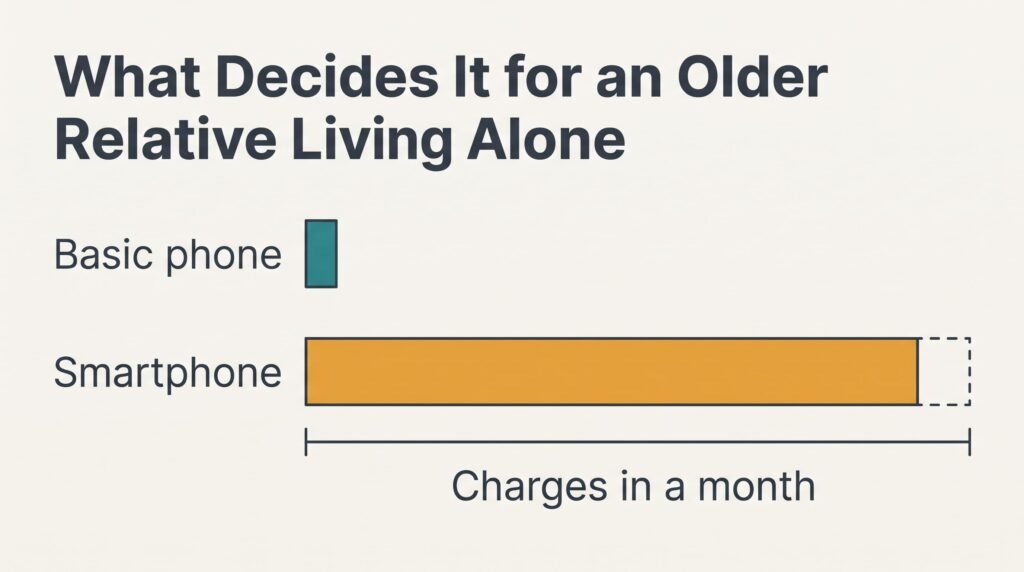
A basic phone with a battery that lasts eight days needs charging roughly four times in a month, whereas a smartphone that lasts a day and a half gets its charge every night, which means thirty times a month. That is the gap in effort, four small jobs against thirty.
Now add the slips. Suppose the habit fails once in every ten charges. Over a month the basic phone sits dead for about 0.4 days, since 3.75 charges × 0.1 is roughly 0.4. A smartphone sits dead for about 3 days, because 30 charges × 0.1 is 3. The deciding measure is how many days a month the phone is dead when someone needs to reach the owner, and the basic phone wins it by a factor of seven or eight.
Features come second. A video call with grandchildren is lovely, but it needs a working phone first. A dead smartphone is no use to anyone, and a basic phone that rings beats it.
A Basic Phone and a Smartphone Compared for a Relative Living Alone
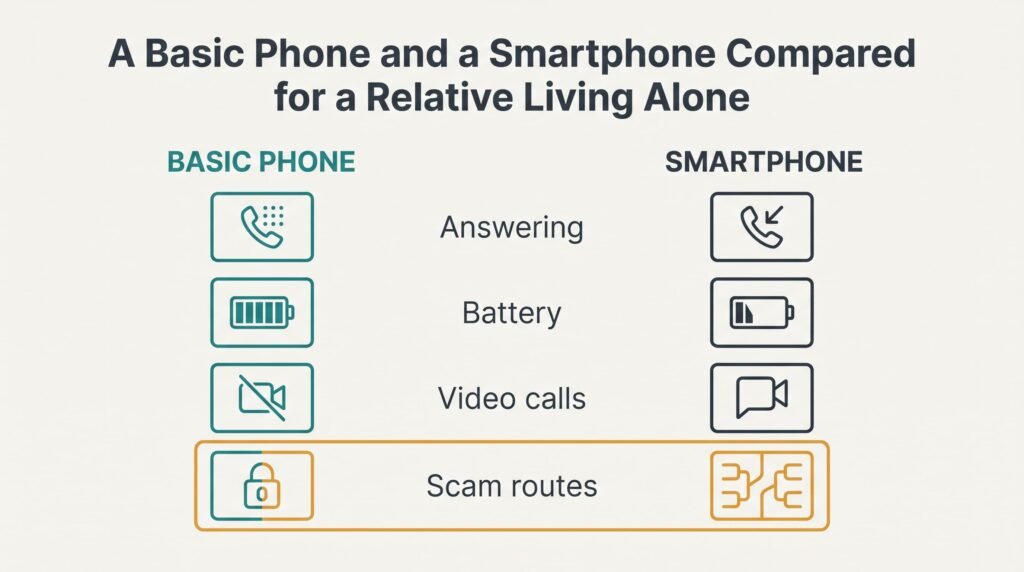
Swap in the habits of your own relative before relying on a figure, because a person who charges by the bed every night reorders several rows.
| Point | Basic phone | Smartphone |
|---|---|---|
| Answering a call | one press on a green key | a tap or swipe on glass |
| Battery between charges | about eight days (assumed) | about a day and a half |
| Video calls with family | not possible | yes, with a little practice |
| Reading messages | small fixed text | text that can be enlarged |
| Ways a scam can arrive | calls and texts only | calls and texts as well as links and apps |
| Helping from a distance | by voice only | by voice or by video call |
| Photos from the family | arrive as small pictures | arrive full size |
The glass row surprises people, and so does the battery row. A fingertip that is very dry, or a hand in a glove, can miss a touch screen, and a missed answer means a missed call. A key that clicks under the thumb works every time, and that reliability is worth more than most features. For someone who lives alone, a missed call can also mean a worried family on the other end, and a second ring an hour later.
Where the Basic Phone Wins
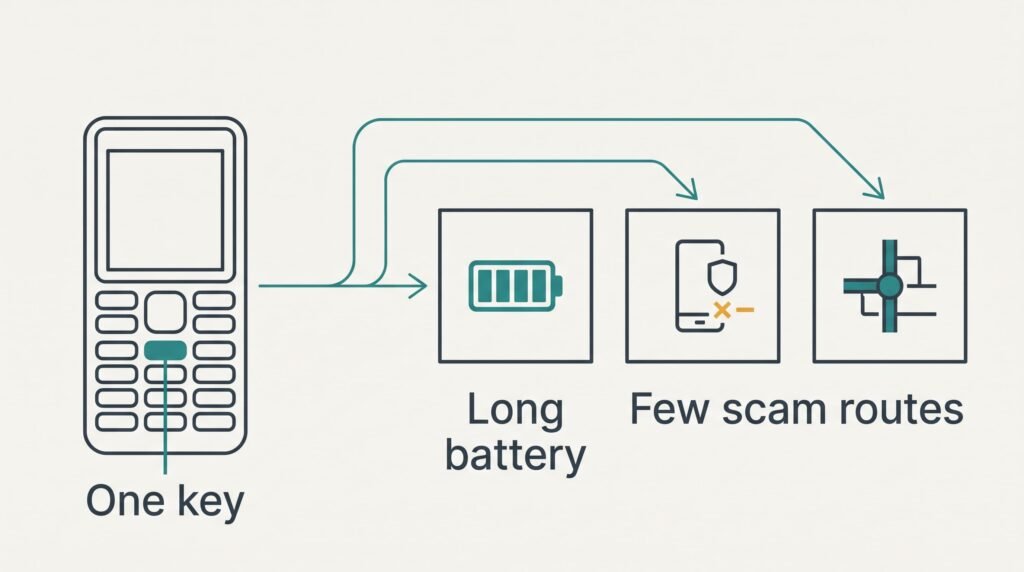
The basic phone wins on reliability. A key answers a call on the first press, and the battery stays charged for days. Nothing needs updating, and one icon can’t be confused with another. For an older relative living alone, that calm is the main benefit.
It also narrows the routes a scam can take for an older relative living alone. Only a caller or a text can reach it. No link is there to tap, and no app can be installed by accident. A relative who tends to trust a friendly voice meets fewer traps this way.
Effort for the family comes next. You set the phone up once, and it then runs without anyone’s help for months. You don’t spend Sunday afternoons talking someone through a software update, and you needn’t fear the call that starts “it’s changed everything”.
The drawback is range. Text arrives small and the keypad is slow. A basic phone can’t show a grandchild’s face or a map.
Where the Smartphone Wins
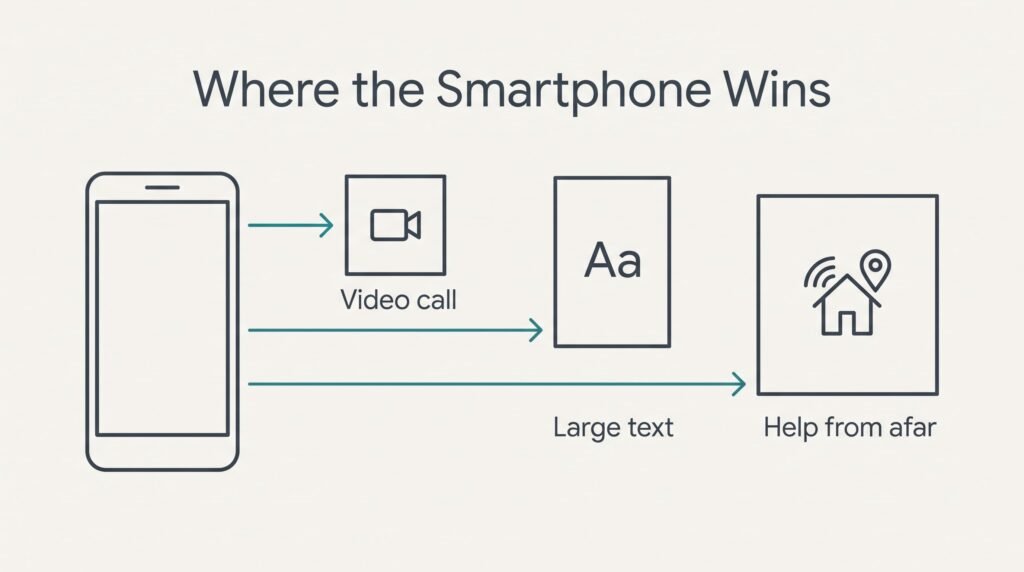
The smartphone wins on contact for an older relative living alone who misses faces. A video call shows a face, which matters to a person who sees few visitors, and photos arrive at full size the minute they’re sent. A grandchild’s drawing stays readable at a glance from an armchair, and the garden photo comes back by evening.
It also adapts to the person. Text can be set to a large size, and the screen can show six big icons and nothing else. Reading a message that fills a wide screen is easier than squinting at a small display.
Help from a distance improves too. You can talk a relative through a problem and watch their screen on a shared call, which a basic phone can’t offer. A bus time or a train time is a few taps away, and so is a message from a neighbour.
The cost of all that is routine. The phone needs charging every day, and each update is a small puzzle for a person who finds screens unfamiliar.
When Neither Works
Neither phone suits a relative who forgets the charge and also wants video calls. Set the smartphone up like a basic phone and give it a fixed home beside the bed. Use a stand with the cable already attached, and charging then means simply putting the phone down. Keep the home screen to six large icons for the jobs they do most.
That layout ties the daily charge to something the person already does, such as setting a glass of water down. Lock the other settings and silence app notifications. A loud ringer and a screen that stays on for a minute cover most of the gaps. If the relative still forgets, the basic phone is the honest answer.
Walk through the setup together on a visit, and let the relative press every button once. Leave a printed card by the stand listing the nightly routine: put the phone down at night, glance at the light, answer the call. Test the whole routine together on the day, then again by phone a week later.
Which to Choose for an Older Relative
Two questions settle most families, and each answer carries a burden worth accepting before any purchase.
If your relative forgets routines or dislikes new devices, choose the basic phone. Accept the small text and the lack of video, and plan a weekly call and contact then never rests on pictures. Show them the charge light once and tape a note beside the socket, then ring on the day it should be charged.
If they already use a tablet or enjoy photos, choose the smartphone. Accept the daily charge and give the setup a full hour, then ask them to ring you on video once a week so the skill stays fresh.
Before you decide, watch how they treat what they own already. Someone who lets a radio run flat will do the same with a phone. Someone who keeps a diary will cope with a daily charge. If they surprise you with how well a tablet works, the smartphone is worth the effort, and the basic phone becomes the backup in the drawer. Agree a fixed weekly call too, and silence gets noticed.
Questions Readers Keep Asking
How much effort does the setup take?
A basic phone takes about ten minutes. Fit the card, save the family numbers, then show the person the charge light. A smartphone needs an hour or more for large text, a short list of icons and a charging stand. Plan a second visit within two weeks to fix what the first week revealed.
What if the phone goes flat while they’re out?
A basic phone lasts days, which makes a flat battery rare. A smartphone is more exposed, and a small power bank in the bag helps. Teach one habit above all: charge it every night by the bed. If it still fails, agree a regular call time so a silent phone gets noticed.
Which suits someone with poor eyesight or shaky hands?
A smartphone with large text suits poor eyesight better, but its glass can be harder for shaky hands to hit. A basic phone with big raised keys suits shaky hands better, but its text is small. Test both in the shop with the person holding them.