How does a website remember you when it never sees you? It gives your browser a small text label, and your browser hands that label back with every later request to the same site. The label is a lookup number rather than your basket or your name, and everything else stays on the site’s own computers. The visit below is invented and set in Leeds, with round figures that are samples and will differ from site to site. It closes with one rule for deciding which cookies deserve to stay in your browser and which to clear away.
How Does a Website Remember You Between Two Page Loads?
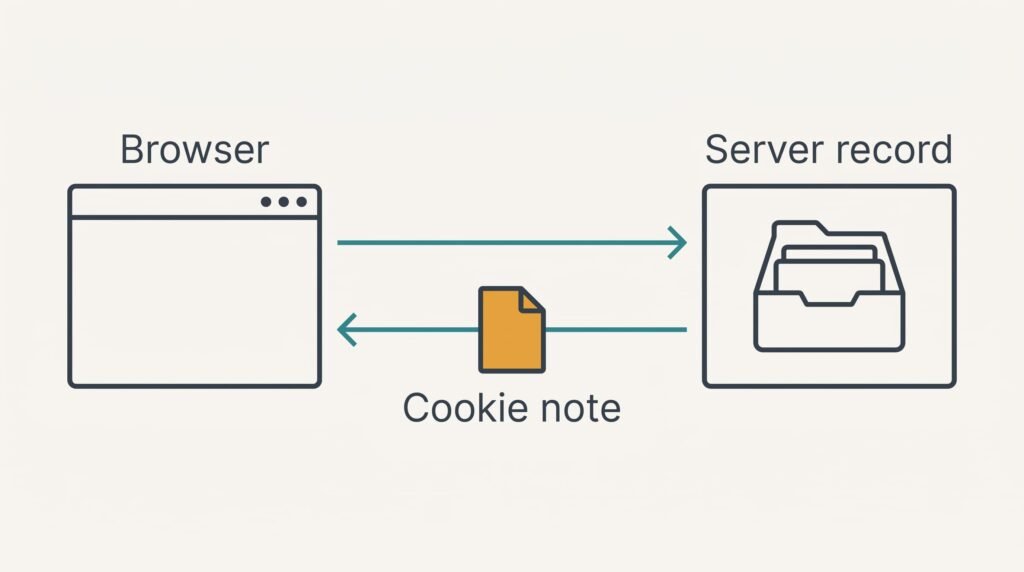
Web pages are delivered as separate requests, and the server forgets each one as soon as it has answered. Left alone, that would make you sign in again on every page. A cookie fills the gap. When you first arrive, the server asks your browser, in one line of its reply, to store a note. The note might be named session, with 32 random characters as its value. From then on, your browser attaches that note to every request it sends to the same site. The server reads the characters, finds the matching record in its own database and carries on as if it had been talking to you all along.
The short answer skips a few details. No basket and no name sits inside it, only the key to a record. It also expires, either when you close the browser or on a date the site chose. Lastly, it comes in several kinds, because one mechanism serves a sign-in and a tracker alike.
How a Website Can Remember You for 30 Days
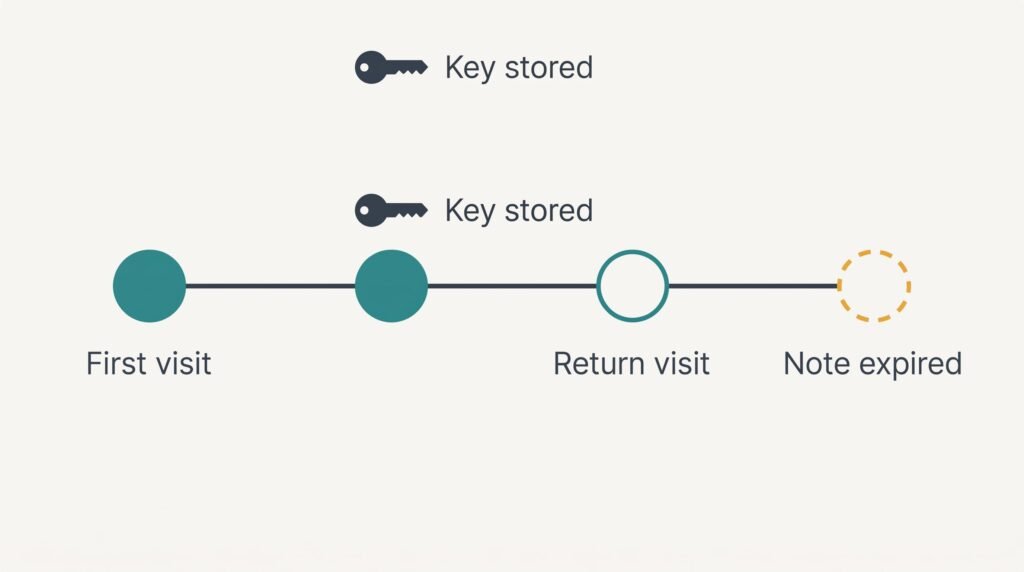
Say you visit a curtain shop from a Leeds laptop on 3 March. Your first request carries no cookie, because your browser has nothing filed under that address. The server notices the gap and starts a record of its own, numbered with 32 random characters, and stores that number beside an empty basket. Its reply carries the page and one extra line: a note named session that holds those characters and expires after 30 days, which is 2 April.
Your browser files the note under the shop’s address. It’s about 40 bytes long, since 7 + 1 + 32 = 40. You add a curtain rail to the basket. This second request carries a header, Cookie: session=, followed by the same characters. That adds 8 + 8 + 32 = 48 bytes to the request. The server finds the record, adds the rail to it and sends back a page showing one item.
Over 12 page views the extra weight is 12 × 48 = 576 bytes, which is 0.04% of one 1,500,000-byte page.
You shut the laptop and return on 9 March. The note still has 24 days to run, which means your browser attaches it again and finds the basket exactly where you left it. How does a website remember you after six days away? It never kept you in mind. It kept a record, and your browser kept the key.
Had the note been a session cookie, with no expiry date, your browser would have dropped it when you closed the browser. On 9 March the shop would have met a stranger and started an empty basket.
Clear the cookies and the key is gone. The record may sit on the server for a while, but nobody can name it. Your next request starts a fresh record with a fresh key.
A Cloakroom Ticket and Where It Breaks
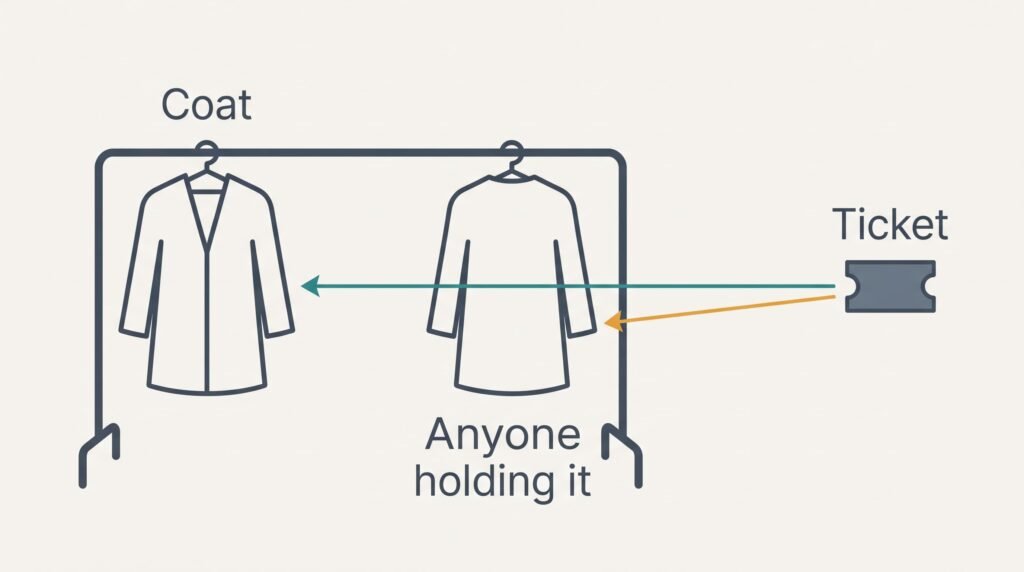
A cloakroom works in a similar way. You hand in a coat and are given a numbered ticket, while the attendant keeps the coat on a rail behind the counter. The ticket is the cookie, and the coat is your basket, which never leaves the building. Nobody at the counter needs your name, only the number.
The comparison fails at the ticket. An attendant hands the coat to whoever holds the number, and a server does likewise with a cookie, treating whoever presents your key as you. That’s why sign-in keys are marked to travel only over encrypted connections and to stay out of reach of scripts on the page.
A real attendant would notice a stranger holding your ticket, but a server can’t.
What a Cookie Cannot Do
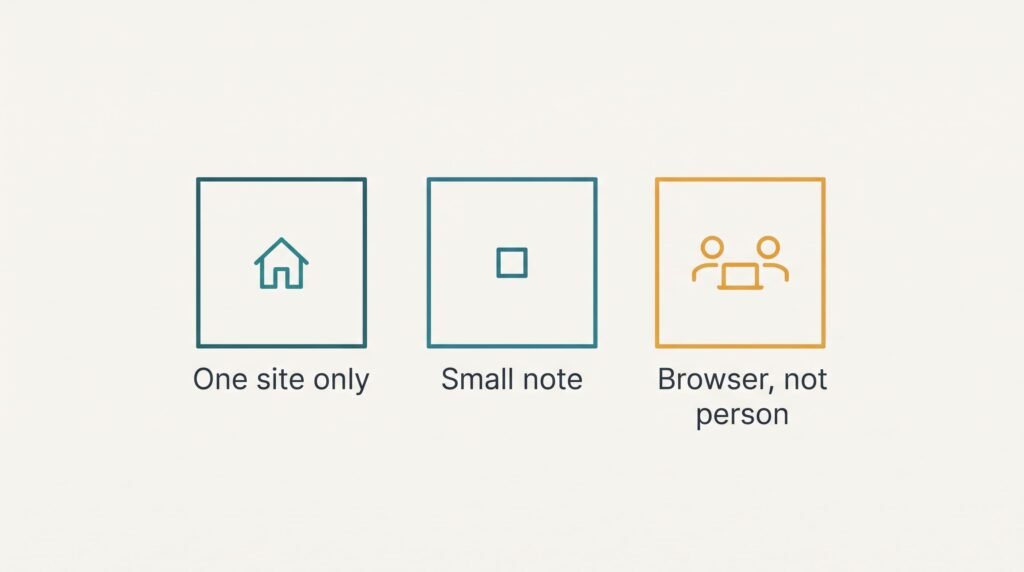
A cookie has firm limits, and size is the plainest. Browsers are built to handle about 4,096 bytes for one cookie. That’s far too little for a basket, which is why the note carries a key and the data stays on the server. A cookie also goes only to the site that set it, and it can’t run code or open files on your device.
Third-party cookies are the exception worth knowing. A picture or script from another company can sit inside a page and set a cookie under its own address. How does a website remember you across two shops? It doesn’t, but the outside company can, if both shops load its script. Many consent banners ask about cookies of this kind.
A cookie recognises a browser, not a person. Two people on one laptop and one browser profile look like a single visitor. Someone using a laptop and a phone counts as two.
Two Beliefs About Cookies That Refuse to Die
The first says a cookie is a small program that can carry a virus. The belief grows because the word sounds like something you eat or install, and because banners ask you to accept it much as a warning would. In truth a cookie is plain text. It sits in storage and never runs, and the usual size limit is only about 4,096 characters.
The second says a private window sends no cookies. That one grows from the mode being described as leaving no trace. So how does a website remember you inside a private window? A private window starts with an empty jar and throws it away when the last private window closes. Sites can still fill that jar while you browse, and a shop still tracks your basket from page to page. Close the window and every note from that visit goes, including any sign-in.
Which Cookies to Keep and Which to Clear
Your choice turns on who else can open the browser. Use one rule: keep the cookies of sites you sign into, and clear every other cookie once a month. Clearing a sign-in cookie would cost you a fresh sign-in at every visit. The settings screen of many browsers lists cookies by site and lets you keep chosen ones while the rest go. That’s the quickest way to do the monthly clear. On a computer others use, clear them all before you leave. When a banner offers a choice, pick the essential-only option unless you want the site to remember a preference such as your language.
A cookie is a label with a number on it, and the website keeps everything else. When your browser returns the label, the server finds the record and the page carries on as though you never left. Knowing that makes a banner less mysterious and a stubborn sign-in easier to fix. Remember the limits: a label recognises a browser only, and it works only for the site that issued it. Clear it, and the site simply meets you as a stranger again.
Questions Readers Keep Asking
Can someone steal a cookie and sign in as me?
It can happen, but it takes more than visiting a page. A stolen sign-in key works like a ticket, and sites mark it to travel only over encrypted connections and to stay hidden from page scripts. The practical risks are a shared computer left signed in and malware on your own device. Sign out on shared machines.
Do I need to accept every cookie a banner offers?
No. Essential cookies keep the site working, such as the one holding your basket, and sites can set them without asking. Visit counting and saved preferences are your choice. Pick the essential-only option unless a saved preference matters to you, and the site will still load and work as normal.
Does a site recognise me by my IP address instead?
Not for a basket or a sign-in. An address belongs to a connection, and it changes when you move from home Wi-Fi to mobile data, while many homes share one address. A cookie follows the browser instead. Sites may still use the address for a rough location, which is a separate job from remembering you.