Your phone never sees your ear. A small infrared sensor beside the earpiece sends out pulses of invisible light and measures how much bounces back. When enough returns, the phone decides something is close and lets the screen go dark. That is what makes the screen go dark during a call, and it also switches the touchscreen off so a cheek can’t press anything. Further down you get a short answer and a traced call, then where the idea stops and a guide to acting on it. Every figure is an illustration, since each phone keeps its own scale.
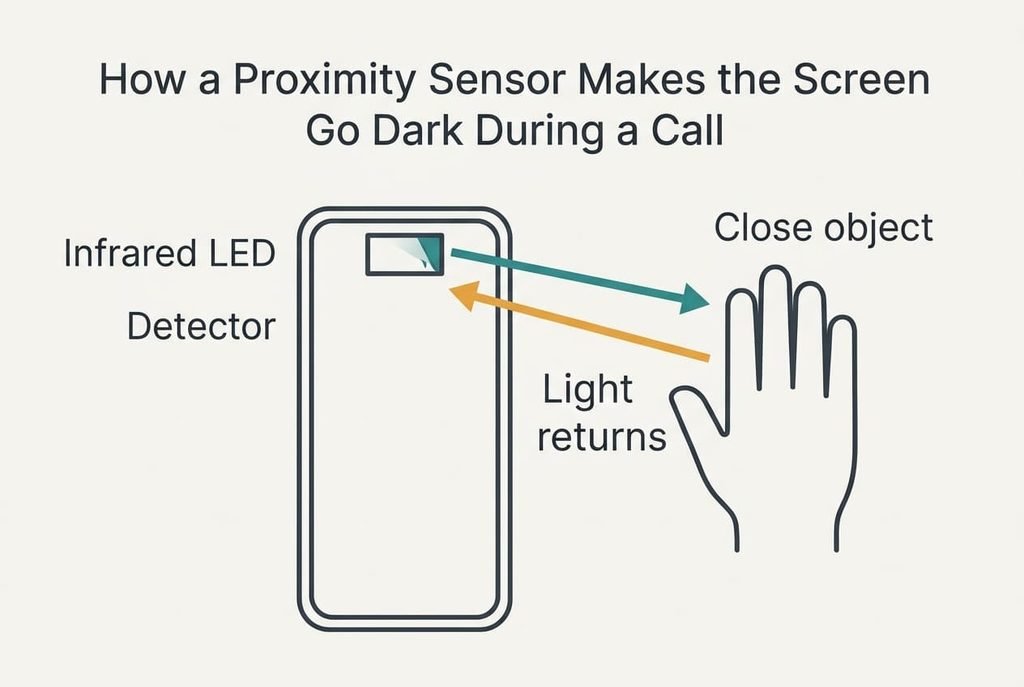
How a Proximity Sensor Makes the Screen Go Dark During a Call
In short, the sensor measures how much of its own infrared light returns and the phone darkens the display once that amount passes a set limit, and everything else follows from that comparison. The sensor sits behind a small window near the earpiece. An infrared LED and a light detector lie side by side there, so light leaves the LED and strikes anything close, and some of it lands on the detector. The detector is tuned to the LED’s own wavelength, which helps it ignore ordinary room lighting.
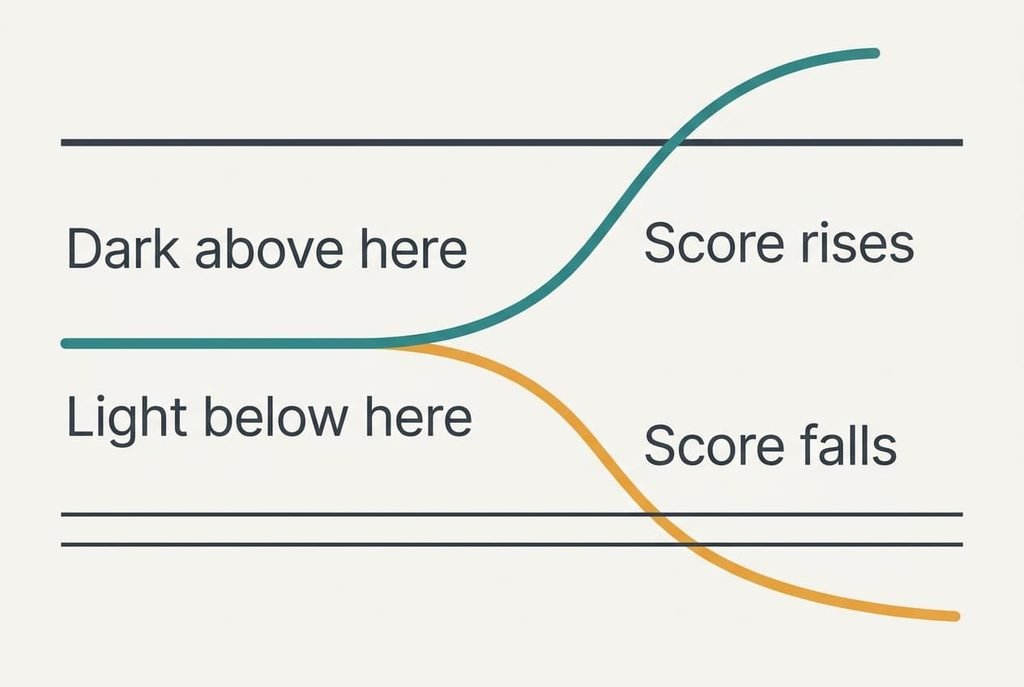
That sentence leaves three things out. Distance isn’t measured, only the brightness of the return. The limit has two values rather than one, which stops the screen flickering while your ear hovers at the edge. The touchscreen is switched off at the same moment, so a cheek can’t end the call or press a key.
Let the reading run from 0, nothing nearby, to 255, a surface touching the glass. In our example the display goes dark above 100 and lights again below 60.
One Call Traced From Ringtone to Hang-Up
Take a call answered at a bus stop in Bristol on a bright afternoon. The moment the call connects, the phone starts firing the LED ten times a second. Each pulse produces two readings, one taken with the LED off and one with it on. The score is the difference between them. Sunshine raises both readings equally and cancels out. That’s why a sunny pavement doesn’t fool the sensor. Here the LED-off reading is 240 and the LED-on reading at arm’s length is 245. Each pulse lasts about 0.1 ms, so the LED is lit for only 1 ms in every second.
With the phone held out at arm’s length, 25 cm from the face, the score is 5. Nothing happens. As the phone rises to 8 cm the score reaches 40, and at 5 cm it reaches 85. The screen stays lit because both figures sit under 100.
At 3 cm the score reads 110. That crosses the limit, so within the next tenth of a second the display goes dark and the touchscreen stops responding. It’s the instant you watch the screen go dark during a call. A step into a shaded doorway changes both raw readings, yet the score stays the same. Pressed against the cheek at 1 cm the score reaches 180, well above the limit, so the phone stays dark however the head moves.
Four minutes later the caller asks for an address. She lowers the phone to 5 cm to read a message. The score is 85, which sits under 100, yet the screen stays dark. The lower limit of 60 is the one that matters on the way out. At 7 cm the score is 62 and the screen is still dark. At 8 cm it falls to 40, which is under 60, so the display lights.
The sensor stops pulsing the moment she taps the red button.
A Torch in a Dark Corridor, and Where It Breaks
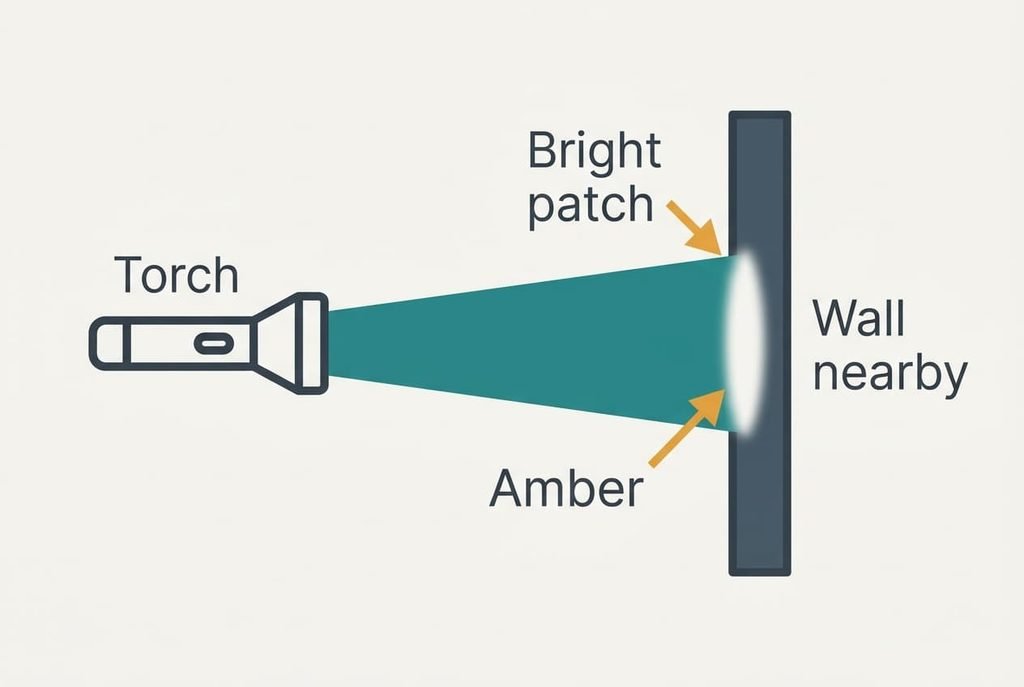
Compare the sensor with someone walking down a dark corridor with a torch. A nearer wall carries a brighter patch of light, so brightness alone tells the walker how near it is. A phone’s sensor does the same job with a single number.
Where the comparison breaks is the walker’s eyes. A person sees hue and surface and knows what is being lit. The sensor sees nothing but a score. A black coat at 3 cm can return less light than a white sleeve at 6 cm, so the same score can come from two quite different situations. The phone can’t tell them apart, and it never tries. That ambiguity is the price of using one cheap number.
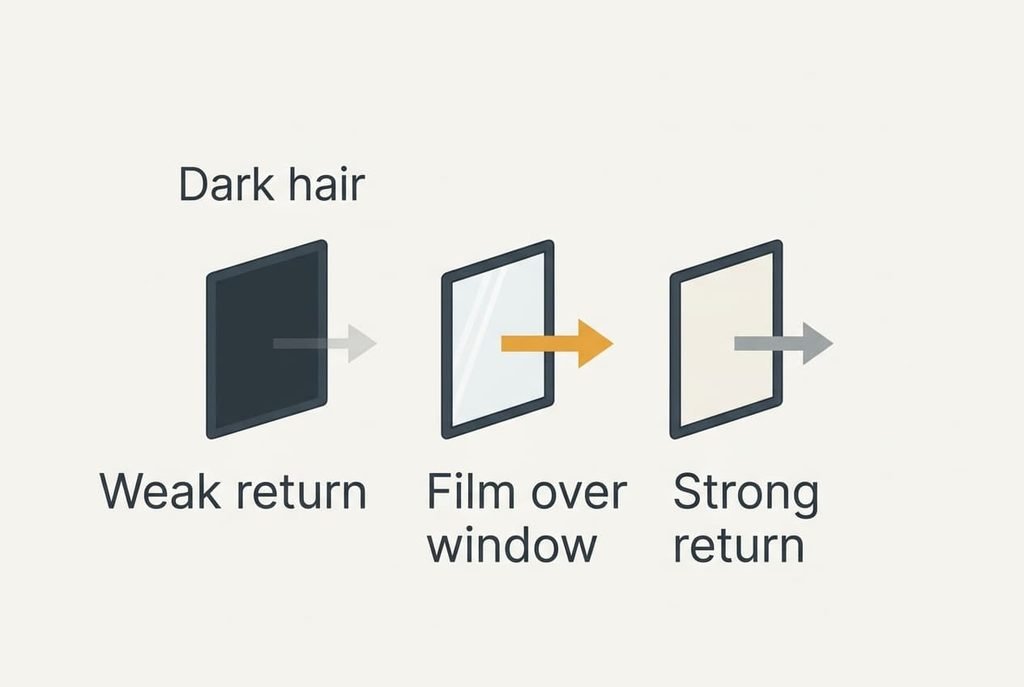
What the Sensor Misses When the Screen Goes Dark During Calls
The limit most people misunderstand is that the sensor reports how much light returns, never how far away something is. Everything below follows from that.
Dark hair and dark fabric absorb infrared, so a cheek framed by thick black hair can return a lower score than bare skin at the same distance. On such a call the display may stay lit longer than it should. The range is short, roughly a hand’s breadth at most, so a phone held away from the ear still counts as far.
A film or glass protector that covers the sensor window can reflect the LED’s light back toward the detector, which makes the score high all the time. The result is a display that remains black after the call. A smear or a fingerprint on the window does the opposite and weakens the return.
The sensor also has no idea it is looking at an ear. A pocket or a hand returns light too, so a coat pocket keeps the display black.
Three Beliefs About the Sensor and Why They Stick
The first belief says the front camera watches you. It sticks because the sensor window sits right next to the camera hole, so the two look like one part. The camera isn’t involved, and it doesn’t switch on for this.
The second belief, that the touchscreen feels your cheek and shuts the display, comes from palm rejection, a real feature that ignores big smudges of contact. Palm rejection is a separate system that reads the screen’s own touch grid. The darkening comes from the light sensor.
The third belief holds that a phone is faulty when it goes dark in a pocket. People watching the screen go dark during a call assume the phone is reading their intentions, so a dark pocket looks like a bug. The same rule runs everywhere, and the pocket simply returns light.
A Rule for When to Act
Leave the sensor alone while the screen behaves. A working sensor makes the screen go dark during a call as soon as a finger covers its window, so that single test tells you whether it is alive. If the screen stays lit against your ear, or stays dark afterwards, clean the window and remove any film over it before you blame the phone. Most faults end there. Start with a dry cloth over the window, which takes seconds.
Only a fault that survives a clean window and a bare phone points to the device, and that’s when to ask the maker.
Knowing that the sensor only counts returned light makes its odd moments easy to read. A coat pocket keeps the display black because it returns light. Dark hair dims the score because it absorbs light. A film over the window inflates the score because it bounces light back. Each case is the same measurement meeting a different surface, so the cure starts with the surface and rarely with the phone. Start there.
Questions Readers Keep Asking
Can the sensor be fooled?
Yes. Because it only counts returned light, dark hair can weaken the score and a film over the window can inflate it. A hand returns light as well. Clean glass and a bare window give the most trustworthy readings, and a wipe usually cures it.
Do I need to do anything to keep it working?
Rarely. Wipe the window when the screen misbehaves and keep any protector clear of the small opening near the earpiece. There’s no setting to maintain, and the sensor draws only a sliver of power because its pulses are short and ten a second.
How is it different from the light sensor that sets brightness?
They sit close together and both read light, but they ask different questions. The proximity sensor makes its own infrared pulses and asks how much comes back. The ambient light sensor makes none and only measures the room, which lets the phone adjust brightness. They don’t share a job.