Buying a security key starts with one question: do the accounts you care about accept one at all? A key that no service recognises is only a keyring ornament. Maya lives in a flat in Cardiff and wants to protect her email and her bank, and she signs in from a laptop and a phone. Her small household keeps the arithmetic short. Four criteria come next in priority order. A section on misleading claims follows, then three buyers with different needs and a short test to run when the key arrives. Every number is a sample to be held against your own accounts.
What to Settle Before Buying a Security Key
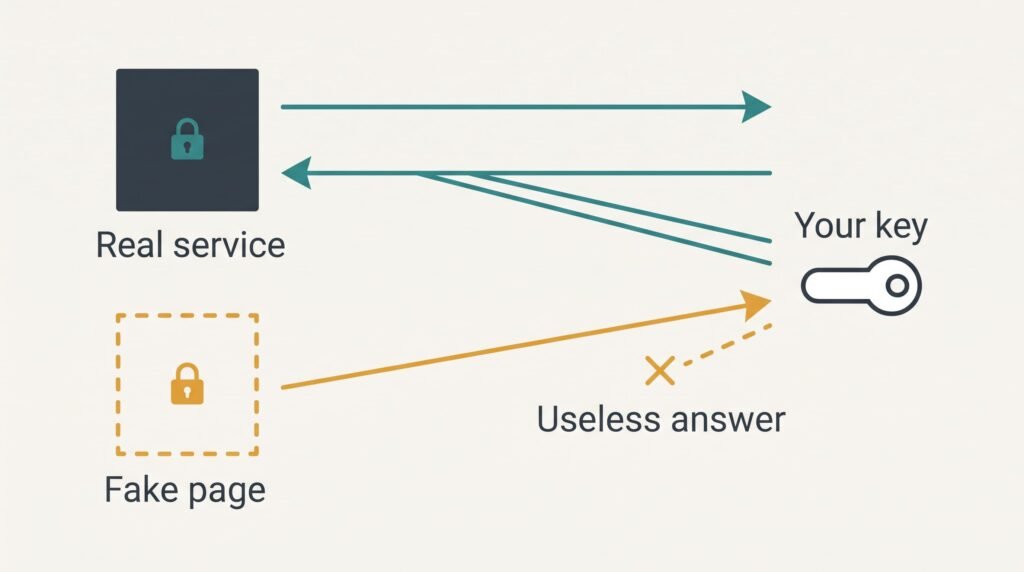
A service that wants proof it’s you sends a challenge. The key answers with a secret that never leaves the device, and the answer works only for the genuine address of that service. A look-alike page receives something useless. A six-digit code behaves differently, because a fake page can collect it and pass it on within seconds. The service keeps only a matching public check, which is worthless to a thief who copies it. That gap is why people carry these devices.
The benefit exists only where a service has switched the feature on. Maya opened the security page of 12 accounts and found a key option on 9 of them. Open each account’s security page, which usually sits under a heading about signing in or two-step checks. The other 3 offered codes alone. Her key therefore covers 9 ÷ 12 = 75% of the list and leaves a quarter on weaker footing. Choose the key your accounts will accept, since the finest hardware does nothing for a service that ignores it. Count first and shop afterwards.
A key nobody accepts protects nothing.
Four Criteria for a Security Key You’ll Buy, in Order
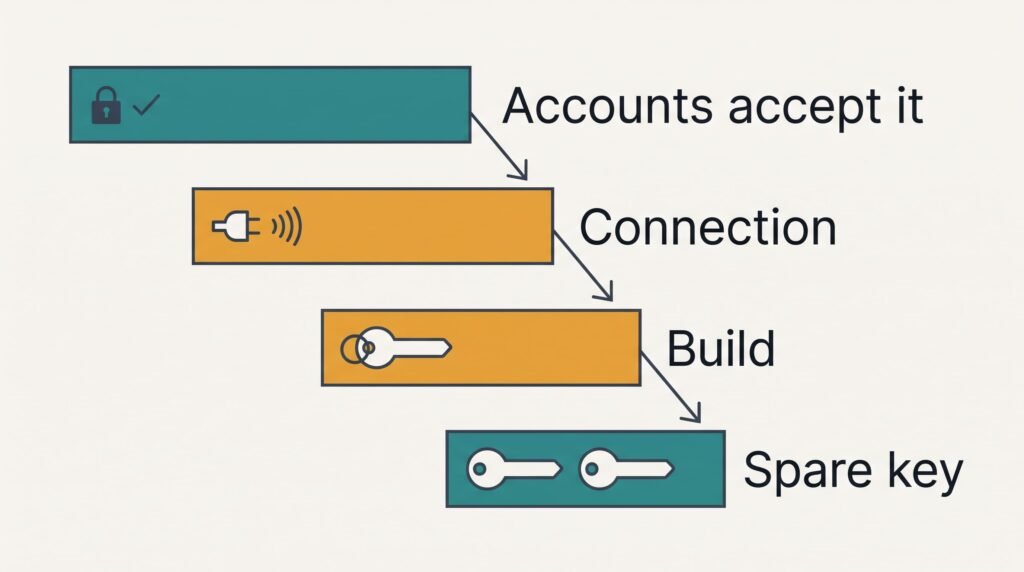
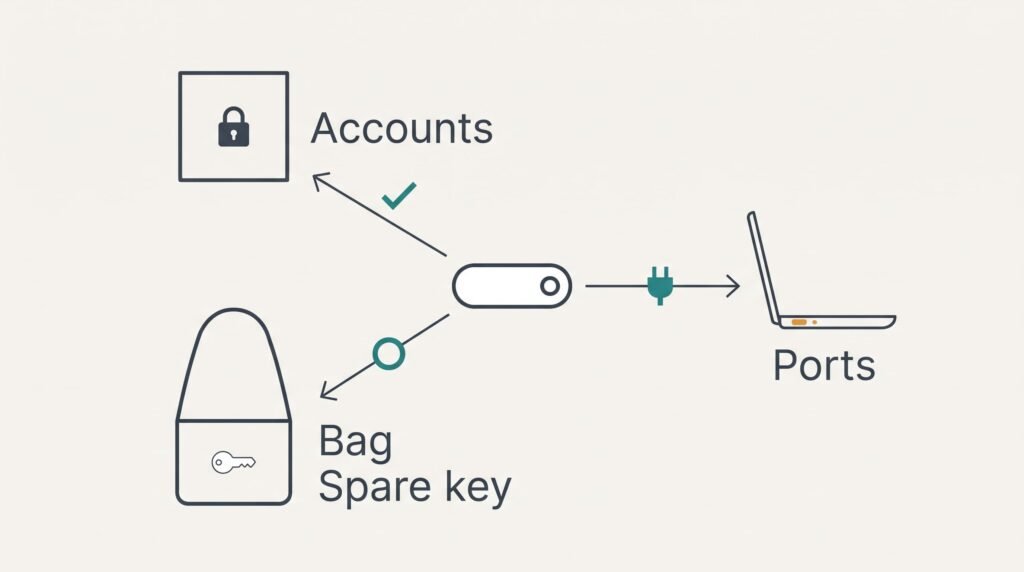
1. Support from your accounts. This is the whole purpose, and in daily life it looks like nothing: you sign in as always until a service asks for the key. Judge it by opening the security settings of your email account and then of your bank, looking for a key option. Maya counted 9 of 12. Buying a security key without this count is guesswork. A miss leaves an ornament in a drawer while your accounts rely on codes alone.
2. How it connects to your devices. Some keys plug into a port and some work by a tap against a phone. That decides whether signing in takes one touch or a hunt for an adapter. Look at the ports on your laptop and check how your phone accepts a tap, then set both against the connection method in the description. Maya’s laptop has two ports of one shape and her phone takes taps. A miss lets you sign in at home and nowhere else.
3. Build and carry. A key lives on a keyring and takes knocks. Judge it by hand: does it have a hole for a ring, and does it feel solid when you flex it gently? Maya clips hers to her house keys, which puts it with her on every journey. A key left at home protects nothing on the train. A flimsy one cracks in a bag and takes your sign-in with it.
4. A second key and a way back in. Buyers rarely look at this line, yet it rescues you most often. It asks whether each account lets you register more than one key, and what recovery path exists if one goes missing. Open the security page, look for an add-another option and read the recovery wording. Maya’s rule is two keys, with one in a drawer at home. A miss means a single lost keyring can lock you out of your own email.
Claims Printed Large on the Packaging
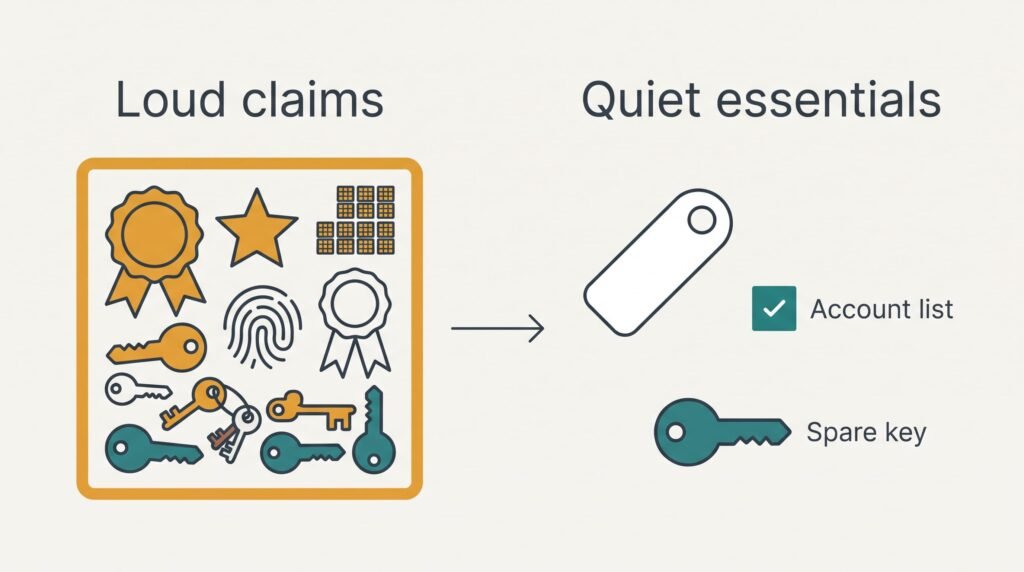
A huge account count is the loudest line, since a high figure seems generous. Yet an ordinary two-step key keeps no entry per account. The count says little about whether Maya’s bank will accept it, and the answer sits on each service’s own settings page.
Compatibility lists deserve a more careful read. A page naming the services it works with is useful. Such names go stale quickly. Services change what they accept. Read the list as a hint, then confirm on the settings page itself.
Strength words come next. Terms such as “rugged” or “unbreakable” name no test you can look up, and a key that survives ordinary knocks is plenty for a bag.
Extras such as a fingerprint reader add a step for some uses and still depend on the account accepting the key. Bundles of colours or cases are packaging. The four criteria hold whatever the box promises.
Three Readers, Three Priorities
Maya is the straightforward buyer. For her, buying a security key means criteria 1 and 4: nine accounts that accept it and a spare in the drawer.
Ravi has a ten-year-old laptop with one port of an older shape and a modern phone. Criterion 2 climbs to the top for him. A plug of the wrong shape needs an adapter, and an adapter is another small thing to mislay. He picks a tap-style key for the phone and checks the laptop separately.
Aisha works from cafés and trains, which lifts criterion 3 for her because the key spends the day in a bag. She still follows Maya’s spare-key rule, since café tables are where keyrings get left behind.
Reasons to Stop Reading a Listing
Close the tab when none of your own accounts offers a key option. A well-built device still protects nothing there, and no listing can change what your services accept. Spend the evening on the app-based codes you already have instead.
A page silent about how the key connects is the next stop sign. Without plug or tap in plain words, you can’t match it to your devices.
A seller who dodges that question has answered it.
Pause at any account where you can register only one key and no other recovery route exists. A single key is a single point of failure, and one lost keyring would mean a long recovery process. Be suspicious of packaging whose photos show cases and cords while the connection method hides in the small print. How does it connect, and will my accounts accept it? Those two questions sort most pages in a minute.
Two Minutes to Test It the Day It Arrives
Anyone buying a security key should run this test the day it arrives. Register it on one account, ideally the email you use for recovery everywhere else. Then sign out and back in to prove it works. The job takes about two minutes. Pick a quiet weekday with a notebook beside you, because a failure at the weekend leaves nowhere to turn.
Next, sign in from your phone and from your laptop with the same key, because one that signs you in on a single device is half a plan. Add the second key on the same account before you close the page.
A key you’ve tried on both devices is one you can trust on a bad morning. Keep the spare away from the keyring. Test it once and write the date in a notebook. A year from now, repeat the count of accepting accounts: services add key options over time, and your list may turn out longer than Maya’s.
Questions and Answers
Does the type of key matter?
Only where your accounts and devices accept it. Read each service’s own list of supported keys, then match the connection to your ports and phone. Beyond that the differences are small for everyday use. A plain key that fits your devices is the better buy than an elaborate one that doesn’t.
How much should I spend?
Aim for two plain keys before one elaborate one. The second key matters more than any extra feature, because losing your only key is the expensive mistake. Treat the pair as a single purchase. Favour solid build and a connection your devices accept over anything printed in large letters.
How long will a key last, and what if I lose it?
A key has no battery to run flat, which lets it serve for years if it survives the knocks. If one goes missing, sign in with your spare and remove the lost key from each account. With no spare, you’ll depend on each service’s recovery route, which can take days.