Wavy stripes appear when you photograph a screen because two fine grids overlap: the screen’s own pixels and the camera’s sample points. If their spacing is almost equal, the small mismatch shows up as broad bands that belong to neither grid. That’s why the stripes turn up in the photo and usually not on the screen you’re looking at. These figures are samples for an invented monitor and phone. Yours will differ. A small step backwards can remove them. One photo is traced from distance to stripe. An analogy and a rule for where to stand follow.
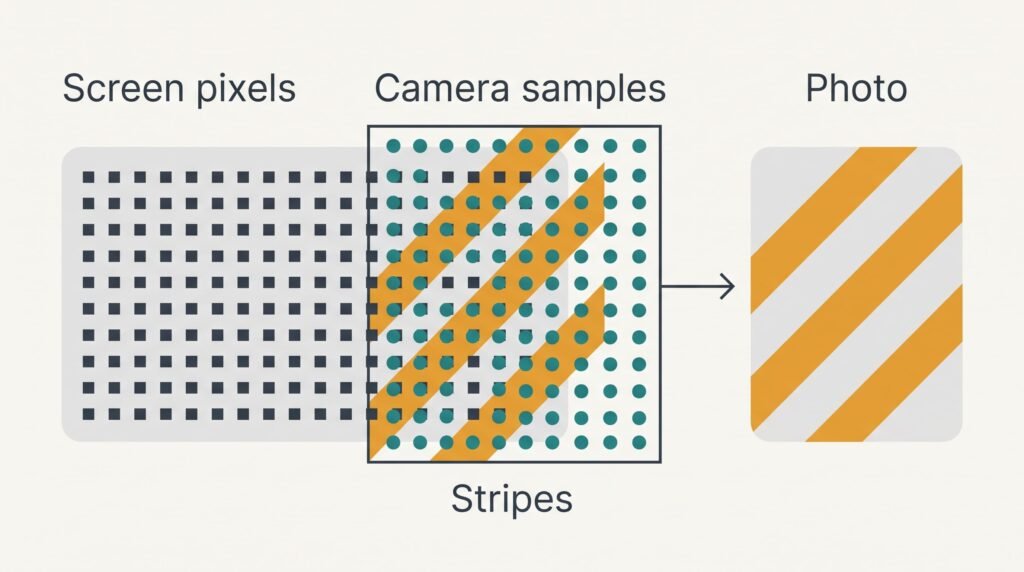
Why Wavy Stripes Appear When You Photograph a Screen, in Short
A stripe is the slow beat between two grids of almost equal spacing, the screen’s pixels and the camera’s sample points. Where the two line up, the picture records light. Where they drift apart, samples land on the dark gap between pixels and the picture records shade. Each full cycle of drifting draws one band.
The band spacing follows a short rule. Say the screen’s pixels sit 0.25 mm apart and the camera samples the screen every 0.27 mm. The bands then repeat every 0.25 × 0.27 ÷ (0.27 − 0.25) = 3.4 mm. A gap of only 0.02 mm between the grids becomes a stripe more than 13 times wider than one pixel. The rule works in reverse as well. Closer spacing makes broader bands, and identical spacing leaves none.
A short answer is incomplete. It never says why the camera samples at 0.27 mm, or why a small step backwards changes the pattern. It also skips why a screenshot of the same picture stays clean. The traced photo below fills in all three.
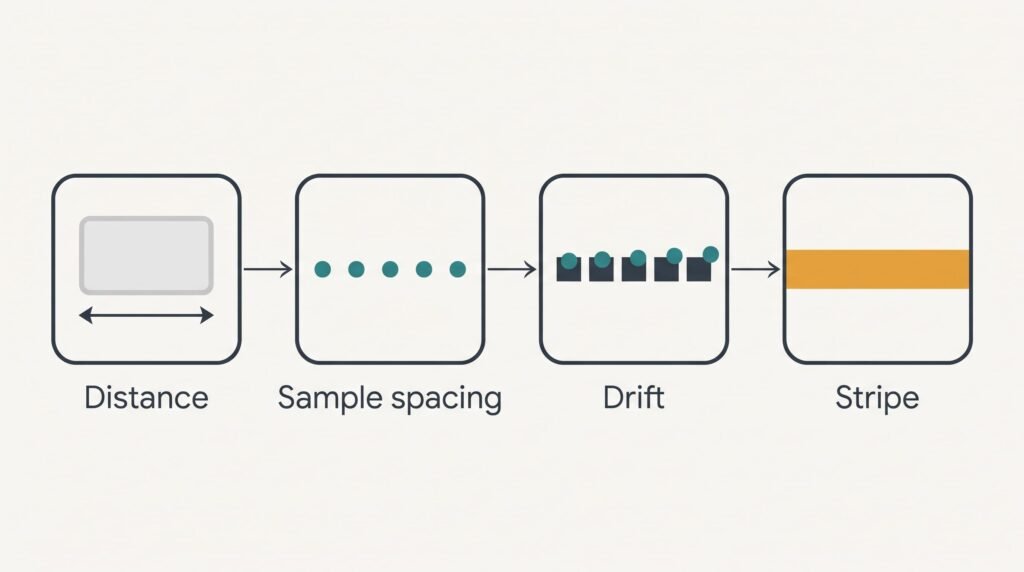
One Photo of a Monitor, From Distance to Stripe
Our monitor is 50 cm wide and holds 2,000 pixels across, which makes each pixel 0.25 mm. Behind the phone’s 6 mm lens sit sensor pixels 0.0012 mm wide. Nothing unusual happens when you photograph a screen from 1.35 m (1,350 mm). The stripes are plain arithmetic.
Each sensor pixel covers 0.0012 × 1,350 ÷ 6 = 0.27 mm of the screen. That is the camera’s sample spacing, a little coarser than the screen’s own 0.25 mm.
Follow one row of samples. The first lands on a pixel centre and records light. Next comes one that lands 0.02 mm further into its pixel, because 0.27 − 0.25 = 0.02. A third lands 0.04 mm in. After 0.25 ÷ 0.02 = 12.5 samples, a sample has crept a whole pixel along and falls on the dark gap. The record fades toward shade and then climbs back. The cycle restarts.
One cycle spans 12.5 samples, which is 12.5 × 0.27 = 3.4 mm of screen. Count it another way: that stretch holds 13.5 screen pixels but only 12.5 sensor samples. The grids drift a whole step apart. Real pixels also aren’t fully lit. A thin dark lattice covers perhaps a fifth of each cell, and that’s what a sample records as shade. A 50 cm screen covers about 1,850 sensor pixels in the saved picture, and 1,850 ÷ 12.5 gives roughly 148 stripes across it.
Now move. At 1.30 m the sample spacing is 0.26 mm and the stripes spread to 6.5 mm, which leaves about 77 across the screen. At 1.25 m the spacing is exactly 0.25 mm. Every sample meets its pixel at the same spot, and the stripes vanish. At 1.20 m the spacing is 0.24 mm and the bands return at 6.0 mm. Fifteen centimetres of walking took the picture from fine stripes to none and back.
A screenshot copies the pixel values directly and never forms a second grid.
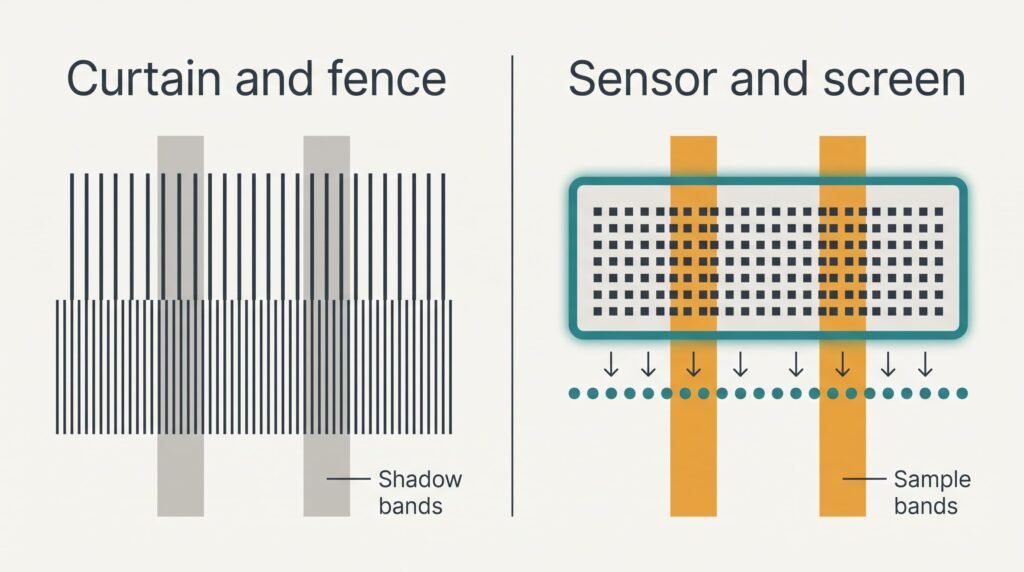
A Net Curtain Over a Garden Fence
Hold a net curtain in front of a slatted fence and look through both. Broad dark bands drift across the view as the curtain moves. Each band marks a place where threads and slats fall out of step, which is the same story of two near-equal patterns.
The comparison breaks in three places. Curtain and fence are both solid. Each layer removes light, and the bands are shadows. A screen glows and the sensor only reads it at points. The bands come from where the samples land. You can also shift the curtain by hand, whereas the sensor’s grid stays rigid and only your distance changes its spacing. Finally, your eye sees the curtain bands directly, yet the photo’s stripes weren’t in the light that left the screen.
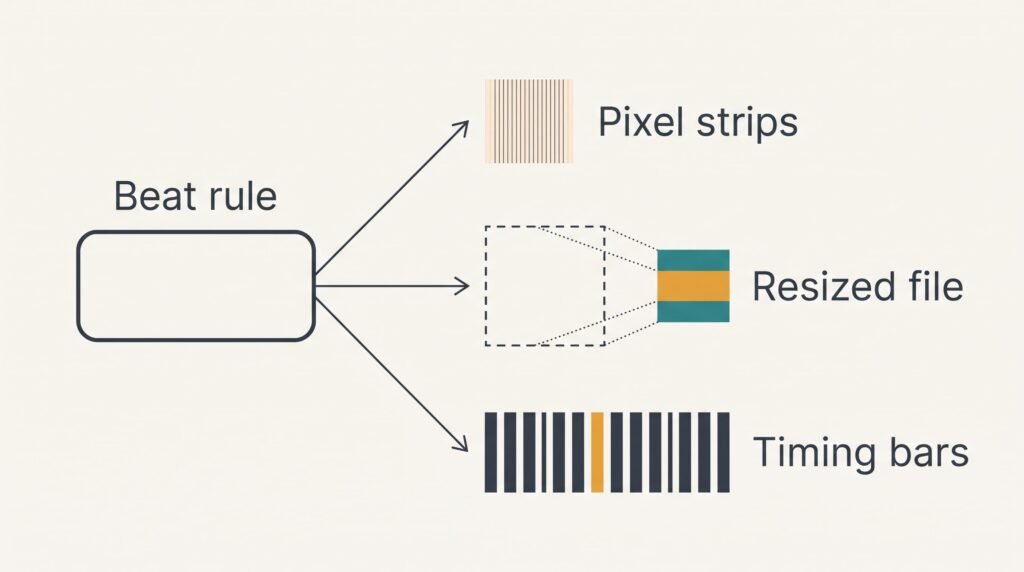
What the Beat Rule Can’t Tell You
The rule gives stripe spacing along one direction and is silent on how dark they look, which varies with the display and the camera. Real screens split each pixel into coloured strips. Lens softness weakens very fine bands. Some photos therefore show faint stripes where the rule promises strong ones. The camera also sharpens and smooths its output, and that can either strengthen the bands or hide them.
A clean preview doesn’t promise a clean saved photo, because the file may be resized afterwards. At 1.25 m the model gives no stripes. Save that photo at three quarters of its width and the sample spacing becomes 0.25 ÷ 0.75 = 0.33 mm. New stripes then appear every 0.25 × 0.33 ÷ 0.08 = 1.0 mm. It’s an easy effect to miss when you photograph a screen and judge the result only on the phone’s small preview.
Bars that sweep through video come from timing, which this model doesn’t describe.
Three Beliefs About Stripes, and Why They Stick
Many people believe the screen is faulty. That belief arises because the stripes show up only in the photo. In fact the screen stays unchanged while the stripes come and go as you step back and forth.
Another belief says a newer phone avoids the problem. It sticks because better cameras fix so many other things. A finer sensor with pixels 0.0006 mm wide samples the screen at distance ÷ 10,000 mm. That moves the troublesome spot from 1.25 m out to 2.5 m. Stripes haven’t vanished. They wait further away.
A third belief claims that blurring the stripes out later is a clean repair. Editing tools offer a slider for everything. Smoothing at the 3.4 mm scale also softens text and edges that are nearly as fine. The result is a vague picture, and that stings most when you photograph a screen to capture small print.
What to Do When You Photograph the Screen
Look for stripes on the preview, then change your distance by about 4%, which is 5 cm at 1.3 m. If the stripes widen, keep moving the same way until they spread wider than the screen, and if they tighten, reverse. Where they fade, take the shot, then enlarge it to check. A full-size view shows stripes far more clearly than a thumbnail does.
Zooming in slightly does what stepping back does, since a longer focal length shrinks the sample spacing. Tilting the phone turns the direction of the stripes and nudges their spacing, but distance is the easier lever because it changes the sample spacing directly.
For a document on a monitor, a screenshot beats a photo whenever you can reach the screen. A photo is for the moments when nothing else records what was on display. Treat it as a measurement you can repeat: two quick tries at different distances cost less than one edit. Keep the original size afterwards, because resizing can print new stripes. Delete the shots with visible bands and keep whichever one shows clean text.
Questions and Answers
Can I remove the stripes after taking the photo?
Only partly. Blurring softens the bands but also blurs text and edges. The picture gets worse in another way. Some editing tools target repeating patterns more cleverly, yet results vary from photo to photo. Taking the shot again from a slightly different distance is quicker and gives a clean original.
Do I need to worry about this for screenshots?
No. A screenshot copies the pixel values straight into a file. No second grid takes part and no beat can form. The topic matters only when a camera points at a display, such as a shared presentation or a notice on a monitor that you want as a picture.
How is this different from dark bars sweeping across filmed screens?
Those bars come from timing. A video camera reads its rows one after another while the screen refreshes. Some rows catch a dim moment. Wavy stripes come from spacing and appear in a still photo too. Timing needs a different fix, whereas spacing responds to a small change of distance.