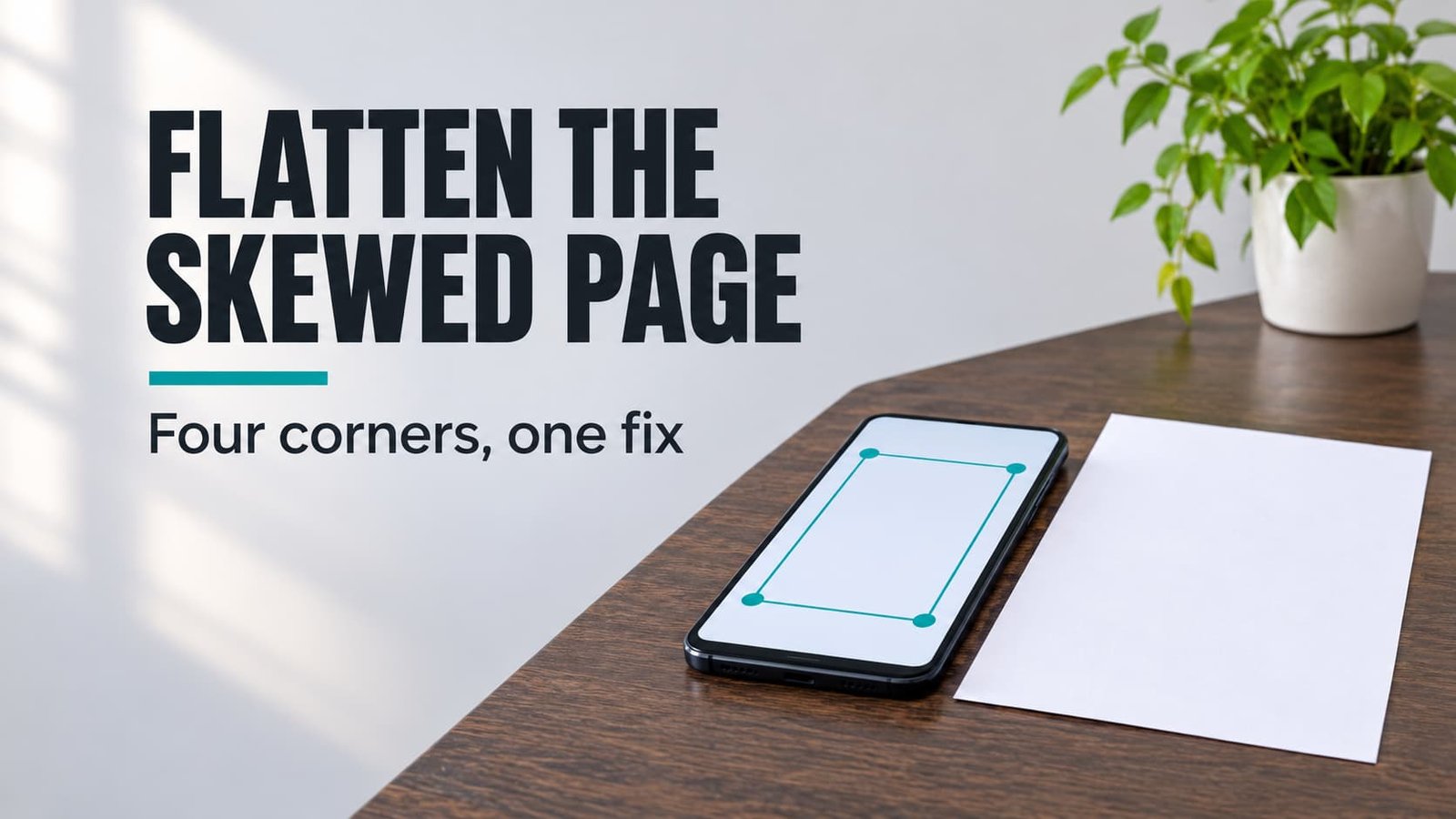
How does a scanner app straighten a page you photographed at an angle? It finds the four corners of the sheet inside the picture and stretches that lopsided shape until it fits a plain rectangle. Paper lies flat, which lets a single calculation move every point on it. The page then looks shot from directly above. Our example is one A4 sheet on a dark oak desk in a Leeds flat, shot from the near edge with the phone tilted back. All the pixel counts below are made-up samples, and real apps differ in how they handle each step.
How Does a Scanner App Straighten a Page? The Short Answer
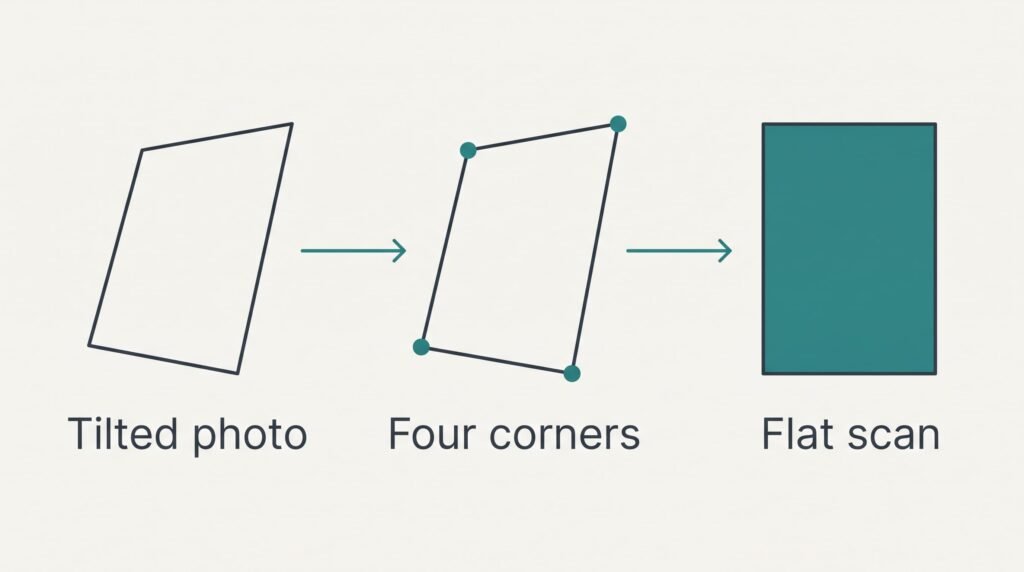
In one sentence, the app maps four corners onto a rectangle and carries every other point along with them. Two jobs sit inside that sentence. The first is a search: the app looks for the edges of the sheet and picks the one outline that has four straight sides. The second is a calculation. Four corners in the photo, matched with four in the finished scan, give eight pieces of information. Eight are enough to fix how the whole picture must stretch.
Some things stay outside that sentence. Nothing in it explains how the app learns the true proportions of the sheet, because the photo shows them squashed. Some apps assume a standard paper shape, while others measure the outline and make a guess. It also skips what the stretch does to detail, since the distant end of the sheet was captured with fewer pixels than the near end. Brightness and contrast clean-up belong to a separate step that follows. Each part gets its own section below.
One Sheet, From a Skewed Photo to a Flat Scan
Owen holds his phone over the desk and takes a photo that comes out 3000 pixels wide and 4000 tall.
Every number below is assumed. The app first makes a small grey copy, a quarter of the size at 750 by 1000 pixels. Small copies are quick to search. On it the app looks for places where brightness jumps. A pale sheet against dark oak gives a sharp jump all round its edge. It traces each outline it finds. A mug makes a round one and a pen makes a thin one, and both are thrown away. The largest outline that boils down to four straight sides is the sheet.
Corners found on the small copy get multiplied by four to place them on the full photo. A top-left corner at 155 across and 225 down becomes 620 and 900. Its three companions land at (2380, 880), (2900, 3500) and (140, 3540). Along the top the sheet spans 1760 pixels, since 2380 minus 620 is 1760, while along the bottom it spans 2760. That makes a trapezium, because the top lies further from the lens.
Next the app picks the shape of the result. This one assumes A4, which is 210 by 297 mm, and chooses 2100 by 2970 pixels, ten pixels to the millimetre. Four corner pairs supply those eight pieces of information, which fix the stretch for the whole picture. Then it visits every one of the 6,237,000 pixels of the new scan and works out which spot of the photo it came from. It blends the four nearest photo pixels there.
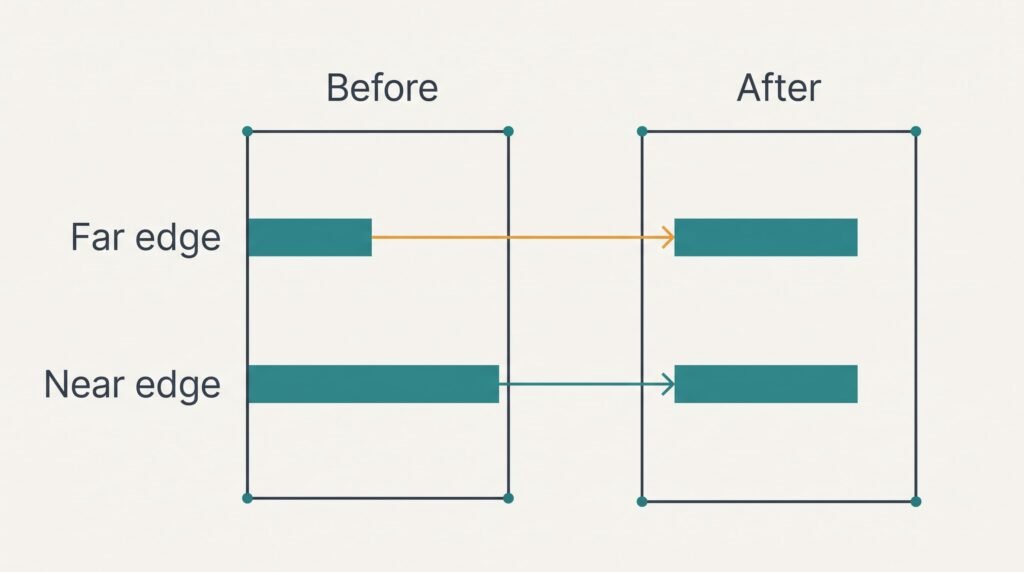
At the top, text that was 1760 pixels wide now spans 2100. That’s a sideways stretch of 19%. At the bottom, text 2760 wide shrinks to 76%. So does a scanner app straighten a page by understanding it? Nothing in the chain read a word. It moved points.
A Rubber Sheet Pinned at Four Corners, and Where It Breaks
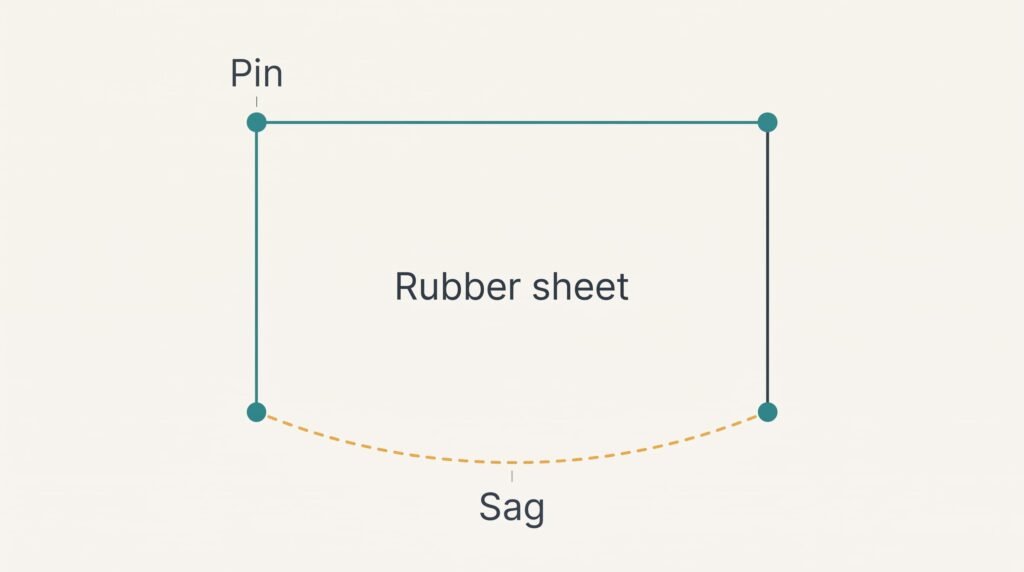
Picture the photo printed on a thin rubber sheet. Pin its four corners to a board at the corners of a rectangle, and the sheet stretches until the page looks square on.
That is the idea in a form your hands understand.
Three differences matter. Rubber can bulge and sag between its pins, whereas the calculation keeps every straight line straight and a ruled line stays ruled. Rubber also pulls evenly in practice, yet the photo’s stretch is uneven: the far rows widen by 19% in our sample while the near rows shrink. Last, the pins teach the rubber nothing about the page. The app has to be told, or has to guess, which rectangle the pins belong on.
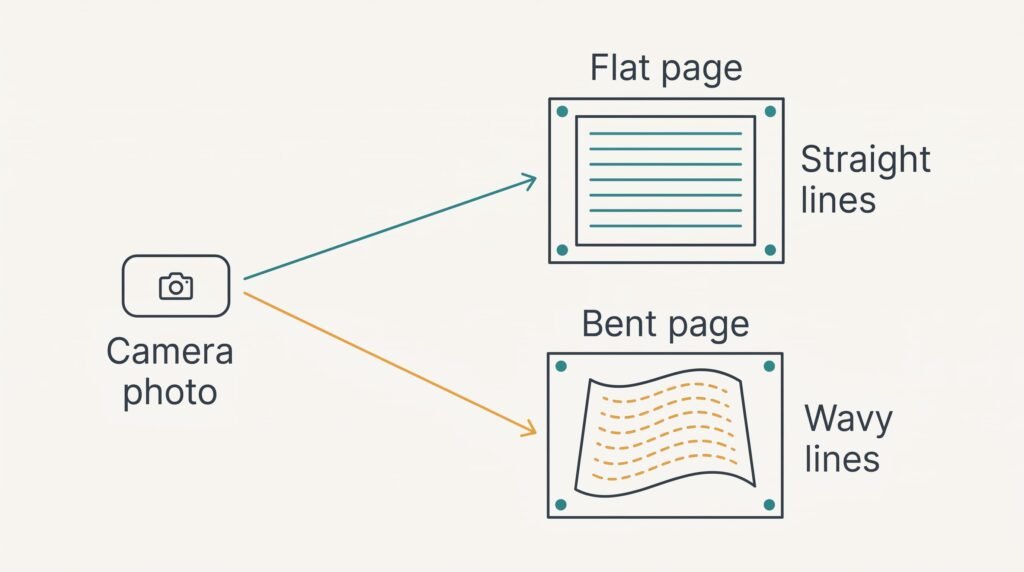
When a Scanner App Fails to Straighten a Page
Most failures trace back to one fact: a bent page stays bent. The calculation treats the sheet as a completely flat plane. A page from a thick book, curled by the spine, keeps its curved lines of text near the gutter. Four corners can’t describe a bulge.
Other limits follow. The corner search needs a visible edge. White paper on a pale desk gives a weak jump in brightness, and the app may pick the wrong outline or none at all. An app has to guess a corner that falls outside the frame. A shadow across an edge can pull a corner inwards by several pixels, and the whole page tilts slightly with it. Stretching can’t add detail either. Owen’s far edge holds 8.4 pixels per millimetre against 13.1 at the near edge, and the correction spreads those 8.4 across a wider row. Brightening the paper and lifting grey patches are separate steps applied after the geometry, and they can fail while the geometry succeeds.
Three Beliefs About Straightened Scans
One belief holds that the app knows it is looking at a document, and answers “does a scanner app straighten a page because it understands it?” with yes. It formed because the result looks like something a person would make, and many apps offer text recognition right beside the button. The app found a four-sided outline and nothing more. A framed poster would work just as well.
Next comes the idea that the finished page is equally sharp from top to bottom. It formed because the new grid looks even, and an even grid hides uneven detail. Every pixel resembles its neighbour although the far rows were stretched from fewer photo pixels.
Last is the idea that a crooked photo costs nothing, because the app fixes it. It formed because the fix is quick and the result looks flat. Extra tilt hands the far edge fewer pixels, and no calculation wins them back.
A Rule for Trusting the Result
Does a scanner app straighten a page well enough to trust? Measure the near and far edges of the sheet in the photo before you accept a scan. Retake when the far edge is under 70% of the near one, a working limit you can adjust. Owen’s sheet measures 1760 against 2760, which is 64%. His far rows are stretched about 57% more than the near ones, since 2760 divided by 1760 is 1.57. A second shot from higher up brings the two edges close to equal. Keep all four corners inside the frame with a thumb’s width of desk around them, and lay the sheet on something darker than the paper.
Once you’ve applied the rule, the correction becomes a tool rather than a rescue. A straight shot needs almost no stretching. The maths then has little to do and little to spoil. Use the app to remove the last few degrees of tilt and to trim the desk away. Don’t count on it to recover a page that was shot badly. Save the scan once the four corners look right on the preview and every line runs straight.
Questions and Answers
What makes a page hard for the corner search?
Weak contrast at the edge causes most trouble. A white sheet on a pale desk, a shadow across one side or a corner outside the frame leaves the app less to trace. Curling adds a second problem, because the outline stops being four straight sides. Put the sheet on a dark plain surface under even light and most cases resolve.
Do I need to straighten a page I only want to read?
No, if the text is large enough and the lines are easy to follow on your screen. Straightening matters when you plan to print the scan, send it as a document or run text recognition. All three work better on a rectangular page. For a quick reminder of a timetable, the raw photo is enough.
How is straightening different from removing shadows?
Straightening is geometry. It moves points so that the page becomes a rectangle. Shadow removal is brightness work: it lifts dark patches towards the colour of the paper and leaves positions alone. An app can do either without the other, which is why a scan may come out square yet blotchy, or even yet slightly tilted.