What does your camera write to the card every second, and can the card promise to keep up? That guaranteed minimum write rate settles how to choose a memory card for 4K video. It removes half the market before you read one review. A card sold on its headline speed can still stop a recording after ten seconds.
The shopper here is British, with one camera with a 4K mode of 100 Mbit/s and a second mode of 400 Mbit/s. Those bitrates and the buffer sizes are round assumptions, so read your own off the manual.
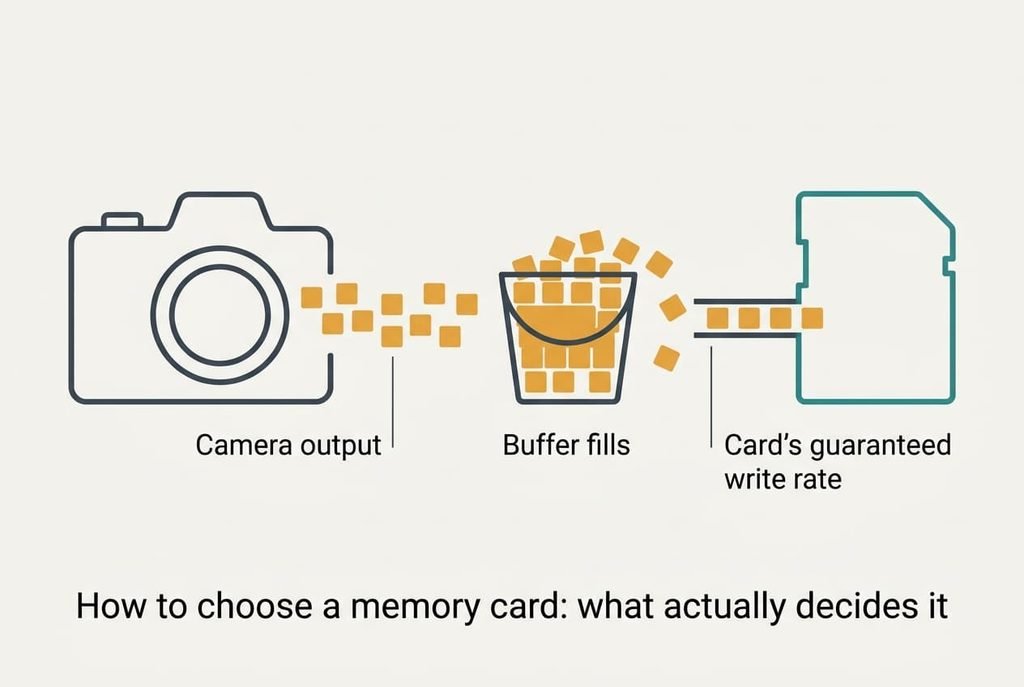
How to choose a memory card: what actually decides it
A camera doesn’t write straight to the card. It holds the video in a small buffer and the card drains it, which means the card’s guaranteed write rate has to stay above the camera’s output for the whole clip. Divide the bitrate by 8 to get megabytes per second. The lower mode sends 12.5 MB/s and the higher mode sends 50 MB/s.
Flash can’t overwrite in place. Before it writes again, the card must clear a whole block. Under steady load that housekeeping slows it to a floor well below the rate on the box. The fast figure is a burst. The floor is the rate the buffer meets in practice.
Assume a buffer of 200 MB. A card guaranteeing 10 MB/s against the lower mode loses 2.5 MB/s, so the buffer fills in 200 ÷ 2.5 = 80 seconds. A card guaranteeing 30 MB/s against the higher mode loses 20 MB/s and the buffer fills in 10 seconds. At that point the camera stops. It may also drop frames, or end the clip with a warning.
Speed on the box tells you the burst, and the floor tells you the clip.
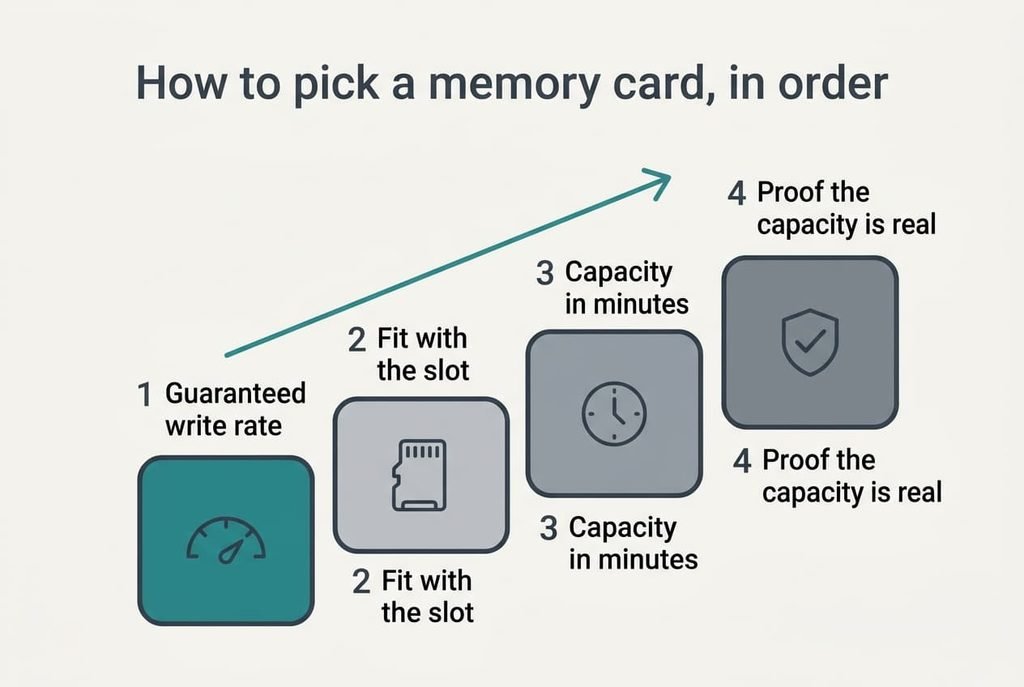
How to pick a memory card, in order
1. Guaranteed minimum write rate. This is the rate a card promises to hold when it’s busy. Cards state it as a video-class mark that stands for MB/s. It decides whether a long take finishes. The daily difference is a clip that ends on time or one that stops mid-scene. Ignore the “up to” figure and read that mark. Compare it with the camera’s output multiplied by 1.5 for headroom. That gives 18.75 MB/s for the lower mode and 75 for the higher. A card marked below that figure fails the moment the buffer fills. That is usually the longest shot and the one you can’t repeat.
2. Fit with the slot. Every camera lists the card families it reads, and each family follows a standard printed on the card. In daily use a mismatch shows up at once. The camera reports a card error or refuses to format the card. Find the line in the manual and match it to the print on the card, character for character. Get it wrong and the card goes back, which costs you the trip it was bought for.
3. Capacity in minutes. Divide capacity by output. An assumed 128 GB lasts 10,240 seconds, or about 2 hours 51 minutes, at 12.5 MB/s, and 2,560 seconds, or 43 minutes, at 50 MB/s. Choose by the longest stretch in which you can’t swap cards. One huge card puts every clip on one device, while two smaller ones halve what a single failure costs. Choosing by gigabytes alone ends in a card that fills before the event does.
4. Proof the capacity is real. Counterfeit cards report a size they don’t have, and they quietly overwrite old clips once the real space is gone. Buy from a seller who takes returns, then fill the card with test files and read every one back before a trip. A good answer is every file intact. Skip the test and you’ll first notice a clip that won’t play months later, when the original can’t be recovered.
What matters less than the box says
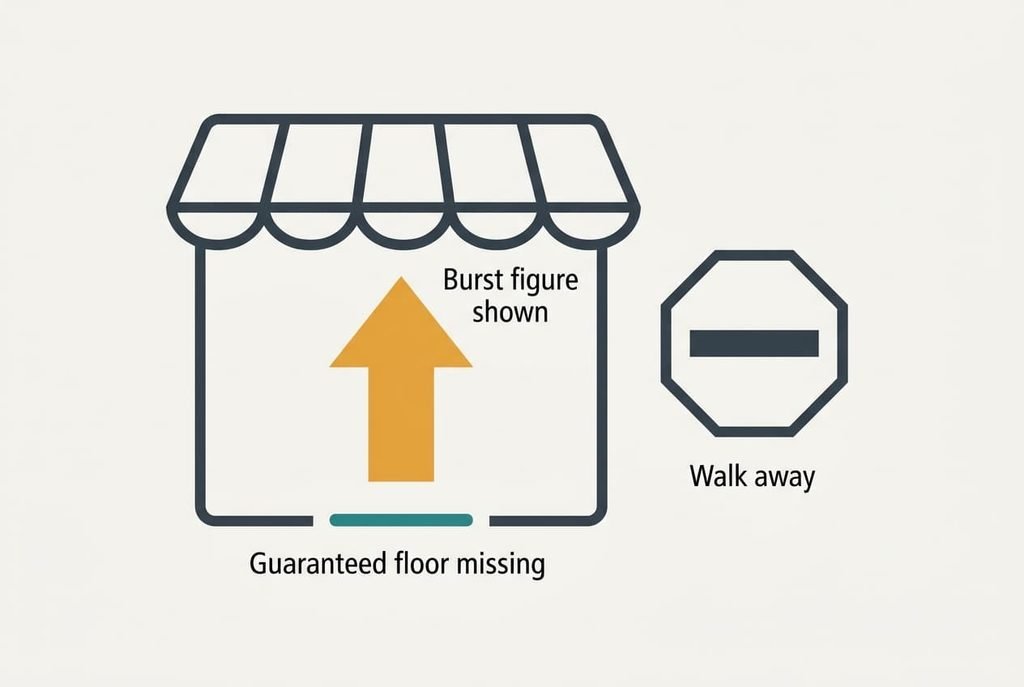
The “up to” read speed dominates the packaging and says almost nothing about recording. Read speed helps when you copy clips to a computer. In the early years of cameras it was the only number anyone measured. It survived on the packaging because it is simple to print and cheap to raise. I’d argue it’s the most oversold figure in the category, since a card’s read speed has no bearing on whether a clip finishes.
Capacity is next. A bigger number looks like better value. Criterion three shows that minutes are what you use, and a camera that tops out at a modest bitrate rarely needs the largest card. Rugged claims come third. Waterproof and shockproof lines are cheap to print and fine in a bag. A card in a camera slot rarely meets water, and a drop onto a hard floor is much likelier to break the camera than the card.
[IMAGE 4 HERE – replace this box with the generated image]
Matching the choice to your situation
Three buyers shift the order without rewriting it. A holiday filmer on the lower mode finds criterion one easy to satisfy and moves capacity up. Minutes decide how often the card is swapped during a day out. A vlogger on the higher mode keeps the write rate first and applies the full 75 MB/s margin. That buyer also drops capacity a place, since 43 minutes per card is plenty for short takes.
Someone with an older camera moves the slot fit to the front. A card that the body can’t read is worthless however fast it writes, and older bodies are the ones most likely to refuse a newer family. For this reader, how to choose a memory card starts with the manual’s supported list and only then reaches speed.
[IMAGE 5 HERE – replace this box with the generated image]
What to walk away from
Having settled how to choose a memory card, you can drop a listing that gives only an “up to” read speed. The floor is the number you’re buying, and it’s missing. A card whose family isn’t named in your manual goes too, since a firmware update rarely teaches a body to read a family it predates. An offer far below the going rate from an unknown seller with no returns is where counterfeits live. A bargain that can’t be sent back is a gamble with your footage.
A card with no video mark at all is marketed for photos.
Whether your camera writes to the card straight away or buffers first varies by model, and the manual tells you which. Check it before leaning on the sums above. Treat a body with no bitrate setting alike: with no figure to divide, sizing the card is guesswork.
[IMAGE 6 HERE – replace this box with the generated image]
The two-minute check before you commit
Start from the manual. Write down the camera’s bitrate divided by 8, then multiply by 1.5 and keep that figure in front of you. Find the video-class mark on the card and confirm its minimum clears it. Match the card family to the supported list. Divide the capacity by the output and see whether the minutes cover your longest stretch. Last, confirm the seller takes returns and ships the card sealed. Treat the sum as pass or fail, with no rounding in the card’s favour. Any answer you can’t find sends you to another listing. Hunting down these answers is quick when you know where to look.
When you work out how to choose a memory card, the order matters: guaranteed write rate comes first and everything else follows it. One missing mark ends the search. A burst figure tells you how quickly the card starts and nothing about whether it finishes, so the guaranteed minimum is the line to read before any other.
Questions readers keep asking
Is a faster read speed worth paying for?
Only if you copy a lot of footage to a computer in a hurry. It does nothing for recording, where the guaranteed write rate decides whether a clip finishes. If the budget stretches, spend the extra on a higher write mark or on a second card.
How much should I spend on a memory card?
Mid-range is the sweet spot. Put any extra money into the write mark and a seller with a returns policy. Bargain listings often omit the lines you need, while premium ones tend to sell capacity you won’t fill. Spending more on speed marks you’ll never use is the commonest waste.
Will a card I buy now work in my next camera?
Often yes, if the next body uses the same card family. A card with a high write mark will cover a higher bitrate later, which makes it the safer buy. Check the new camera’s manual for the supported families before you sell the old one.