Can you open your boarding pass with no signal and a phone at 3%? That’s the real question behind printing boarding passes and tickets, because paper has always worked without either. Three alternatives follow, each described by what it costs in effort and what it gives up. Our model household lives in Britain. It has two adults and takes five trips a year, which makes 20 passes in all. Use your own counts instead. Each route is sized in minutes a year, which makes the trade-offs easy to compare. No app or airline gets named, because names go out of date quicker than a method does.
What has to survive when you stop printing boarding passes and tickets
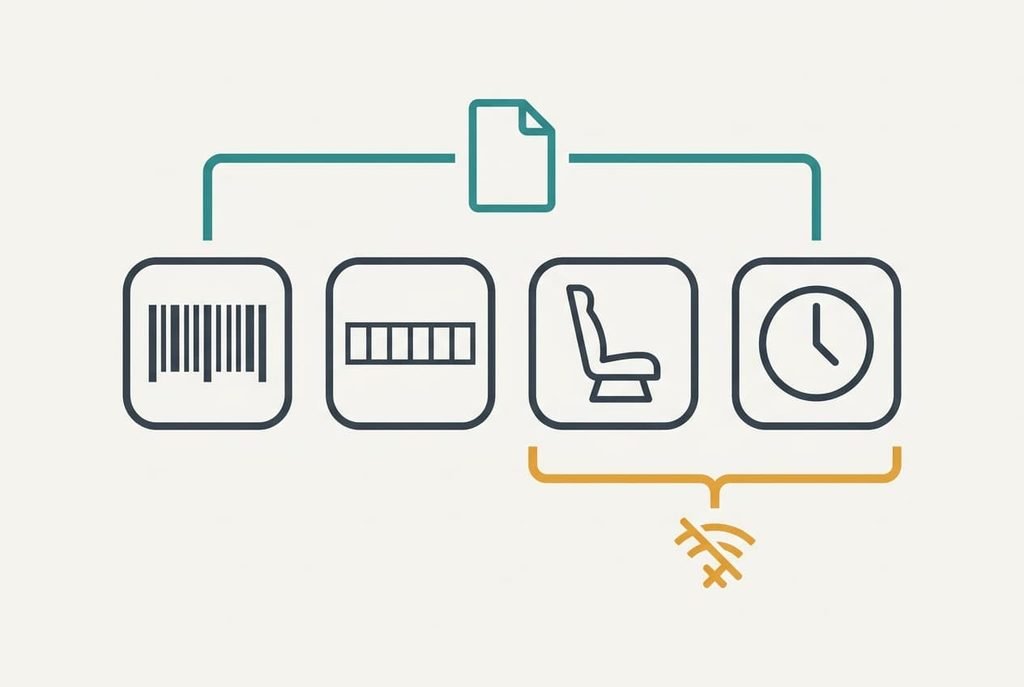
A pass does four jobs. It shows a barcode and a booking reference. A seat and a departure time complete it. Paper does all four with no battery and no signal, which is why it’s hard to beat. Paper can’t update itself, so a changed gate means a walk to the departure board.
Whatever replaces it has to keep the first two alive, and a replacement must show the barcode and the reference with the phone offline. The reference is six characters long, and it’s the fallback: with it a desk can reprint the pass in about 10 minutes. Our 20 passes mean 40 scans a year, two per pass. We assume 1 scan in 40 fails on a phone, because the battery is flat or the screen is dim. That’s one failure a year.
Three tests follow. Does the pass open in airplane mode? Is it readable in bright light? Can you find the reference without opening an app? A route that fails the first test has only moved the printer into your pocket.
Three ways boarding passes and tickets can travel without printing
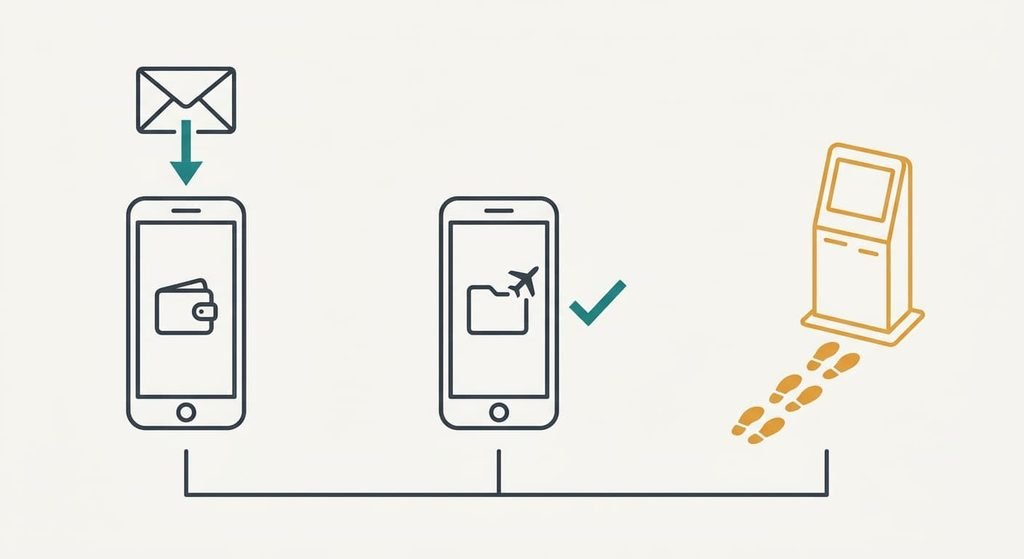
1. A wallet pass on the phone. It suits travellers who carry a charged phone and book with a carrier that offers the feature. It lands in the phone’s wallet from the booking email with one tap, about 20 seconds a pass, so 20 passes cost 6.7 minutes a year. Train and event tickets can sit beside it the same way. Dependence is the trade-off, because it needs the carrier’s support and a live phone. It fails at the gate with a dead phone, which at 1 scan in 40 means one a year and about 10 minutes at a desk.
2. A saved copy in the phone’s files, opened offline. It suits anyone whose carrier offers no wallet pass, or who wants no extra account. You save the PDF or take a screenshot and name it with the date and destination, about 30 seconds each, so 10 minutes for 20. Staleness is the trade-off, since a saved copy can’t show a gate change, though the airport boards do. It fails with a dim screen, or with a barcode the carrier has since refreshed, and we assume half a failure a year. Keep the file name short enough to find with one thumb while you queue.
3. A reprint at the airport desk or a self-service kiosk. It suits travellers who have no phone to rely on, or groups where one person holds everything. Nothing is prepared at home, and the pass arrives on paper at the airport, which costs about 8 minutes of queue per trip, or 40 minutes over five trips. Time is the trade-off, and some carriers charge for desk reprints, so check yours. It fails in a peak-hour queue that eats your buffer before bag drop. A kiosk shortens the wait when one is free, but it still needs your reference to hand.
The cost that shows up in month three
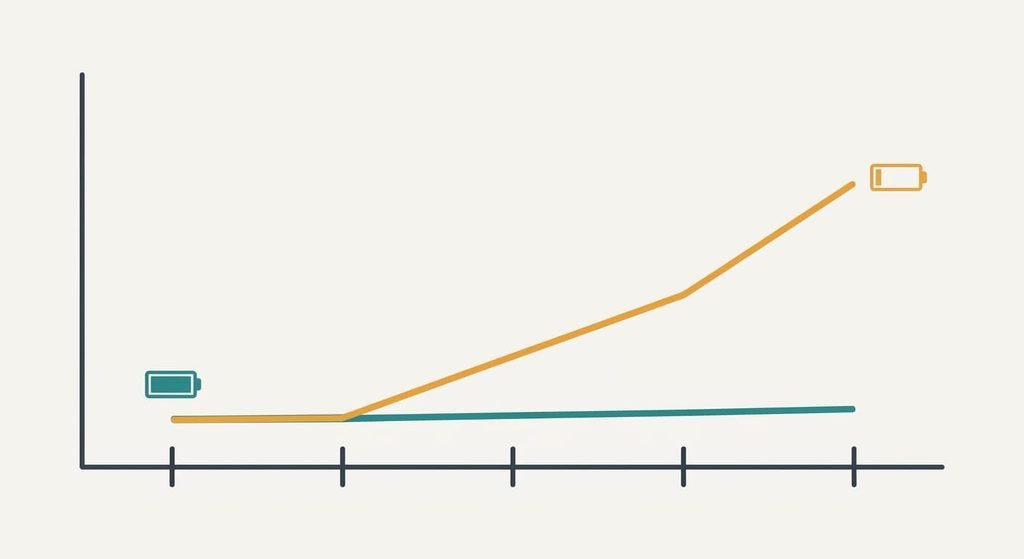
On trip one you check your battery before leaving. By trip four you check one time in three. Assume the failure rate drifts from 1 scan in 40 to 1 in 25 once you stop topping up. The phone routes decay with your charging habit, so over 40 scans the year holds 1.6 failures instead of 1.0, an extra 0.6, or about 6 minutes at the desk.
Printing boarding passes and tickets decays in a different place, which is the printer. A machine used five times a year isn’t ready when you are. We assume 1 trip in 10 meets a printer fault, which is 0.5 a year at 15 minutes each, or 7.5 minutes. Adding 20 minutes of printing, the paper route costs about 27.5 minutes a year, against about 17 for a wallet pass and 15 for a saved copy.
Habit decides which route holds.
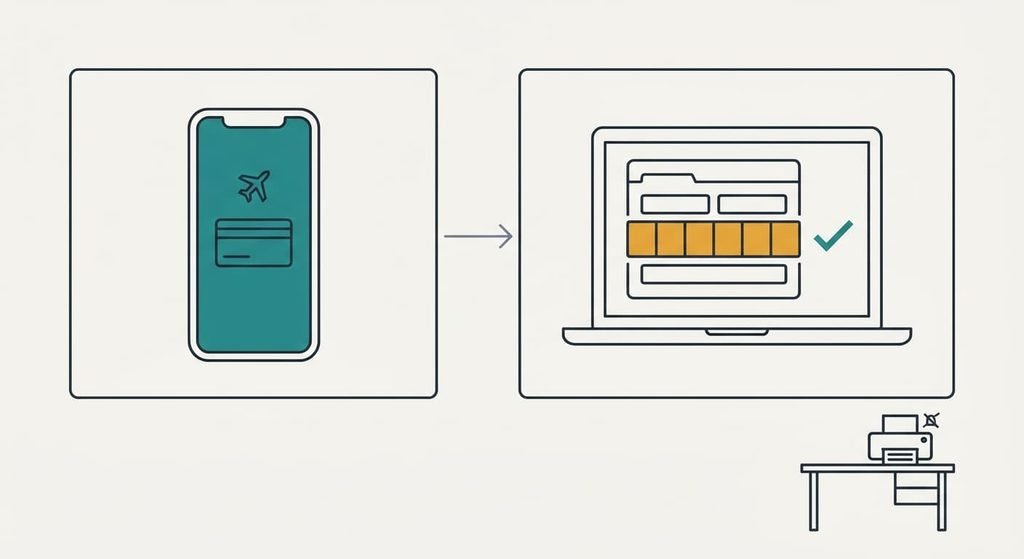
How to move across on one trip
Treat your next trip as the pilot. Three days before departure, add the pass to the wallet or save the PDF, then open it in airplane mode to confirm the barcode shows. Write the six-character reference on a card in your bag, and in your phone’s notes too. Print one copy for that first trip and keep it as a safety net.
On the day, use the digital copy at bag drop and at the gate, and leave the paper in the bag unused. Afterwards count what happened: scans that worked, minutes spent, anything that failed. When two trips come back clean, retire the printing routine. Stop buying paper for it. If either trip fails, note which test caught it and fix that single step before you try again.
When printing should keep winning
Keep printing if you fly fewer than three times a year, because the set-up for anything digital outweighs the saving. Printing boarding passes and tickets for two trips takes 8 passes and about 8 minutes, plus 3 for the odd printer fault, so 11 minutes a year. A wallet pass saves little against that and costs 15 minutes of learning the first time. Paper also wins when one traveller has no smartphone, or when a relative will be handed the trip papers at the door.
Paper never runs out of battery.
Keep the paper habit tidy. Print a day ahead and fold the sheets once. Put the reference on the back in pen. That takes about a minute and covers the printer-fault risk. Revisit the choice after the third trip in a year, since the habit you’ll actually keep outweighs the cleverest set-up.
The export to test before you trust anything
Before relying on any route, check you can get the pass out of it. Open one booking from the carrier’s site on a second device, using the reference and your surname. If it opens, your fallback works whatever happens to your phone. Then save the PDF to the phone. Switch on airplane mode and open it. A pass that opens offline is one you can show at a desk with no signal at all. If the booking won’t open, you’ve found the gap while there’s still time to fix it.
That test also shows how long a switch takes. Ten minutes now is cheap, since finding a gap at home beats finding it at a desk.
Choose the route whose bad day you can fix at a desk in 10 minutes. A dead phone and a jammed printer end differently. For printing boarding passes and tickets, trial one trip digitally, keep paper as a net, and decide after two flights. Keep the reference card in your bag until the third clean trip.
Questions readers keep asking
Will my passes move if I change phone?
A wallet pass follows your account only if the carrier supports it, so keep the saved PDF and the six-character reference as a second copy. Both live outside the wallet. Before upgrading a phone, open one saved pass on the new device and confirm the barcode still shows.
Is it cheaper than printing at home?
Slightly, though not by much. Paper and ink for 20 sheets is a small amount. The clearer saving is time: our model spends about 27.5 minutes a year on printing and printer faults, against about 17 for a wallet pass. Digital wins on minutes, and the money difference is too small to decide on.
Is it worth switching for one trip a year?
Rarely. One trip is 4 passes, and printing them takes about 4 minutes. Learning a wallet pass or an offline copy takes longer than that the first time. Switch when you fly three times or more, or when a printer fault has already cost you a morning.