Before you buy a bluetooth tracker for your keys, check one thing first: what finds it once you’ve left the house, because the tag itself only talks to your phone within about 10 m. Suppose your keys vanish twice a week and each hunt takes 10 minutes. That adds up to roughly 17 hours a year. A tracker that works only inside Bluetooth range solves the sofa cushion and fails at the café. This guide names no products and quotes no prices. It invents no specifications either, so every check below can be done on your own phone.
What Decides a Bluetooth Tracker for Your Keys
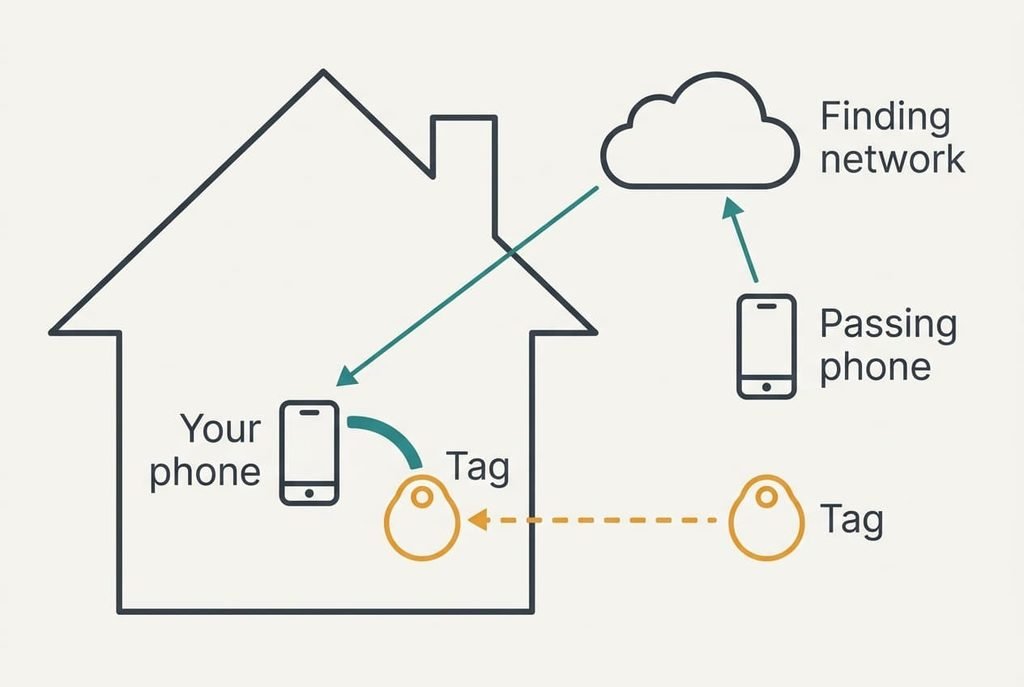
A tracker is a small radio that chirps its presence a few times a second. Your phone listens. Inside the flat that’s enough, since the phone hears the chirp and shows a distance. Walls thin the signal quickly, and 10 m through brick is an optimistic assumption.
The trouble starts when the keys leave the building. At that point your phone hears nothing, and the tag can’t speak to the internet by itself. Useful trackers lean on other people’s phones instead. A stranger’s phone passes within range and hears the chirp. It quietly passes the location on, without telling its owner anything. What finds the tracker when your phone can’t is the one criterion that settles the choice, because a perfect tag in a dead network behaves like a rock.
That’s why the finding network matters more than the tag. The tag is a coin-sized radio, and many of them look alike. The network behind it determines whether your keys turn up on a bus seat or stay a mystery.
Three smaller features sit behind the network, and none can rescue a poor one.
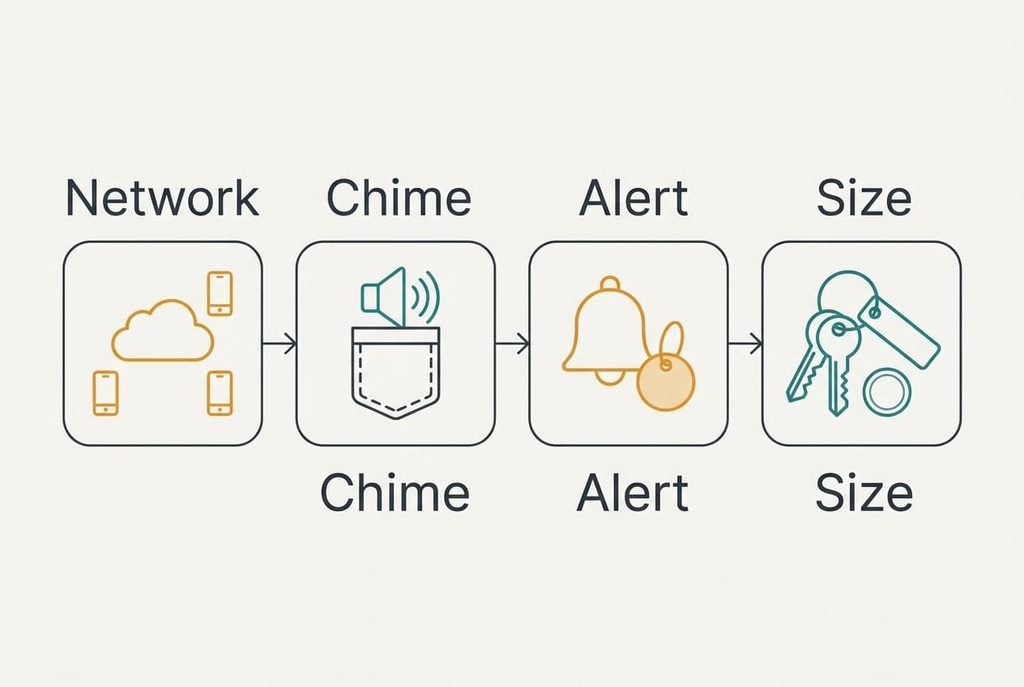
Four Checks in Priority Order
1. A network that matches your phone. This is the service of nearby phones that relays a location when you’re out of range. Day to day, it turns “keys lost on the bus” from silence into a pin on the map. Open your phone’s finding settings and see whether it lists items made by other companies, then read the box for a line naming your phone’s system. If the match is wrong, the tracker works only within about 10 m of you. That reaches the sofa and stops there.
2. A chime that carries. This is how loudly the tag rings through fabric. In daily use, a tag buried under a cushion turns up in 20 seconds instead of five minutes. Shut the tag inside a coat pocket and close the door. Then ring it from the next room, keeping the return window in mind if you buy online. If the chime is too quiet, your phone shows a dot on the map and the keys stay silent underneath it.
3. Alerts for unknown trackers, the check most buyers never make. Phones can warn you when a tag you don’t own is travelling with you, but only if the tag supports the common alert method. Nothing changes day to day until the one day it matters. Look for the setting on your phone that mentions unknown trackers, and check the box for the same wording. If the alert is missing, someone could drop a tag in your bag and your phone would stay quiet.
4. A shape that survives your pocket. This is the thickness and the hole for a key ring. A fob thicker than about 6 mm leaves a bulge in a jeans pocket, and you’ll soon take it off. Hold the tag against your key bunch in the shop, or compare its stated size with a coin. If it’s too bulky, the tracker spends its life in a drawer.
The Range Figure Is the Oversold Spec
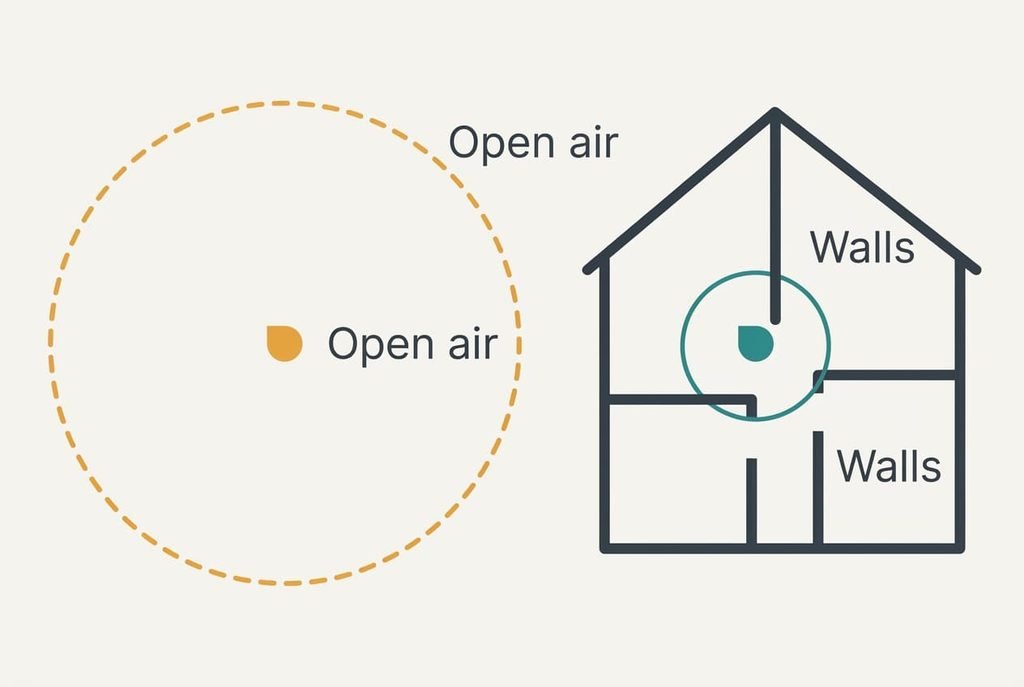
Every box prints a range, and the number is large because large numbers sell. The distance on the box is measured in open air, with no walls between tag and phone, so it describes a car park rather than your flat. Indoors, walls cut it sharply, which is why the earlier 10 m was an assumption and not a promise.
A longer range also hardly changes whether you find lost keys. Once the keys are in another building the extra metres are irrelevant, and inside your own flat a modest range already covers every room. The figure sells because it’s simple to print and simple to compare, even though it can’t compare the thing that matters, the finding network. Judging a bluetooth tracker for your keys by that number is like judging a car by its top speed on a road with a speed limit.
Treat the printed range as a rough sign of radio quality at best, and let the network question decide.
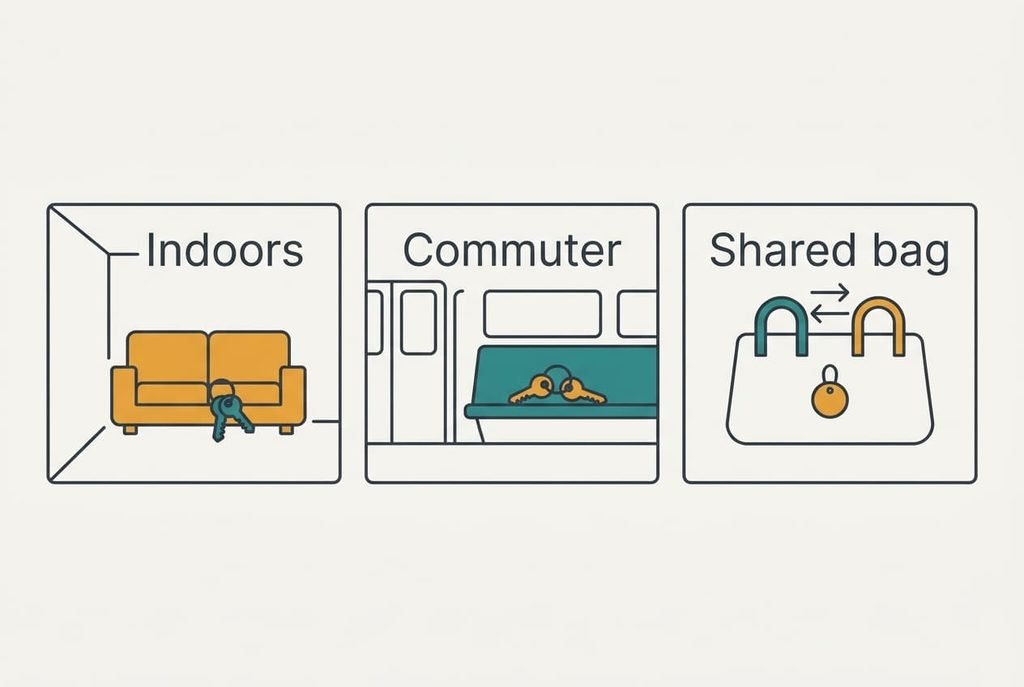
Your Keys and a Bluetooth Tracker: Three Readers
A reader who loses keys inside the flat moves the chime up the list. The network barely matters to them, since the phone’s own Bluetooth already covers 30 m² of rooms. A tag on a house key still needs a loud chime, since a deep pocket muffles sound.
A commuter’s keys go missing on trains and in cafés, so the network match leapfrogs everything else. For this reader a tag with weak coverage is wasted money, even if it chimes at full volume.
Someone who buys one for a shared bag, or for a partner’s keys, should place the unknown-tracker alerts first. A tag that moves between people needs a reliable way for each of them to know it’s there.
When to Walk Away From a Purchase
Walk away from any tracker whose box doesn’t name the phone systems its finding network supports. A tag that can’t name its network is a tag you can’t test, so you’d learn about its weakness only after the keys are gone. Treat a seller who won’t say whether alerts for unknown trackers work with your phone the same way.
Be wary of a bluetooth tracker for your keys sold as having “unlimited range”, too. No radio has that, and the claim usually means the network is doing the work in places where it exists and nowhere else. A tag with a sealed battery and no low-battery warning is a third reason to walk, because it can die in your pocket without a word. Skip any tag whose setup demands more personal detail than a name and an email address, since finding keys doesn’t need your contacts.
A Two-Minute Check Once It Arrives
Pair the tag, then run a few quick checks in order. Put it in a coat pocket behind a closed door and ring it from the next room, so you know whether the chime carries. Open the finding screen and confirm it shows a last-seen location. Look for the unknown-tracker setting and confirm it’s on. Then walk across the flat and read the distance your phone shows. A figure close to the real spot is good enough, and a wild guess means a poor radio. Finally, open the battery cover if there is one. Do all of this in your own hallway, where it counts.
If any of these fails, return it before the window closes and keep the box. Two minutes now beat the discovery, three weeks later, that the tag was never going to help. A bluetooth tracker for your keys earns its place only by passing the checks above, and the return window is your chance to prove it.
Questions Readers Keep Asking
Which specification matters most?
The finding network, because it decides whether the tag helps once you’ve left the house. Check that it works with your phone’s system and that other people’s phones are likely to pass it. Range and finish matter far less, and neither can rescue a tag whose network doesn’t reach you.
How much should I spend?
A mid-range tag is enough for a single set of keys, and you should pay more only for a feature you’ve tested. A cheap tag with a matching network and a loud chime beats an expensive one with neither. A tracker is a plain utility, so aim for the cheapest one that passes all four checks.
Will I regret buying one?
Regret mostly comes from a network mismatch or a bulky shape. Both can be tested ahead of purchase, so most regret is avoidable. A replaceable battery lowers the other cause, which is a tag that quietly dies. Look at the underside of the tag for a cover before keeping it.