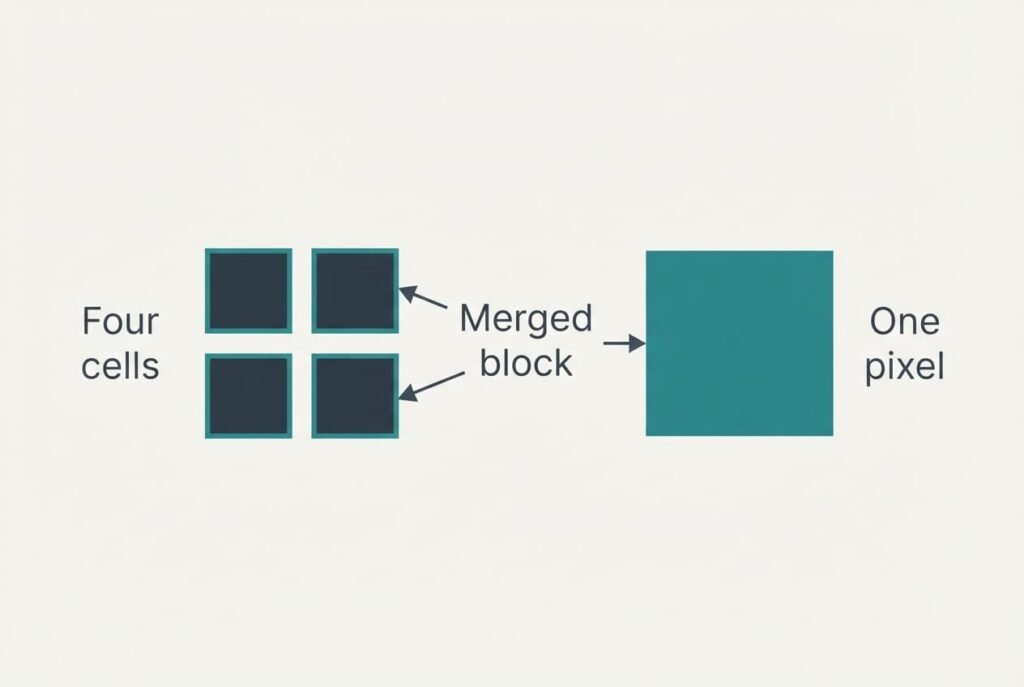
What is pixel binning? It’s the merging of a small block of neighbouring sensor cells into one larger pixel before the photo is saved. Merging four cells of a 50-megapixel sensor leaves a 12.5-megapixel file, and each saved pixel carries the light of all four cells. That’s why a phone with a huge number on its box saves smaller photos by default. The figures below are samples picked to show the idea, for a phone used at a market stall in Leeds at dusk. Real sensors vary in block size. Read each figure as one example.
What Is Pixel Binning? The Short Answer and Its Gaps
Light lands on an array of small cells, and in this sample each one is 1.2 µm wide. Many 50-megapixel phone sensors put one colour filter over each block of four cells, and the four see the same colour. The camera can read the cells one by one, which gives a full 50-megapixel frame. It can also add each block into a single value first. That second route gives the camera one pixel for every four cells, with the light of all four kept. The saved photo measures 4080 by 3060 pixels instead of 8160 by 6120.
That summary has gaps. It doesn’t say when the camera picks each route, and the phone’s software makes that call. Many phones choose the binned route for dim scenes and video, and the full route only when you switch a high-resolution mode on. It leaves out the block size, since some sensors group nine or sixteen cells. Nor does it say that the lens caps the detail whatever the sensor holds.

Following One Market Stall From Sensor to Saved File
Take Priya, who photographs a stall in Leeds at dusk. Her sensor holds 8160 by 6120 cells, which is 49.9 million cells and the 50 megapixels on the box. Each cell is 1.2 µm wide, which makes the chip 9.8 by 7.3 mm. All of it is assumed.
Pick one block of four cells under a green filter and let each collect 100 photons. Light arrives in random packets. A count therefore wobbles by about its square root, which is 10. Signal 100 against noise 10 gives a ratio of signal to noise (SNR) of 10. The circuit also adds 3 electrons of read noise on every reading. The total per cell becomes √(100 + 9) = 10.4, which drops the SNR to 9.6.
Now bin the block. Four cells hold 400 photons, and shot noise grows only to 20. If the sensor adds the charge before reading, the read noise is counted once. The total is √(400 + 9) = 20.2, an SNR of 19.8. That’s twice 9.6, from the same light. An SNR of 10 means noise is a tenth of the signal, and 20 means a twentieth.
Darker light shows more. Let each cell catch 9 photons. A single cell reads √(9 + 9) = 4.2 of noise, an SNR of 2.1. Binning the block gives 36 photons and noise of √(36 + 9) = 6.7, an SNR of 5.4. On a dim stall canopy, coarse speckle shrinks to fine texture.
Priya wonders what is pixel binning really doing to her photo, and the sums answer. Half of 8160 is 4080 and half of 6120 is 3060, which leaves a file of 12.5 million pixels, each built from four cells. She trades three quarters of the count for at least twice the SNR in every pixel.
At 240 pixels per inch, those 4080 by 3060 pixels print at 43 by 32 cm, ample for an A3 sheet.
One Analogy: Four Buckets Under One Spout
Set four small buckets in the rain and tip them into one jug before measuring. The jug holds four times the water, and a few lost drops matter less against that bigger total.
A binned pixel treats light the same way.
The comparison fails in three ways. Water poured together can’t be separated again, whereas a sensor can read all four cells before it merges them, which is how a full-resolution mode exists. Buckets all collect the same kind of rain, while cells collect one colour each, and only cells under matching filters may merge. Water also arrives in a smooth flow, but photons land in random packets, and that randomness set the floor in the sums above.
Why Pixel Binning Is Not Free
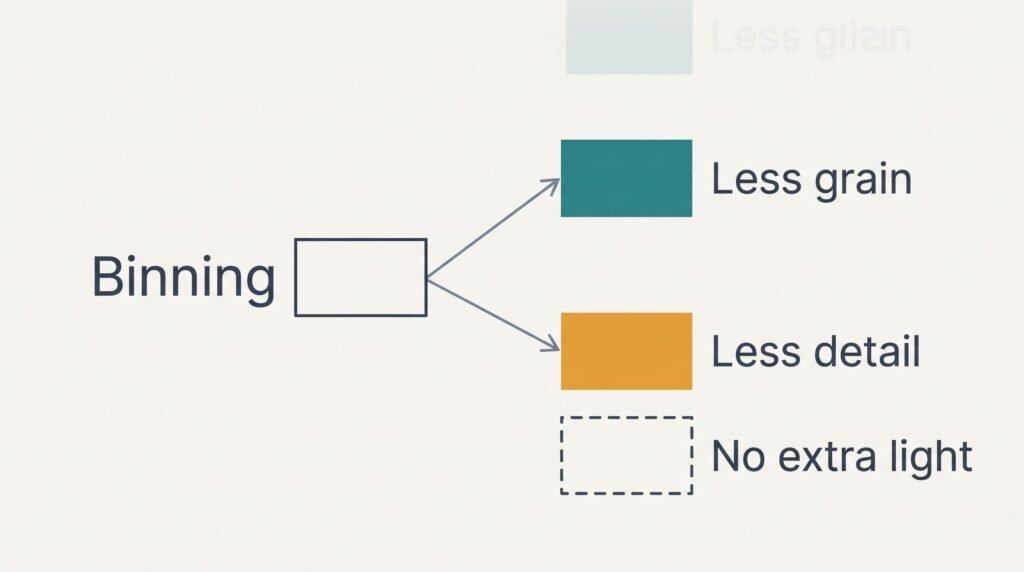
Binning gives up fine detail. Any edge narrower than one saved pixel melts into a soft blur, and a distant wire fence can turn to mush. The full-resolution mode can show that fence only when the lens passes the detail. Binning also adds no light. It reorganises what the lens already delivered. A dim lens therefore caps every result.
The limit most often misread is this one: shrinking the full frame afterwards gathers roughly the same photons, which leaves binning’s lead over that quite small. In our sums, charge binning scores 19.8 against 19.2 for adding four separate readings, and 5.4 against 4.2 in the dim case. Its other gains are practical ones. Readout is faster and the file is smaller, while the chip draws less power, which suits video. The camera must also choose before the shutter fires, since the cells usually can’t be regrouped afterwards.
Three Beliefs About a Megapixel Count
The first belief says more megapixels always means a sharper photo. It formed because a shop box prints the pixel count and nothing else. A smudged or soft lens limits detail before the sensor does, and a 50-megapixel frame through poor glass looks no crisper than a 12.5-megapixel one.
The second says binning throws away three quarters of the picture. It formed because 50 divided by four leaves 12.5, which sounds like a loss. The cells aren’t discarded, because their light is added into each saved pixel, and the view stays exactly the same.
The third says the full 50-megapixel mode is better in daylight. It formed since a larger figure sounds like more. Ask what is pixel binning losing there and the true answer is only fine detail. The full mode brings a fourfold pixel count and demands steadier hands, and each pixel is noisier. It earns its place on a still, bright scene with fine detail.
A Rule for Deciding Which Mode to Use
Choose by what you plan to do with the photo: leave the phone on its binned default unless a still, bright scene holds fine detail that you’ll crop or print large. Moving subjects and dim rooms favour binning, as do photos meant for a screen. Full resolution rewards a landscape on a tripod or a page of text to enlarge.
To learn what is pixel binning worth to you, run a two-minute test. Photograph a brick wall in daylight at both settings from one spot. Enlarge both until one brick fills the screen, then compare the mortar. Crisper lines mean your lens supports the full mode. Identical frames mean you should stay binned.
Repeat the test indoors under a lamp to see the grain gap. Keep a note of both results. That note lets you judge a future phone by evidence instead of the number on its box, and it shows whether extra pixels earn their place. Binned files carry one quarter the pixel count, which keeps storage tidy. For family photos at home the binned default is enough, and the note settles the question for good.
Questions and Answers
Does binning ever make a photo worse?
Yes, in one case. Fine detail narrower than a saved pixel is lost. A distant fence or a line of small print can blur. Dim scenes gain, while bright still scenes shot through a sharp lens can lose a little. The full-resolution mode exists for those scenes.
Do I need to switch to the full 50-megapixel mode?
Rarely. Family photos of moving children look better binned, and so do dim rooms. Switch only for still, bright subjects that you’ll crop hard or print large. Shooting that way costs four times the pixels, and files grow while saving slows.
Is pixel binning the same as digital zoom?
No. Binning merges cells to cut noise. Digital zoom crops the frame and enlarges it. A 2× centre crop from the full frame holds 12.5 million pixels and needs no enlarging. That’s how some phones offer a 2× view with little loss in sharpness.