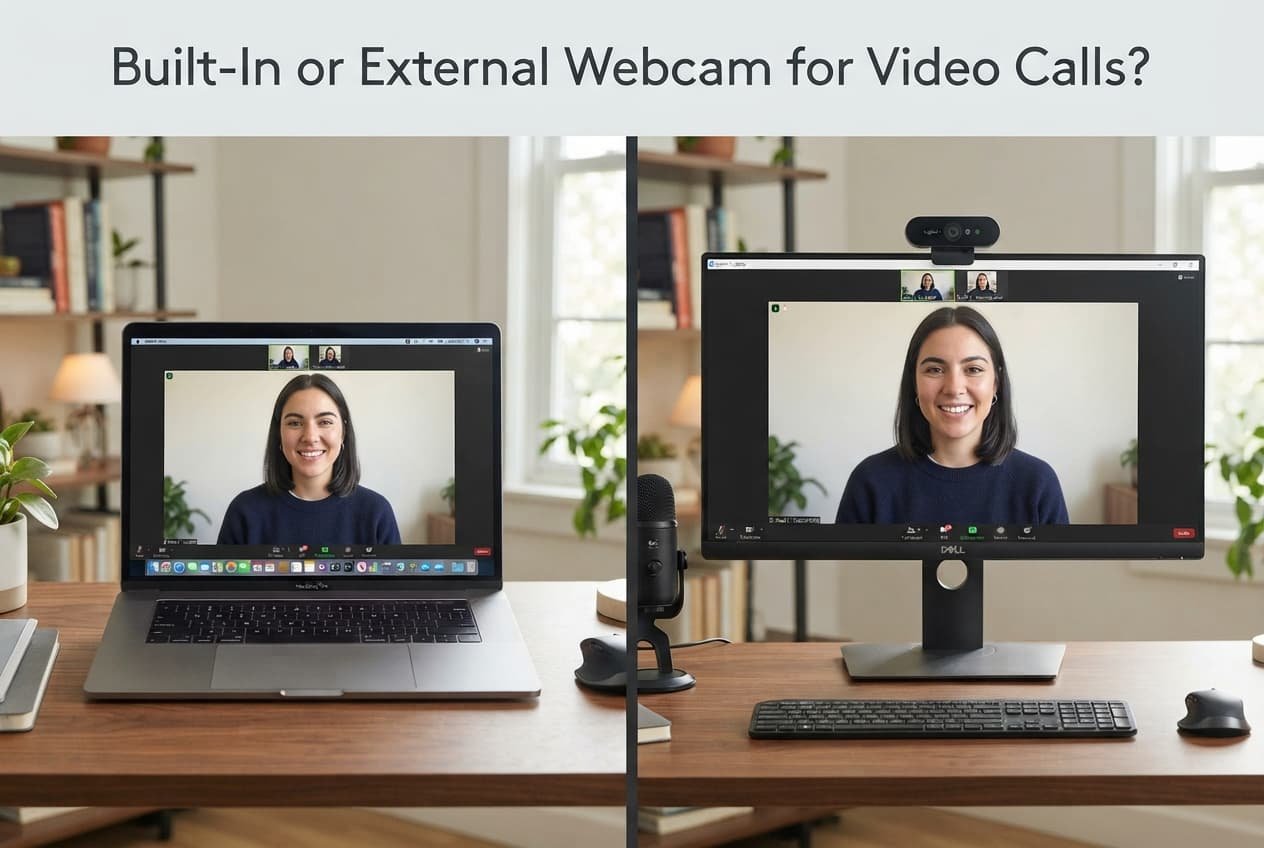
The right choice isn’t decided by which one sounds more advanced or professional – it’s decided by how often you genuinely take video calls and how much your specific setup’s current image quality actually matters for your particular use. A built-in webcam and an external webcam solve genuinely different priorities, and defaulting to an external upgrade purely because it seems more serious misses what actually determines whether the extra cost and setup effort are worth it.
The one property that decides it
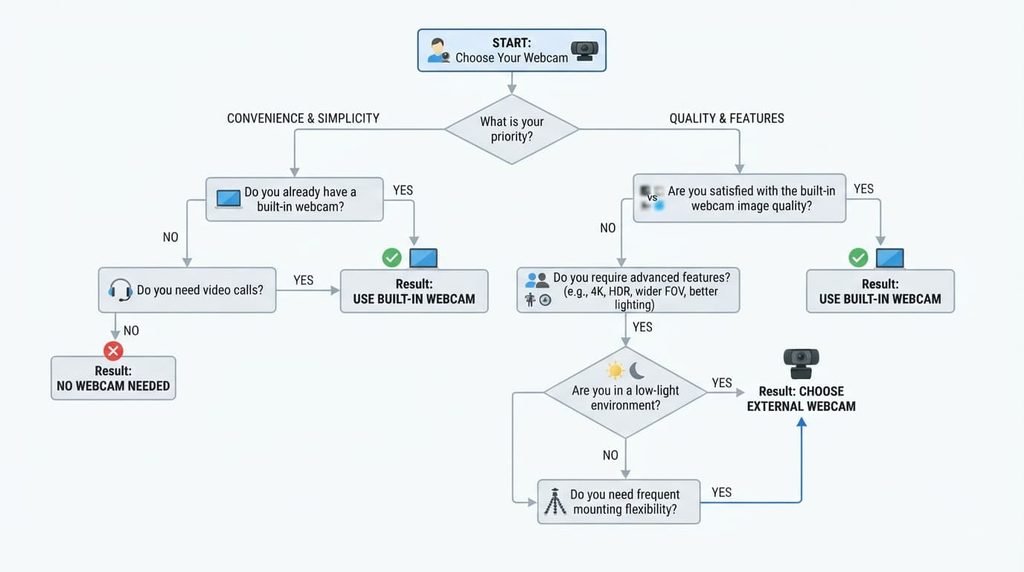
The deciding factor is how frequently you genuinely take video calls and how much a noticeably better image quality actually matters for your specific situation, not simply which option sounds more professional. A built-in webcam directly serves occasional or casual video call use, while an external webcam prioritises meaningfully better image quality and positioning flexibility for more frequent or genuinely important calls.
This genuinely matters because the actual quality gap between built-in and external webcams varies quite considerably by your specific device’s own built-in camera quality, meaning the genuine value of upgrading depends specifically on that particular gap, not on a general assumption that external always represents a meaningful improvement regardless of your own actual starting point.
Head to head
| Built-In Webcam | External Webcam | |
|---|---|---|
| Extra cost | None | Requires purchase |
| Typical image quality | Varies by device | Often more consistent |
| Easy to angle | Fixed to device | Adjustable placement |
| Setup effort | None | Requires connection |
| Easy to move | Built into device | Separate item to manage |
| Works in dim light | Varies considerably | Often more capable |
The single row that surprises most people the most is positioning flexibility specifically. Many assume image quality alone is the main external webcam benefit, but the ability to position a camera independently of your screen – at a more flattering angle, closer to eye level – often matters as much as raw image quality for how genuinely professional a call actually looks.

Where built-in wins
Anyone who genuinely takes video calls only occasionally benefits from a built-in webcam’s zero additional cost and setup effort, since this directly addresses infrequent use without justifying the expense and management of a separate device for genuinely occasional need. The unglamorous reason: a built-in webcam also has no additional item to lose, forget, or manage separately, which matters more than it might initially seem for someone who values genuine simplicity over incremental quality improvement.
Anyone genuinely working from varied locations – different rooms, occasional travel – also benefits from this same simplicity in a related way, since a built-in webcam requires no separate item to remember, pack, or set up regardless of where a call actually happens.
Where external wins
Anyone who genuinely takes video calls frequently – regular work meetings, frequent personal calls – benefits from an external webcam’s typically more consistent image quality and independent positioning, since this directly addresses the cumulative value of a better experience across many regular calls, in a way a single occasional call wouldn’t justify the same investment for. The unglamorous reason: an external webcam is also often easier to replace individually if it develops an issue, without requiring any change to your actual computer or device itself.
Anyone genuinely working from one consistent, dedicated location also benefits from this same independence in a related way, since a stationary external webcam can be positioned once for that specific space and left in place, providing consistent quality without needing repositioning for each individual call.

When neither is right
Assuming every video call situation justifies the same webcam choice, without genuinely considering your own actual call frequency and quality needs, is worth ruling out regardless of which option you’d otherwise default to.
The genuine value calculation between built-in and external webcams varies quite meaningfully by your own actual use pattern, since genuinely infrequent, casual use gains little from an investment that frequent, important use would genuinely justify, meaning a single blanket choice misses this real, genuine variation in actual individual need.
How to decide in thirty seconds
If you genuinely take video calls only occasionally, stick with your built-in webcam. Its zero additional cost and effort directly addresses infrequent use without unnecessary investment.
If you genuinely take video calls frequently and image quality matters for those calls, choose an external webcam. Its typically more consistent quality and positioning flexibility directly addresses the cumulative value frequent, important use genuinely justifies.
What changes the answer later
Your own call frequency genuinely increasing – a new role requiring considerably more video meetings regularly, for instance – is genuinely worth reconsidering the choice at, since the cumulative value calculation shifts quite meaningfully once frequent use becomes your genuine actual regular pattern rather than simply occasional need.
Your built-in webcam’s quality becoming a genuine, specific source of dissatisfaction during calls that matter is also worth reconsidering the choice at, since persistent dissatisfaction with a specific, identifiable quality issue justifies addressing it directly, regardless of your overall call frequency.

What people get wrong when choosing between them
The most common mistake is assuming an external webcam automatically represents a meaningful upgrade regardless of your specific built-in camera’s current quality. Some devices’ built-in webcams already perform quite well, meaning the actual improvement an external option provides varies considerably depending on your specific starting point, not a universal gap assumed to apply equally to every device.
A second genuinely common mistake is purchasing an external webcam without genuinely and properly confirming compatibility with your own specific device and typical call platforms well beforehand. Checking that a specific model works well with your actual setup, rather than assuming universal compatibility, avoids the frustration of a purchase that doesn’t integrate smoothly with your particular existing equipment.
Questions readers keep asking
Does an external webcam always cost considerably more than expected for meaningful quality improvement?
Not necessarily at all – meaningful improvement is genuinely available at a wide range of price points, so comparing actual specific options against your own particular budget and quality needs, rather than simply assuming external webcams are uniformly expensive, is genuinely worth doing directly before deciding based on cost alone entirely.
Is it worth using an external webcam even if my built-in one is already reasonably good?
This genuinely depends on whether the positioning flexibility and further quality refinement genuinely matter for your own specific use case – if your built-in webcam already satisfies your actual genuine needs, the marginal improvement may not truly justify the additional cost and ongoing management for your particular situation specifically.
Can improving lighting and camera positioning compensate for a lower-quality built-in webcam?
To a genuinely quite meaningful degree, yes – good lighting and genuinely thoughtful positioning often improve perceived overall quality more than the camera hardware itself does, so addressing these factors first is worth doing before assuming an external webcam purchase is the only path to noticeably better call appearance.
Do external webcams generally require significant additional software or setup complexity?
Generally no, not particularly – most modern external webcams genuinely connect and function with minimal setup effort, often working fully automatically once connected, though checking a specific model’s actual requirements before purchasing is genuinely worth doing if setup simplicity matters considerably to your own decision.