You’ll end up with an inbox that shows only the mail waiting on you. Receipts will slip into one labelled folder and newsletters into another, with alerts in a third, and no click is needed. The first sitting takes about 45 minutes, and the upkeep afterwards is five minutes a week. One choice comes first. You can sort by sender or sort by words. This guide picks the sender every time, because an address stays put while a keyword catches the wrong message. You’ll need a laptop, a second email address for testing and a quiet hour, and you won’t need any extra software. Nothing here deletes mail, so each step can be undone.
Before you set up email filters
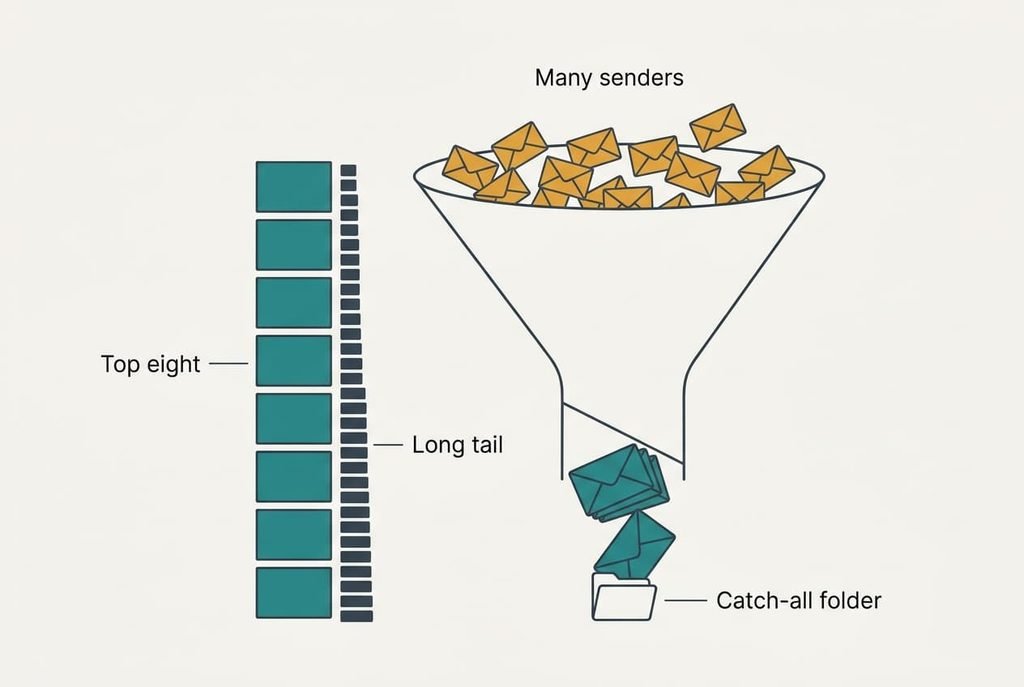
Count your mail first, because the whole plan rests on a lopsided pattern, and the pattern decides how many rules you’ll write. A person who gets about 40 messages a day receives roughly 1,200 a month, and a handful of senders write most of them. In a typical month the top 8 senders account for about 700 of the 1,200, which is 58%. That’s why eight rules can clear more than half of the inbox. The next forty can’t match that.
Most people skip a catch-all folder that every filter moves mail into instead of deleting it, and that one gap causes nearly every filter disaster. A rule that deletes on a typo can destroy a message you needed. You won’t see the loss for weeks. Create the folder and name it plainly. Then tell every rule to move mail there.
Give yourself an uninterrupted block of 45 minutes and sit at a laptop if you can. The rule screens are larger there, and they show the full address of each sender, which a phone often shortens.
That’s the one habit worth building before you set up email filters at all.
Six steps from a cluttered inbox to a self-sorting one
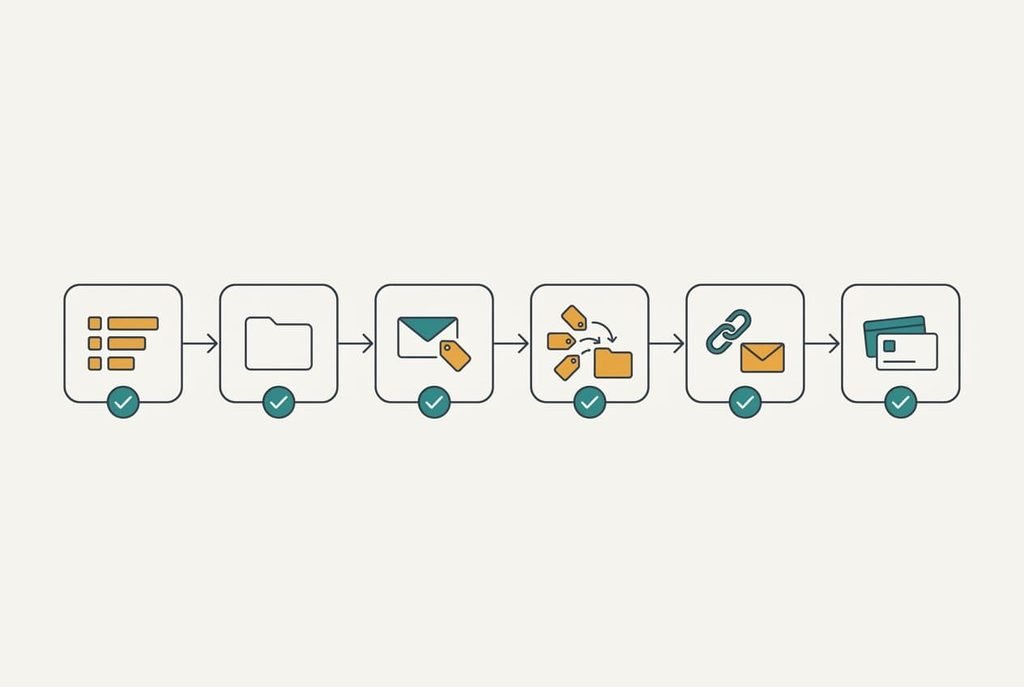
1. Count a week of mail by sender. Scroll back through seven days and note who writes most, because the loudest senders are your first targets. The check: a list of ten names should account for more than half of the messages you scrolled past. If it doesn’t, scroll back a second week, because a quiet week can hide a regular sender, and write each name beside its address so you don’t confuse two senders from the same shop.
2. Make the catch-all folder. Create one parent folder called Sorted. Inside it, add a subfolder for receipts and another for newsletters. A third holds alerts. Keep the names short so they stay readable on a phone. The check: all four appear in the folder list, and a test message can be dragged into each of them without an error.
3. Write one rule for the loudest sender. Match on the exact address and never on the display name, since names are easy to copy while addresses stay stable. Set the action to move the message and mark it read, which keeps the unread count honest. The check: the next message from that sender skips the inbox and waits in its folder, and if it doesn’t, compare the address in the rule with the one in the message, character by character.
4. Repeat for the next seven senders. Group them by purpose so that several addresses share one folder, which keeps the rule list short, and a short list is far easier to repair. Name each rule after its folder, so it’s easy to trace later. The check: the inbox shrinks by roughly half over an ordinary week, and the unread count falls with it.
5. Add a catch rule for bulk mail. Choose the option that matches messages carrying an unsubscribe link and move them to the newsletters folder. Try it on a week of mail first. Links and words occasionally catch a message you want. A club that sends a personal note with a footer link is the usual victim. The check: a bulk message lands in newsletters while a personal one stays put.
6. Put narrow rules above broad ones. Many mail systems stop at the first rule that matches, so a broad rule placed first can swallow a message meant for a narrow one. Read the list from top to bottom afterwards, because the order you see is the order the system uses. The check: a receipt from a top sender lands in receipts rather than newsletters, even though the newsletters rule would also match it.
Test that your filters pick up the right email
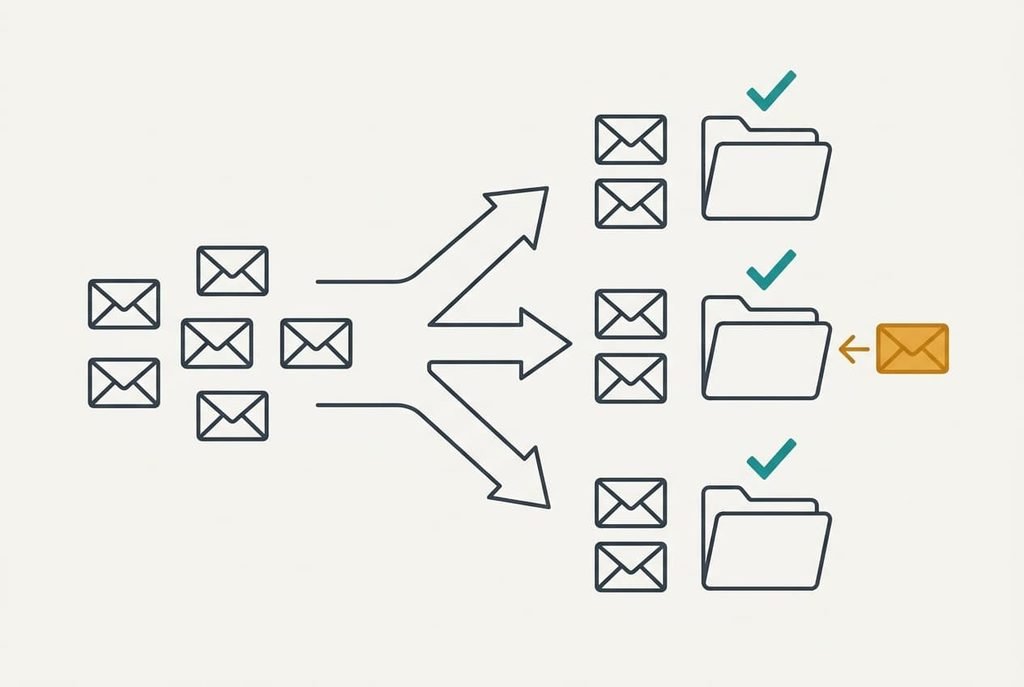
The test is simple: send yourself six messages from a second address, one for each kind of rule you wrote. Give each a subject line that names the rule it targets, which lets you read the result at a glance. Wait two minutes. Then open the inbox and each folder in turn.
Every test message should sit in its own folder, and none should be in the inbox. If one ends up in the wrong folder, the rule order is off. Move the narrow rule up and send that message again. If one lands nowhere, search all folders for it, since a misplaced message is almost always waiting in the catch-all.
Pass all six, and you’ll have managed to set up email filters that hold. Keep the test messages for a week so you can compare them with real mail. Delete them once a full week of real mail has sorted correctly.
Where it tends to stall
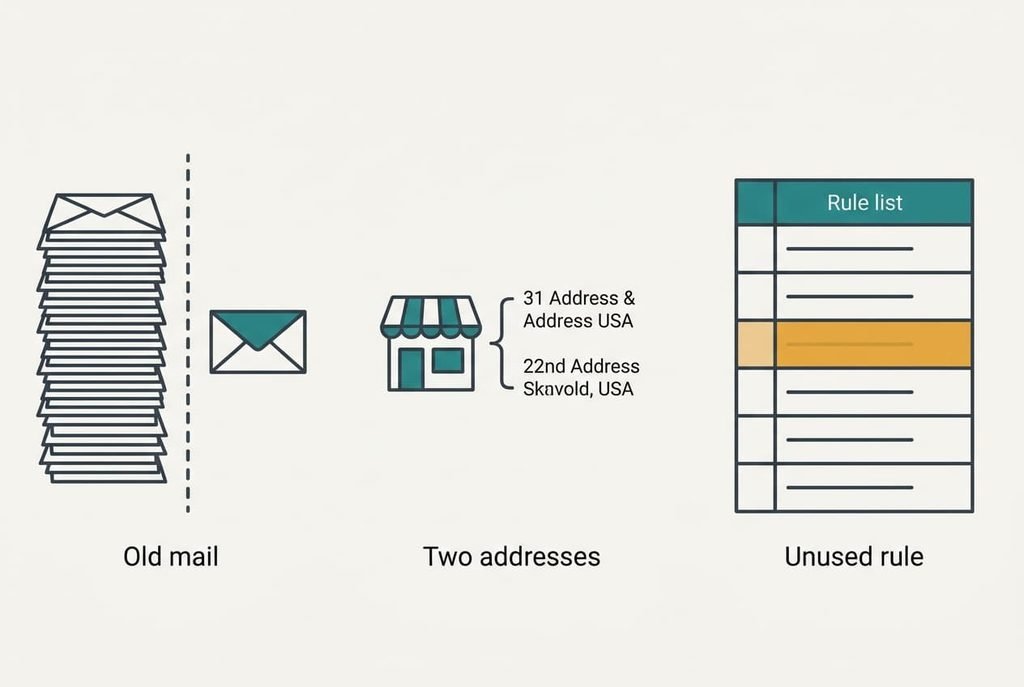
The first stall is old mail. Any new rule usually touches only messages that arrive afterwards, so the existing 1,200 stay put. Most systems offer a button that applies a rule to existing mail, but moving a thousand messages at once takes a few minutes and is awkward to reverse. Run it on one folder first.
The second stall is a sender with several addresses, such as a shop that writes from separate order and news accounts. A rule on one address misses the others. Switch that rule to match the domain. Be aware that a domain rule also catches a friend’s message if they share the same domain, so check before you save it.
A third stall is silence. Your rule list grows with no purpose, and old rules keep sorting mail from senders who have gone. Review the list once a month and delete any rule that has matched nothing in that time.
An untouched rule is clutter, and clutter hides the rules that matter.
The step that isn’t worth taking
Writing forty extra rules buys only about a fifth of your mail back, because the long tail of senders is thin. The top 8 senders carry 58% of the volume, and the next 40 carry around 20%. That’s five times as many rules for a third of the gain, and each rule is another thing to maintain when a sender changes its address.
Leave the tail alone. A light sweep once a week handles it. Select the unread messages from senders you don’t recognise and move them in one go. It takes two minutes. It never breaks. Senders change their addresses about once in five years on average. Forty extra rules would need roughly eight repairs a year, and the sweep needs none. Add the repair time to the writing time, and the true price is far above the two minutes a sweep takes.
You can set up email filters in one sitting and keep them working with five minutes a week. If the inbox starts filling again, the culprit is usually a new sender, so add a single rule and carry on. A rule for a sender you’ve never heard from can wait until the second message arrives. By then you’ll know whether the sender is a regular, and one extra rule costs less than ten you never use. Keep the list short enough to read in a minute.
Questions readers keep asking
How long does it take?
About 45 minutes the first time, once you have your list of top senders. After that, five minutes a week keeps it tidy. If you only have 15 minutes, do just the first half of the list and leave the rest for a later evening. Each step stands alone.
Can a filter delete something I need?
Only if you tell it to. Every rule in this guide moves mail to a folder, so a wrongly matched message is still sitting in the catch-all and can be moved back in seconds. Hold on to the folder for a month, and only then empty it.
What if I use two email accounts?
Set up each account on its own, because rules don’t cross accounts. Start with the busier one, since it benefits most. If one inbox forwards to the other, build the rules on the account that receives the mail and not on the one that forwards it.