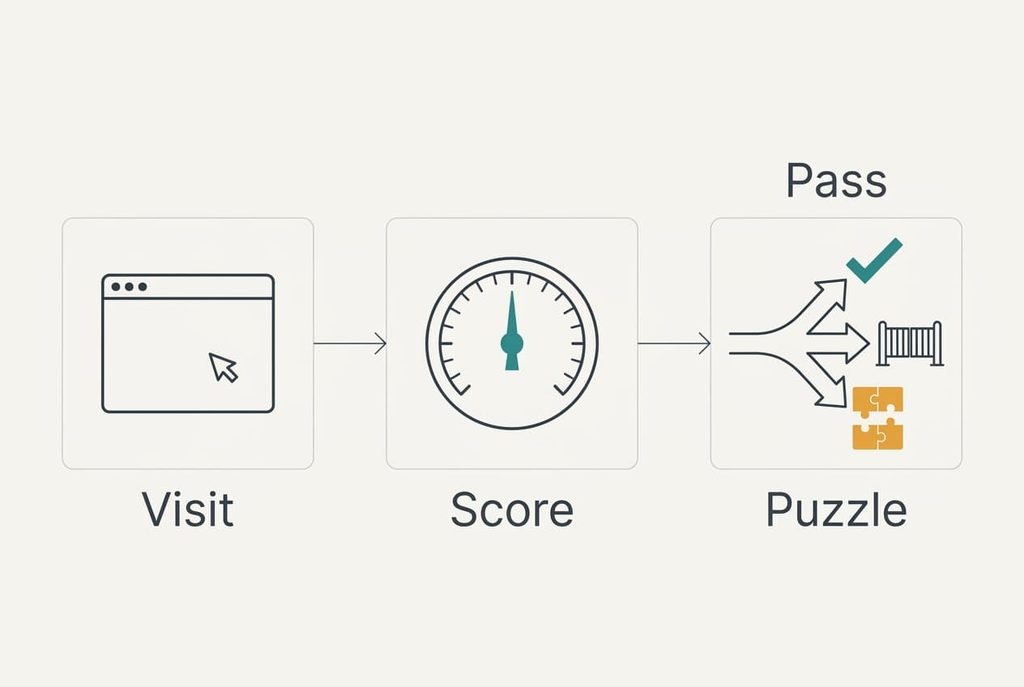
A website asks you to prove you are not a robot because it can’t see who is typing, so it has to guess from behaviour. The picture puzzle is only the last step of that guess. Before any tile appears, the page has already weighed how quickly the form was filled and whether the pointer wandered like a hand. When the guess is confident, you never meet the puzzle. Below, one visit is followed from page load to verdict, and a venue door steward is held up against it. Later sections cover what the check can’t settle, then some mix-ups, then a rule for days when it keeps returning.
What a Check to Prove You Are Not a Robot Really Measures
In one line, the check measures how a visit behaves and compares it with how people behave. The site scores your visit and shows a puzzle only when the score is unsure, so a confident score passes silently. A poor score gets stopped before any puzzle appears.
Two kinds of evidence feed the score. The first is what the page sees during your visit: timing and pointer movement. The second is what the server sees across many visits, such as how many requests came from one address in a minute. Neither kind needs your name or a password. A site keeps the score only briefly, because the evidence goes stale once the visit ends.
That answer leaves out which signals a given site weighs, since each site keeps its recipe private. It also leaves out how the puzzle itself is graded, and how invisible versions work with no puzzle at all. The sections below cover the part that applies to every site.
The puzzle is a second opinion, and the first opinion has already formed.
Following One Visitor Through a Ticket Site’s Check
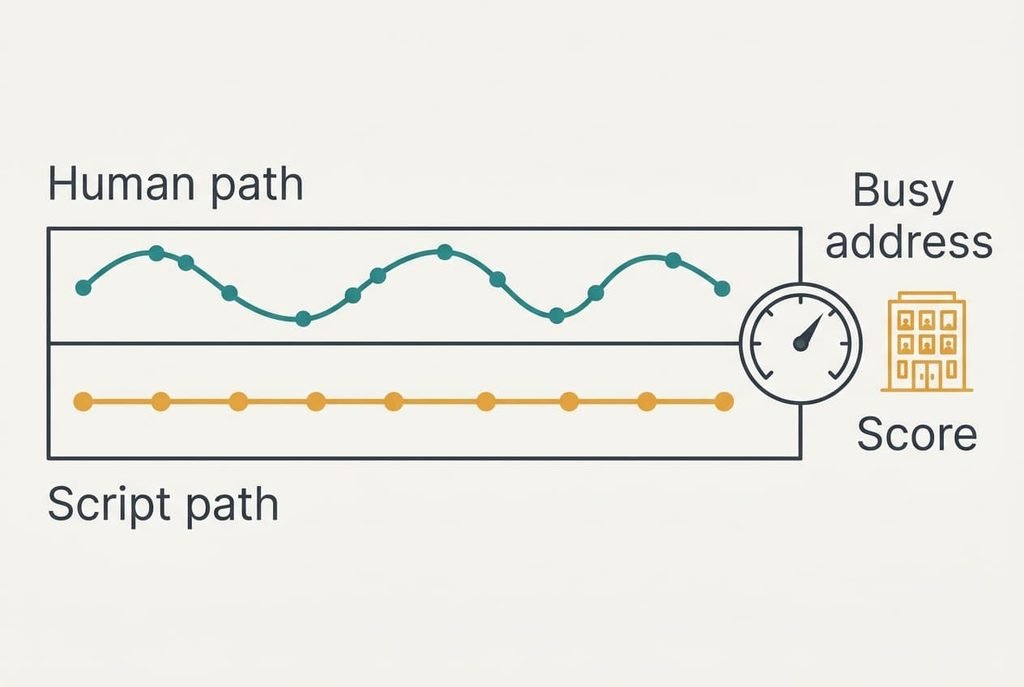
Start with Priya, who sits in a Leeds office and opens a ticket page for a concert, since the words “prove you are not a robot” appear only once the trip is nearly over. A small script on the page starts recording the moment it loads, and her first keystroke lands 2.4 seconds later. She fills the name box with gaps between letters that wander from 80 to 260 milliseconds. Her pointer travels a curved path of about 140 recorded points on the way to the button.
A program doing the same job looks different. It fills the first box 0.02 seconds after load. The pointer never moves, and every gap between characters is exactly 50 milliseconds. The page needs no clever test to spot that pattern, and the visit would score near zero.
Now the server adds its own evidence. Priya’s office shares one outside address among 60 staff, and the server saw 40 requests from that address in the last 10 seconds. Shared addresses look busy, which counts against her. A normal day shows a handful of requests from each address, so the spike stands out. Suppose the scoring starts at 0.5, adds 0.2 for human-looking timing and another 0.2 for a natural pointer path, then subtracts 0.1 for the busy address. That makes 0.5 + 0.2 + 0.2 − 0.1 = 0.8.
Our example site passes visitors at 0.9 and above, blocks anyone under 0.5 and shows a puzzle in between. At 0.8, Priya gets the puzzle. She picks the tiles that hold bicycles, and her clicks supply a second burst of evidence. A small token comes back and tells the ticket page to accept her booking. The token expires in a few minutes, so a stolen copy has little use. The whole trip takes under 10 seconds, and most of it is her own typing.
At every step the site never learns who Priya is, and it never needs to. It only decides whether the visit looked like a hand.
The Door Steward Picture: Who Gets Stopped and Why
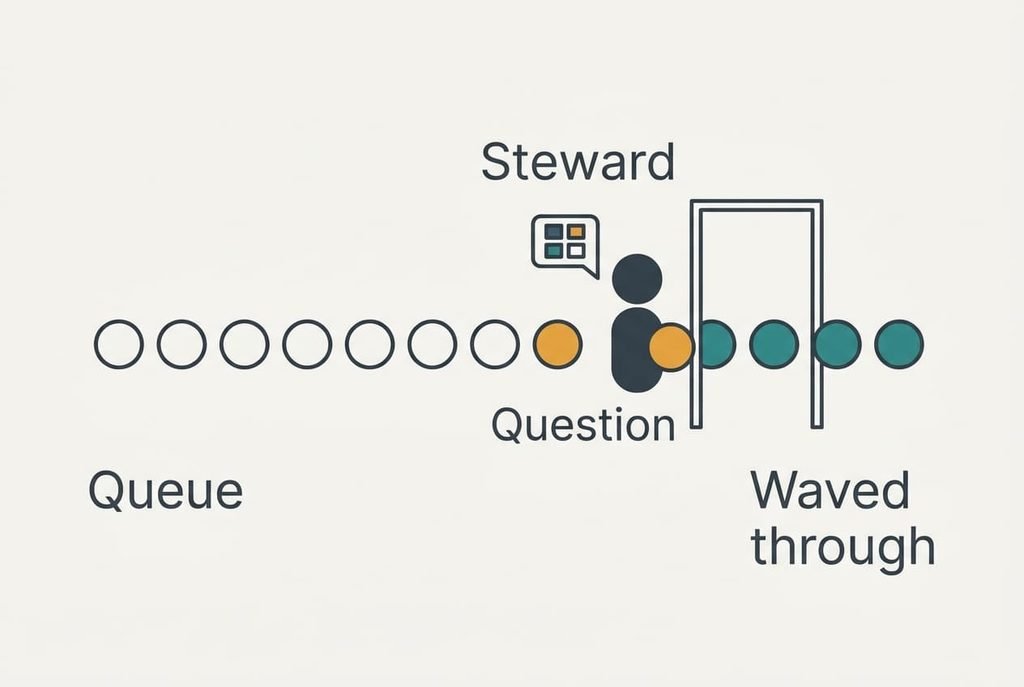
Think of a steward at a venue door who watches the queue. Most guests walk up at a normal pace and show a ticket, and the steward waves them through. Someone who arrives sprinting, or who shouts the same line at every steward, gets asked a question. The steward asks only when the behaviour is uncertain, and the question is the puzzle.
Here the picture breaks down. A steward recognises regulars by face, so a returning guest earns a nod, and a website has no such memory of you unless you leave a trace. A steward can also be talked round by a persuasive guest, while a site judges numbers and cannot be charmed. Treat the steward as a picture of the idea, and keep the numbers in mind for the detail.
Why the Check Cannot Be Sure You Are Not a Robot
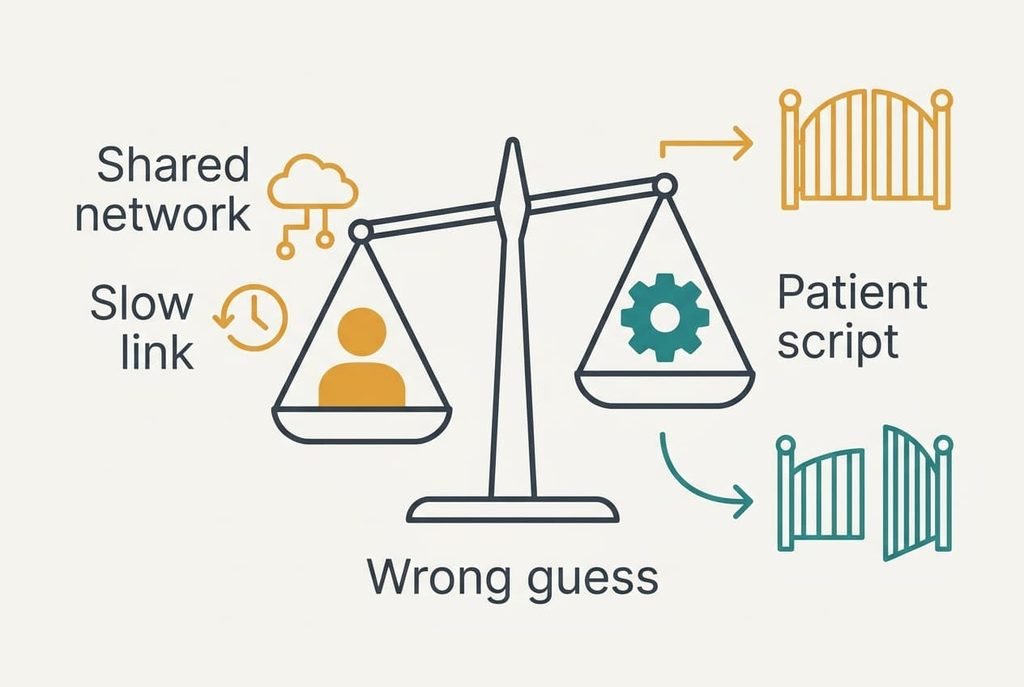
No score is certain, because careful software can copy human timing. A site therefore accepts some errors in both directions. Real visitors on a busy shared network can score low, and so can those on a slow connection. A patient program can score high. Tools that people use for accessibility, such as a screen reader, produce unusual input patterns. These may draw more puzzles than average.
A passed check records how the visit looked, which is weaker than knowing who sent it. A person can hand a visit to a script after the check, or run a script that moves like a hand. For that reason serious sites repeat the check at risky moments such as a payment. Other defences sit behind it.
The puzzle gives a person a way to correct a wrong guess, and the best sites offer a second route for those who can’t solve the tiles.
Common Mix-Ups About Robot Checks
Many people believe the picture puzzle is the whole test, because it is the only part they see. In truth, the score was settled before the first tile, and the puzzle only tops up the evidence. A visitor who clicks a wrong tile may still pass, since the grading looks at the pattern of clicks and ignores a single mistake.
Another belief says that hurrying shows you are a person who knows what they want. It forms because speed feels like confidence. Software is the fast one, though, so a form filled in half a second looks scripted. Moving at an ordinary pace helps the score.
Some also hold that the site wants you to prove you are not a robot as a punishment for something you did. The check is routine and it follows the traffic, with no verdict on the person. A busy evening on a shared network triggers it as readily as bad behaviour.
When a Check Keeps Appearing for You
Use one rule: start with changes that cost nothing, and move on to the site’s support desk only when they fail. A puzzle once in a while needs no action. A puzzle on every visit is worth a quick look.
First slow your pace slightly and finish the form without leaving the window. Next, switch off any extra network layer you added for privacy, since a layer shared by thousands of people looks busy to the server. Then try another network, such as mobile data instead of the office line. If the puzzle still appears and can’t be solved, ask the site for the alternative route.
A site has simply run short of evidence when it makes you prove you are not a robot. A few relaxed seconds usually supply what it lacks. Treat the puzzle as routine and move on. Keep the rule above for the occasional day when it won’t clear, and check that your network is the cause before you blame yourself. That small habit saves time on every site you use. Run through the order once and it stops feeling mysterious.
Questions Readers Keep Asking
Can a check block a real person?
Yes, though rarely. A busy shared network or a slow connection can lower the score, and so can unusual input from assistive tools. The best sites let you try again or use an alternative route. If one never does, tell the site’s support desk, because the problem belongs to their setup and not to you.
Do I need to do anything to avoid the puzzle?
Not usually. Most visits pass without a puzzle, and you can’t force that. Moving at an ordinary pace and using one browser window helps a little. Avoid chasing tricks, since a trick that works one week can change the next.
How is this different from signing in with a password?
A password says who you are, while this check only says that the visit looked like a hand. The two work together. Checks keep programs from trying thousands of guesses in a minute. Once a visit passes, the password decides which person gets in.