Alternatives to social media feeds start with a plain question: what exactly are you taking with you? Ruth, a secondary-school teacher in Leeds, follows 14 websites through one social account, and the feed now buries half of what they post. She’d like to read them somewhere calmer. Three routes out are compared below, and each asks for a different kind of sacrifice. Her figures are an invented sample; count your own sources before deciding anything. This page avoids product names and sums of money alike, and it assumes only a phone or a laptop with a browser.
What Alternatives to Social Media Feeds Must Carry Over
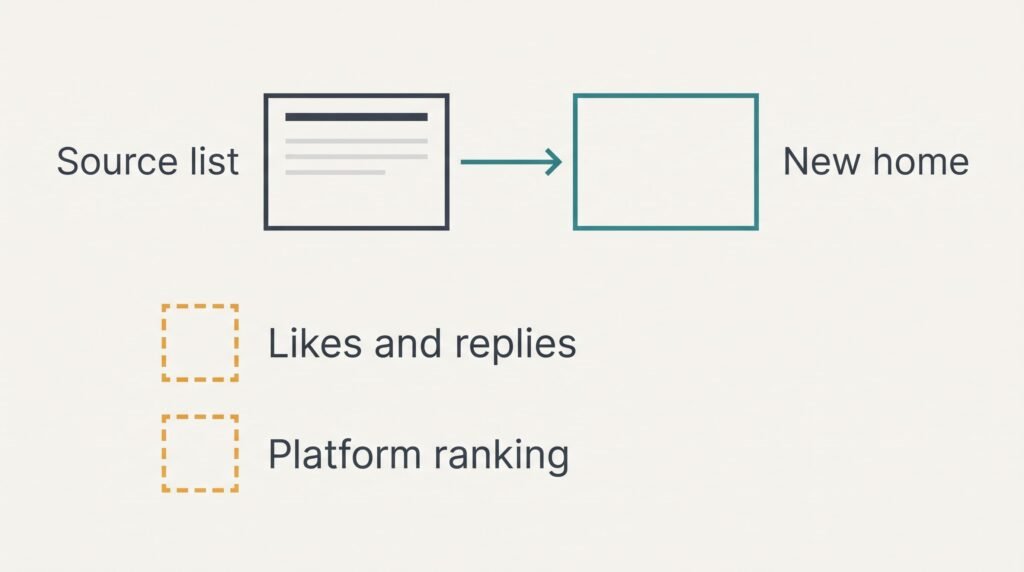
Your list of sources is the payload, and it’s far smaller than the feed it came from. Ruth’s list holds 14 names. Five are hobby sites and one is the council’s planning page, while the rest cover local news and recipes. Each name is an address she can write down in ten minutes.
Most of what she fears losing lives elsewhere. The posts she has already read don’t matter, because the sites still hold them. Her likes and replies belong to the platform and stay put. The ranking that decides what appears at the top is the platform’s own invention and won’t travel at all.
One part needs a check before anything moves. A site can be followed outside a social platform only if it publishes a feed, a machine-readable list of its newest items that a reader app can fetch. Many sites do. Look for a feed link in the page footer, or try appending the word feed to the site’s address, which often works. Ruth checked and found that 11 of her 14 offered one. The other three post only on the platform, and they are the real cost of leaving.
Three Alternatives to Feeds on Social Media Compared
Alternatives to social media feeds differ in what they ask of you each morning.
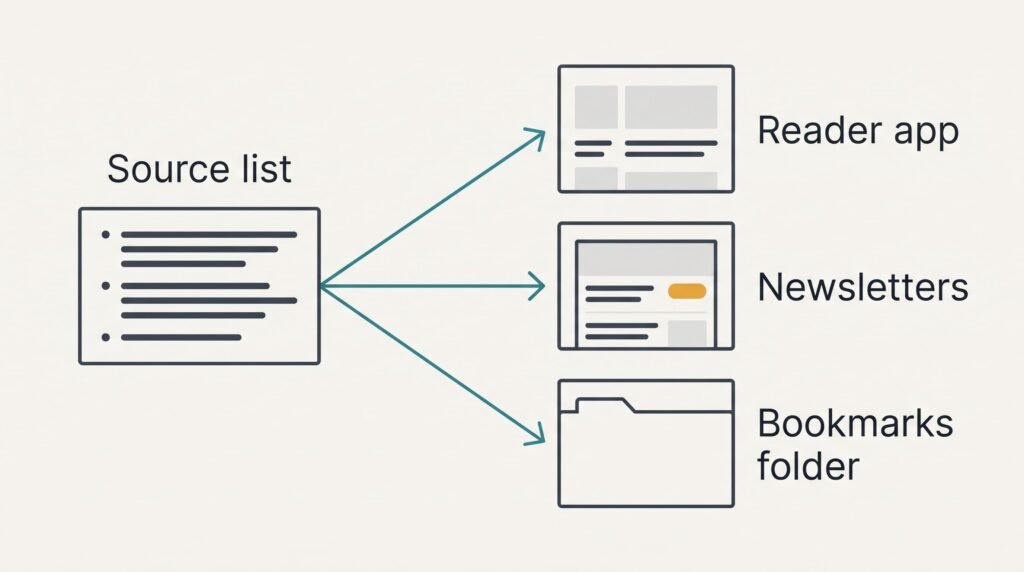
1. Money: a feed reader app. A reader gathers the newest items from every site you subscribe to and shows them on one calm page, which suits people who read best in a single sitting. Most readers have a free tier, while a paid tier adds extras such as search or a higher limit on sources. Your list lands in one step: each address is pasted in, the reader finds the feed itself and Ruth’s 11 feeds arrive within minutes. Test the idea by adding your three busiest sites and watching them for a day. It fails quietly for sites without a feed, since nothing on the page warns you they’re missing, and a reader that shuts down takes its subscriptions with it unless you’ve saved the list.
2. Effort: email newsletters. Many sites offer a free newsletter, and the route suits people who already live in their inbox. The toll is effort, because every site needs its own sign-up and the inbox gains a daily pile. Your list lands as one sign-up per site, and only 8 of Ruth’s 14 sites send a newsletter, which leaves six to handle another way. Senders also mail on their own schedule rather than yours. It fails when a sender stops mailing or when a filter files the messages with the junk; check the spam folder in the first week.
3. Feature loss: a folder of bookmarks. This route needs no new app, which appeals to anyone who dislikes installing things. It spends no money and asks for no sign-ups, yet you lose every signal that a site has something new. Your list lands as 14 addresses in one folder, the three feedless sites included. It fails when the habit does: you open all 14 every day, and the round grows slower each month.
What Month Three Looks Like
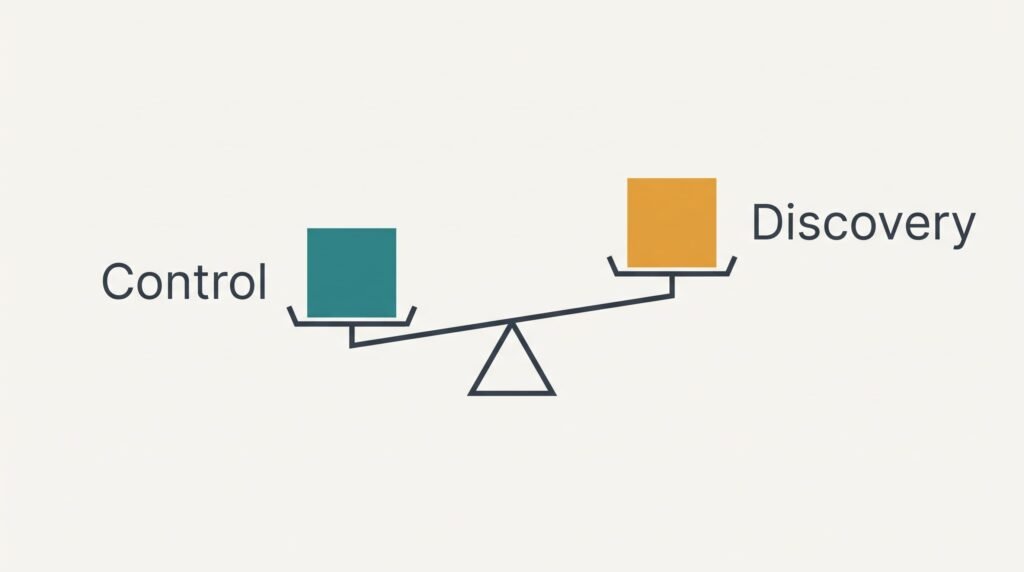
By month three Ruth’s reader shows what she chose and nothing more. You trade discovery for control, and the trade shows quickly. The platform used to surface new sites through the people she followed. The reader can’t do that, and her list has stopped growing. Nine of her 11 feeds post weekly and two post monthly, leaving the unread pile near 25 items at the start of each week. She reads fewer items than before but finishes more of them.
Her evenings come back, and the effort moves into upkeep. Adding one new site a month keeps the list alive. Skipping a fortnight lets the unread pile swell until a mark-all-as-read button becomes the honest answer. A weekly slot on Sunday keeps the habit going, and a calendar reminder costs nothing. The whole routine fits into that one slot.
One Evening to Move Over
Each of these alternatives to social media feeds takes a single evening to adopt. Begin by writing all 14 names on paper, and beside each note whether a feed link exists; Ruth’s footer check settled that. Choose one reader, then paste each address in, since most readers find the feed by themselves. The three feedless sites need somewhere else to live. Two go into a bookmarks folder, and one has a newsletter she can sign up for.
Leave the social account in place for two weeks with its notifications switched off. A fortnight shows whether anything vital was missed, and the three platform-only sites can still be checked there. Afterwards, unfollow the 11 that have moved and leave the other three in place.
Two weeks is long enough to learn what you’ve missed.
When to Stay Where You Are
Stay if your sources have no feed. When over half your list lives only on the platform, a reader would sit nearly empty and the move would achieve very little. Staying also wins when the replies matter more than the posts, because a reader shows no conversation at all. Someone who checks the feed for five minutes a day and feels no strain has little to gain.
Ruth moves because 11 of her 14 sources publish feeds and the platform wastes her time. Her own test is blunt: if her five busiest sources had no feed, she would stay put. Whichever of these alternatives to social media feeds you try, it justifies itself only through saved time or attention. A platform tamed with muted words and a tidier following list is a fair answer for some people. A move that costs an evening and returns nothing is a hobby project, whatever it looks like.
The Export Before You Leave
Export your list before anything changes, and again once the reader is running. A reader can save its sources as a plain list file, often called OPML, that any other reader can load. Put today’s date in the file name, then open it in a text editor to confirm that 11 addresses appear. A saved file nobody has ever opened can’t be trusted. Some platforms also offer a data download that includes the accounts you follow; look in the account settings and save that file beside the first one. Store one more copy away from the device that made it. Repeat the export every few months, because an out-of-date list can’t rescue you.
Ruth ends the evening with two saved files and one rule: nothing gets deleted for a fortnight. The list now belongs to her and not to the platform; that matters more than whichever app reads it. If the reader ever closes, she can load the file into another one in a minute and lose nothing she chose.
Questions and Answers
Will my followed accounts transfer automatically?
No. The two lists don’t match, because a platform follows accounts while a reader follows the feeds that sites publish. You carry the names across by hand and paste each site’s address into the reader. Ruth moved 11 of 14 in about twenty minutes. The remaining three stay on the platform or go into bookmarks.
What does each route cost, in relative terms?
A reader app is often free at the start and may charge a modest yearly sum for extras. Newsletters are free in money terms but heavy on inbox clutter. A bookmarks folder costs nothing at all, though it asks for daily discipline. For most readers the real expense is one evening of setting up, and the rest is small.
Is it worth the disruption for only a few sites?
It’s worth it when the feed buries things you want, and not when it works fine. Fourteen sites is enough to feel the benefit. Three sites is probably not. A fortnight of running both side by side lets you judge with evidence, and you can go back at any time with the saved list.