Six months of daily ticks make a small diary, and it deserves saving before you leave the app that holds it. Anyone weighing alternatives to a habit tracker meets three routes, and the least costly needs only a pen. Hannah in Brighton keeps five habits and has 612 completions across 180 days, which is 68% of 900 possible ticks. Every number here is invented for the sums. Check yours against your own account before relying on any. Dates will move to a new home. The charts and the nudges won’t, and that difference shapes the decision.
What Survives When You Look for Alternatives to a Habit Tracker
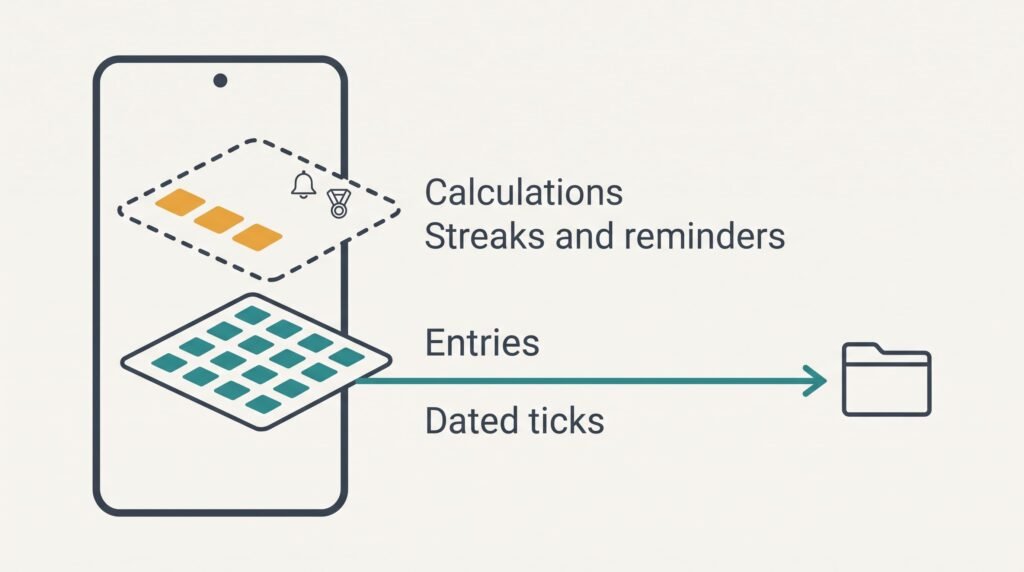
Two kinds of information sit inside the app. Entries are what you typed or tapped: a habit and a date, with perhaps a note. Calculations are what the app worked out from them: streak counters and charts, along with reminder times. Entries leave as a plain file and calculations stay behind, because the file holds only what you gave the app. Hannah’s 612 completions are 612 lines. A spreadsheet or another app can rebuild totals from them without help. Those lines are the part worth guarding, because nobody can recreate six months of dates from memory.
Streaks fall between the two kinds. They come from counting unbroken dates, which lets a new tool recount them, though its answer follows its own rules. Take 24 days in which day 12 was missed. A strict counter reports a longest run of 12, whereas one that forgives a single gap reports 24. The dates are identical and the answers differ.
Reminders and badges live on the company’s servers, and no file takes them out. Ask yourself whether the nudge was doing the real work.
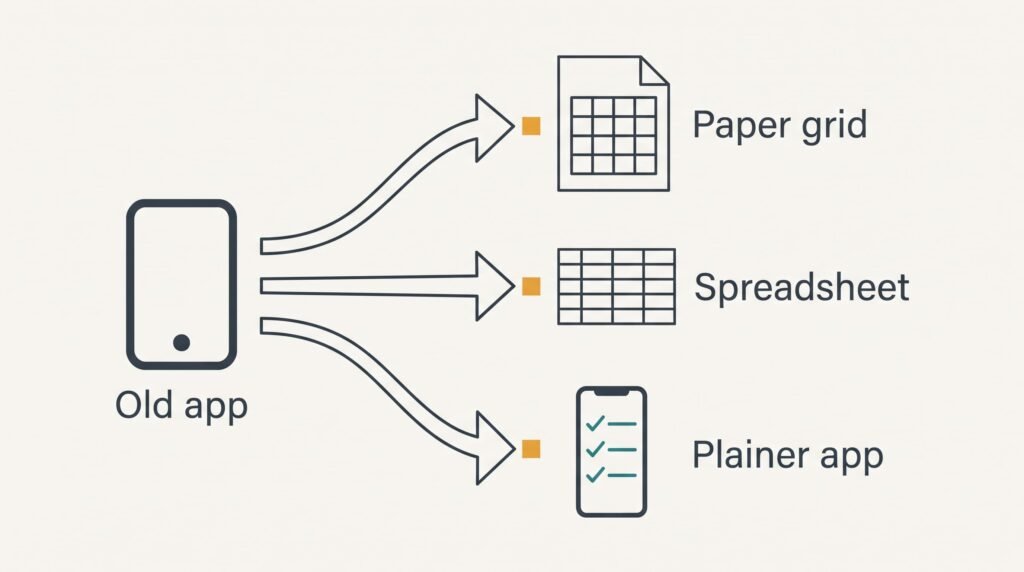
Three Routes Out Compared by Cost and Effort
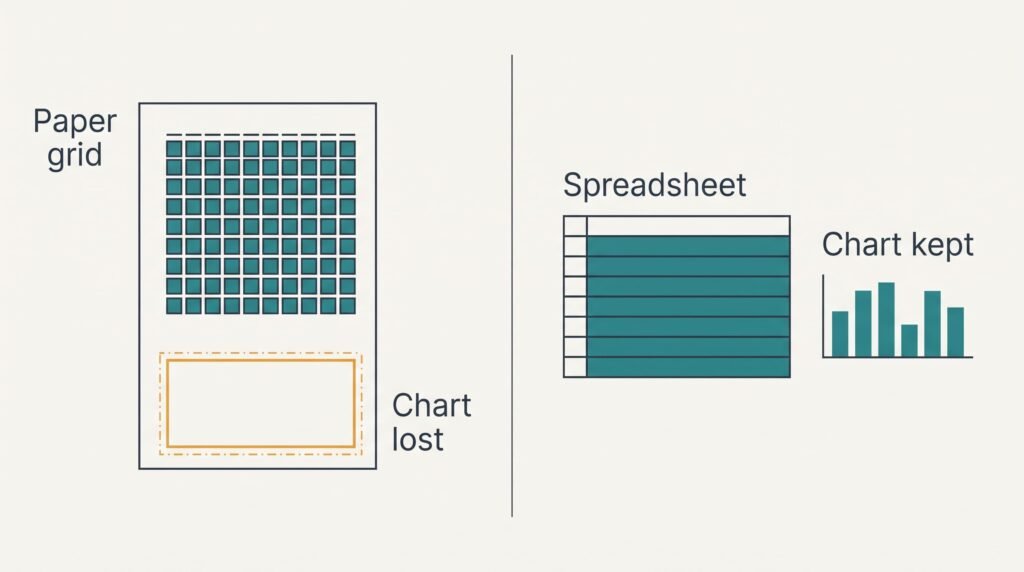
1. A paper grid beside the kettle. It suits someone who cares more about doing the habit than studying its history, such as a person with two or three ticks to make each morning. Hannah’s wall is by the kettle, which puts the grid where she already stands every day. One A4 sheet holds 5 rows of 31 boxes, which means a year needs 12 sheets. Each mark costs about 20 seconds of standing time. The old 612 lines stay in the exported file and the grid begins at today’s date. You lose charts and reminders in one go. It fails when the sheet drifts out of sight, because three unmarked days in a row turn into a lapse.
2. A spreadsheet with one row per day. It suits someone who enjoys totals and doesn’t mind opening a file each evening. A column per habit and a total at the foot of each give a monthly count at a glance. Building it needs about 30 minutes once, followed by 20 seconds a day. Pasting the 612 lines from the export takes 2 minutes, against 31 minutes of typing them at 3 seconds each. Nothing reminds you, and swipes become cells. It fails when dates arrive in mixed formats and a streak formula sees a gap that never happened.
3. A plainer app that only records ticks. It suits someone who still wants a nudge and one tap a day, perhaps because mornings are too rushed for a pen. Importing takes roughly 2 minutes when the newcomer can read your file, and its streaks restart from the dates. Charts shrink to a simple count. It fails when the import doubles lines or shifts every date by a day. Check the total of 612 afterwards, because a doubled line quietly inflates every figure.
Month Three With Any Alternative to a Habit Tracker
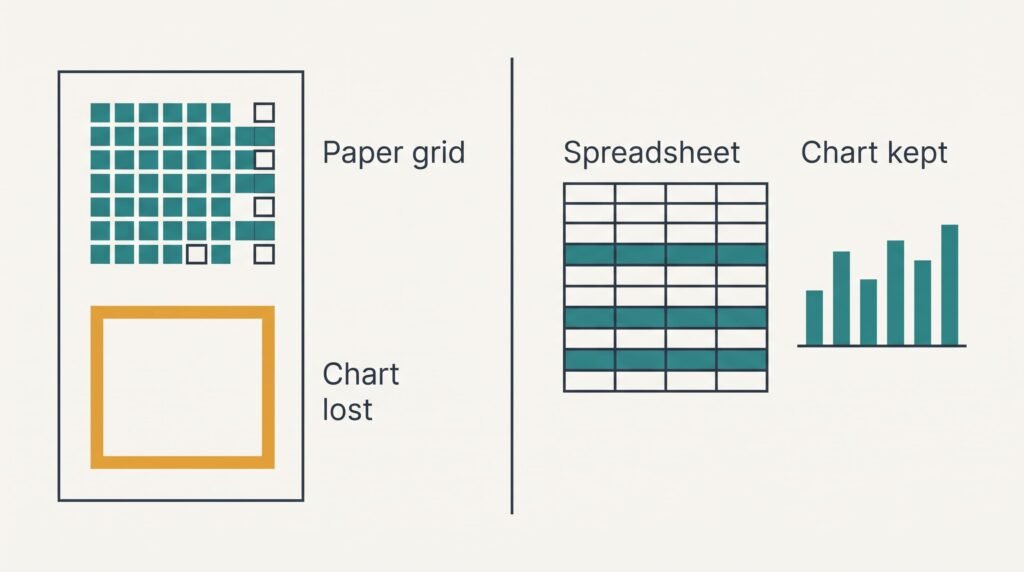
Three months in, the shine has worn off and each route shows what it really costs. The paper grid held up well on the sample sheet: 90 days of 5 habits make 450 boxes, and Hannah filled 380 of them, or 84%. She missed the monthly chart most, since a look at the old screen used to show colour for every week. The spreadsheet gave her that look back with one formula, at the cost of opening a file each evening. Alternatives to a habit tracker all carry this kind of trade.
The paper grid trades away the most features, as it drops charts and reminders together. In exchange it offers a record visible from the kettle. It needs no login and no plan that can lapse.
An abandoned account lingers for a while. How long its servers keep your entries varies by service, and some delete them within weeks. Treat the file you saved as the only copy you can rely on.
Moving Without Losing a Day
Keep the original app switched on until every step below is finished. Ask for an export of all habits, covering the full 180 days rather than the latest month alone. Tally the entries in the file: 612 completions should give 612 entries, and fewer means the export was cut short. Jot both numbers down to keep the comparison honest.
Then look at the edges. The first date should match the day you began, and the last should match yesterday. One or two days either side is acceptable, but a gap of weeks means a whole stretch is missing. Load the file into the new home and tally the entries again.
Run the old app and the new routine together for 14 days, and close the account only after the weekly totals agree.
When Staying Put Is the Better Choice
Keep the app if its reminder is what gets you moving, whether a buzz at 07:30 or a tap that takes two seconds. Reminders belong to the calculations, and no file can carry them. A paper grid asks you to remember the grid, which is the job the app had taken over. Settling on alternatives to a habit tracker includes admitting when none of them beats the original.
Staying also makes sense when you rarely look back at old entries. At that point leaving takes more effort than it returns. Save a file every three months as a spare, and revisit the question when a renewal date arrives.
A tracker shared with a partner is another case for staying, because moving splits the record between two homes. A mid-streak switch is a weak idea too, since new routines need several weeks to bed in.
Checking the Export Before You Cancel
Request the export, a step that comes first with alternatives to a habit tracker, then tally the entries in the file before you cancel anything. Every entry should name a habit and a date, rather than only a total. Set the entry total beside the app’s own figure. When 612 meets 612, the record is fully accounted for. It’s the one check that catches a cut-short export while the old account still exists, and it finishes in seconds.
Store the file in two places: one folder at home and an online folder you already have. A single copy sits one careless deletion from vanishing.
Add the export date to the folder name, which tells you later how far the record reaches.
With a tidy folder the next move is simple. Any tool that reads such files can take it, and a top-up every quarter keeps it current. You’ll see where the ticks are kept and the totals they reach, which means the record belongs to you and isn’t merely on loan.
Questions and Answers
Will my dates and streaks transfer?
Dates transfer as lines in a file, one for each completion. A new tool recounts streaks from those dates and may report a different run if its rules about gaps differ. Reminders and badges stay behind, since they live only on the old company’s servers.
Does leaving a habit app save money?
Dropping a paid plan removes its fee. The paper and spreadsheet routes cost only about 20 seconds a day. A plainer app may carry a fee too. Set it beside the features you use. The paper grid stays free apart from a pen.
Is it worth the disruption if I track one habit?
Probably not. At Hannah’s rate, one habit adds roughly 250 entries a year, and a quarterly export captures that in minutes. Stay with the app and save a file every three months. Switch only when the plan or the service changes, because a move for its own sake adds effort and gains nothing.