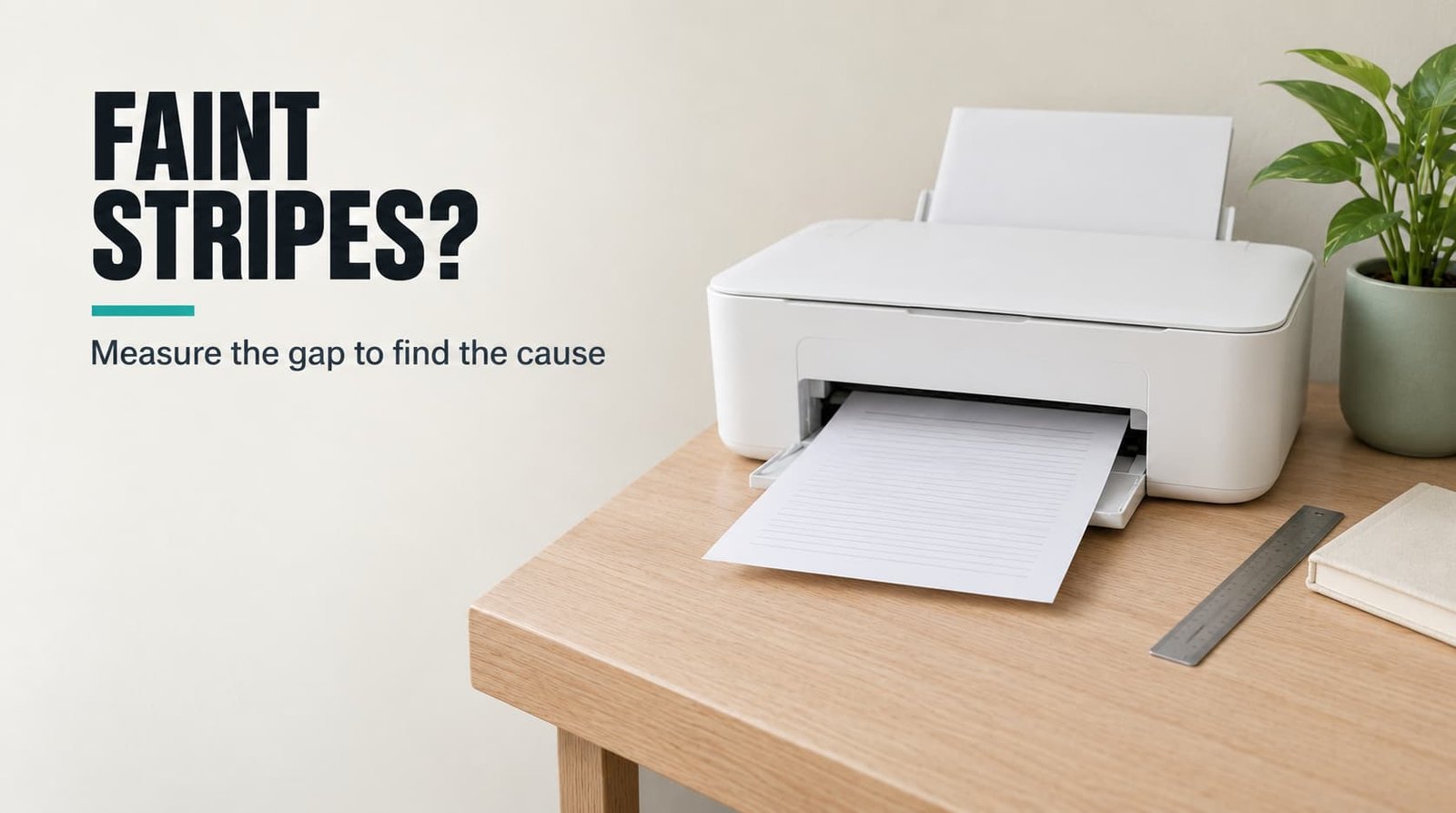
A faint stripe that repeats at the same spacing is a nozzle, and a stripe that doesn’t repeat is paper or dust. That’s why your printer prints pages with a faint stripe: the head lays ink in bands, and one dead nozzle leaves the same pale line in every band. Measure the gap between stripes before you clean anything. Our example is a UK home inkjet whose head prints bands 12 mm tall. Each figure is rounded. Swap in the numbers from your own sheet after the checks, because heads differ between models and your band may be taller or shorter. The spacing picks your starting fix.
Why a printer prints pages with a faint stripe
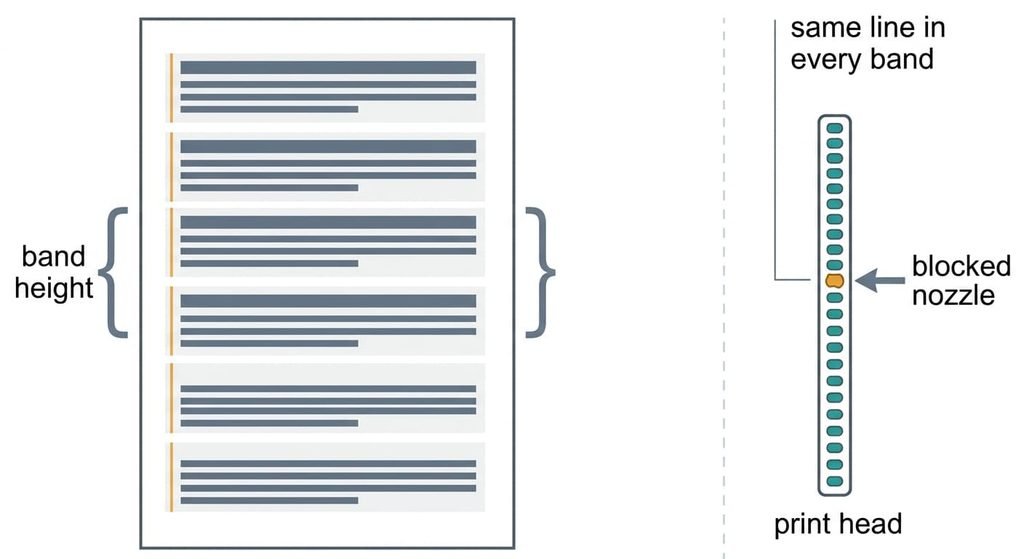
A print head works in bands. The stripe repeats at the band height, because a blocked nozzle draws nothing in its row of every pass. With bands 12 mm tall, an A4 sheet 297 mm long takes about 25 passes. A dead nozzle then leaves 25 pale lines, each 12 mm below the last.
A dirty feed roller leaves marks of its own. Say the roller is 15 mm across. Its circumference is then 47 mm, so a mark repeats every 47 mm, about six times down the page. Dust or a creased sheet leaves a single mark with no pattern.
Why does a nozzle block at all? It’s a hole narrower than a hair, so a speck of dried ink is enough. The printer parks its head on a cap to slow the drying. A machine left idle for weeks clogs sooner than one printing daily. That gap is only 0.085 mm tall, 0.7% of a 12 mm band, so it reads as a faint line and not a white bar.
Three causes sit at three different spacings: 12 mm for a nozzle, 47 mm for a roller, and none at all for dust. When your printer prints pages with a faint stripe, a ruler is the cheapest tool you own.
Four checks when your printer still prints pages with a faint stripe
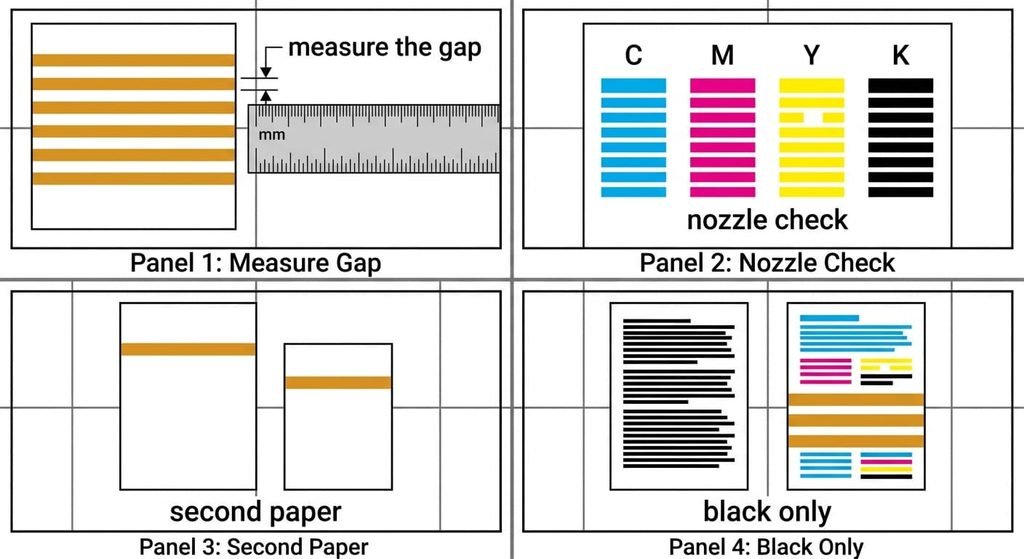
Print a page of one solid mid-grey fill at standard quality, because a faint line shows best on an even tone. Use the same paper for every check, and keep every sheet. Write each result beside its check, so the sheets can be lined up afterwards.
Start with the ruler. Measure the gap between stripes near the middle of the page, and count them along the 297 mm length. About 25 stripes means nozzles. About six means the roller.
Next, print the printer’s own nozzle-check pattern. It draws short bars for each ink, and a gap in a bar names the colour at fault. A stripe with a warm tint points at the cyan set, for example.
Then print the same fill on a second sheet of a different paper. A stripe in the same place on both sheets belongs to the head, while a stripe that moves belongs to the paper.
Finally, print a page in black only. If the stripe vanishes, the problem sits in one colour set, which narrows the clean-up.
The four fixes, in order
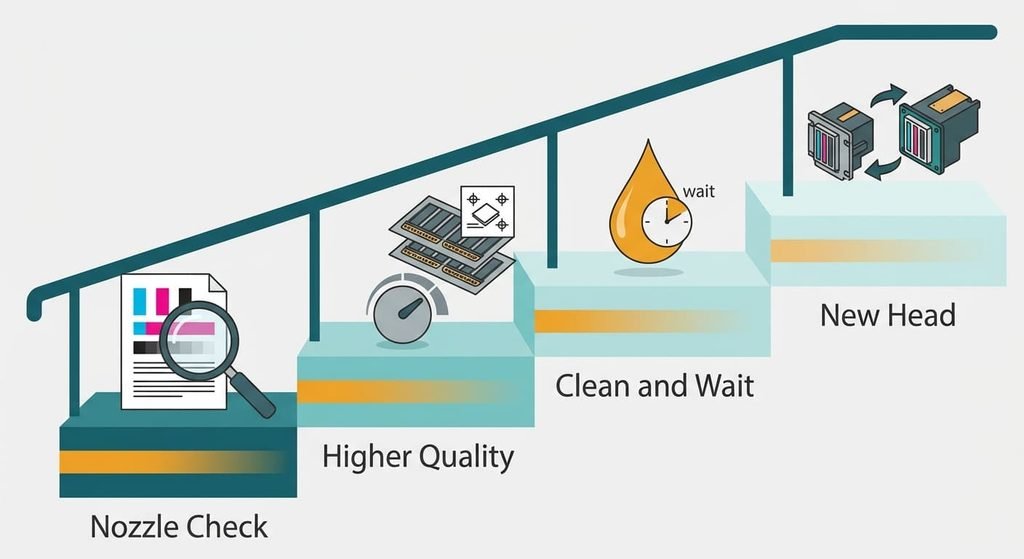
Whenever a printer prints pages with a faint stripe, vary one variable per round. Print the grey fill again before you try the next step, and move down the list when the stripe returns.
Printing the nozzle-check page and reading it costs one sheet and a trace of ink. Say that trace is 0.1% of a cartridge. It tells you which colour has the gap, so every later step targets one set. Print it at the same quality as the stripe page. A lower quality can hide a gap that the grey fill shows. It repairs nothing, so you pay a sheet for a diagnosis.
Switching to a higher quality setting takes about a minute in the print dialog. High quality prints each row in two passes with the nozzles offset, so the second pass half-fills the gap the first one left. The stripe fades from 0% ink in the gap to about 50%. The cost is time, because a page that took 30 seconds now takes 60. Use it as a stopgap while you try the next step. It suits a document you need today. It uses a little more ink on plain paper, so expect slightly darker text.
Running one cleaning cycle, then waiting three hours costs time and about 1% of a cartridge per cycle. The cycle pushes fresh ink through the head and softens the plug, and the waiting lets the softened ink dissolve it. Check after three hours, and run a second cycle only if the stripe is still there. Two cycles cost 2% of a cartridge and six hours of patience. Use the printer’s own cleaning option and leave the head alone, because its contacts are delicate.
Replacing the print head, or the cartridge that carries it, is the paid option, useful only after two spaced cycles have failed. Check the manual first. On some printers the head lives inside the cartridge, and on others it’s a separate part. A new part costs money and an evening of fitting. Print the check page first and keep it, so the shop can see the gap you saw. If the stripe sits at 47 mm and not 12 mm, a head won’t help, so clean the roller first.
If none of that worked
If your stripes survive two spaced cycles and a high-quality setting, note the spacing in millimetres and which colour the check page flags. Print the grey fill once more and keep it. Look at the paper path too. A torn corner of paper near the roller makes a mark at 47 mm as well. If the stripe shows only on photographs, set the photo mode to standard and see whether the pattern stays. A stripe at 12 mm in one colour with all else clean is a head problem, and that’s the case for a replacement part.
If the spacing is 47 mm, wipe the roller with a lint-free cloth slightly damp with water. Switch the printer off and let the roller dry before you try again.
Jot the three readings on the grey page itself.
The fix that isn’t worth doing
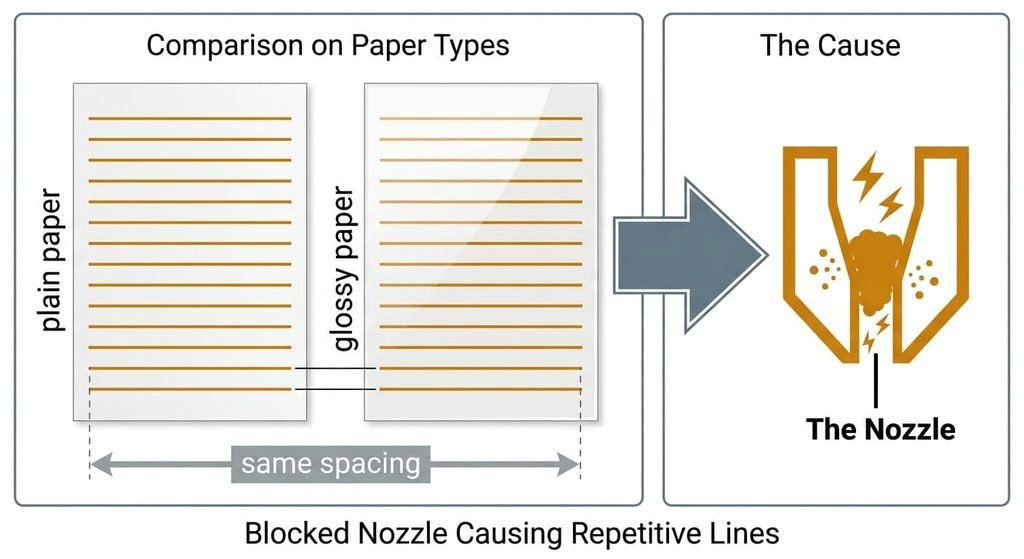
Switching to thicker, premium paper is a common first move, because the paper feels like the suspect. A blocked nozzle lays no ink in its row, whatever sits beneath it. The gap stays 12 mm apart on any sheet. A printer prints pages with a faint stripe on glossy stock as readily as on plain. On glossy stock the line may look sharper, but its spacing stays 12 mm.
The same check rules out five cleaning cycles in a row. Pick paper for its finish if you like, but only once the stripe’s spacing is known, otherwise you spend money to learn nothing. At 1% each they cost 5% of a cartridge, and the second cycle starts before the first has had time to soften anything. Two cycles three hours apart cost 2%.
Paper alters how the line looks and never where it sits.
The stripe’s spacing is the evidence. Measure it and print the check page. Let the numbers pick the fix. Start with the quality setting, then the spaced cycles, then the head. Leave the roller wipe for the 47 mm case only. Reprint the grey fill after every step and file each sheet, because the pile shows what each change did. Keep the grey page as a reference for the next time it happens.
Questions readers keep asking
Why does the stripe look stronger in some colours?
Each colour has its own nozzles. A blocked cyan nozzle removes cyan from its row, so the line takes a warm tint. Dark text hides the gap because black ink covers it. Pale tints and photographs show every missing row.
Can I measure the spacing without a ruler?
Yes. Count the stripes along an A4 sheet and divide 297 by the count. A count of 25 gives about 12 mm, which fits a nozzle. Six stripes give about 50 mm, which fits a roller. One lone mark points at dust or a crease.
How many cleaning cycles are too many?
Two cycles spaced three hours apart usually settle it. In the example each cycle uses 1% of a cartridge, so two cost 2%. Five back-to-back cycles cost 5% and rarely do more, because the softened ink hasn’t had time to dissolve the blockage.