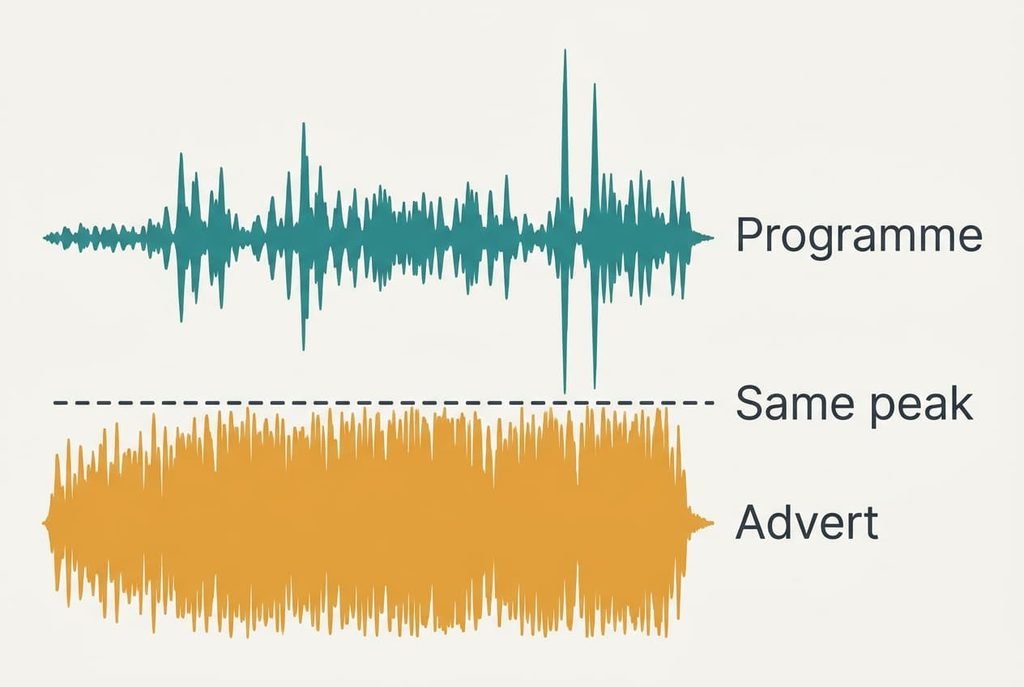
When adverts play much louder than the programme you’re watching, the standard first remedy is a volume-levelling setting on the TV. Ads reach about the same peak as the drama around them, but they hold near that peak the whole time. A drama swings between whispers and bangs, and that swing is what sends your hand to the remote. Your ears aren’t playing tricks, and neither is the TV. This page explains the mechanism and sets out three short tests for tonight. After that come four remedies that run from a free habit to a purchase, along with the popular remedy that stops working within a week.
How Adverts Play Much Louder Without Higher Peaks
Loudness is judged on average, and peaks barely count. A drama has quiet dialogue and a few loud moments, so its average sits low. An advert is squeezed, which engineers call compression, so every moment sits close to the top.
Put numbers on one evening. Suppose dialogue averages 50 dB in your living room and the loudest bangs reach 70 dB. An ad squeezed into a 10 dB range averages around 62 dB and peaks at the same 70. The peaks match, and the ad simply stays near its peak the whole time. The gap in average is 12 dB, and a rise of 10 dB sounds about twice as loud.
A second cause hides in the speakers. Many dramas carry their dialogue on a centre channel built for surround sound. When the TV folds that down to two speakers, speech can end up quieter than the mixer intended. Ads are usually mixed for two channels already, so they skip that loss completely.
Add the habit of the viewer. You set the volume so the whispers are audible, which leaves the level high enough that any squeezed sound arrives like a shout. The result is a volume you choose for the quiet scene and regret within thirty seconds of the break.
Three Tests to Run Tonight
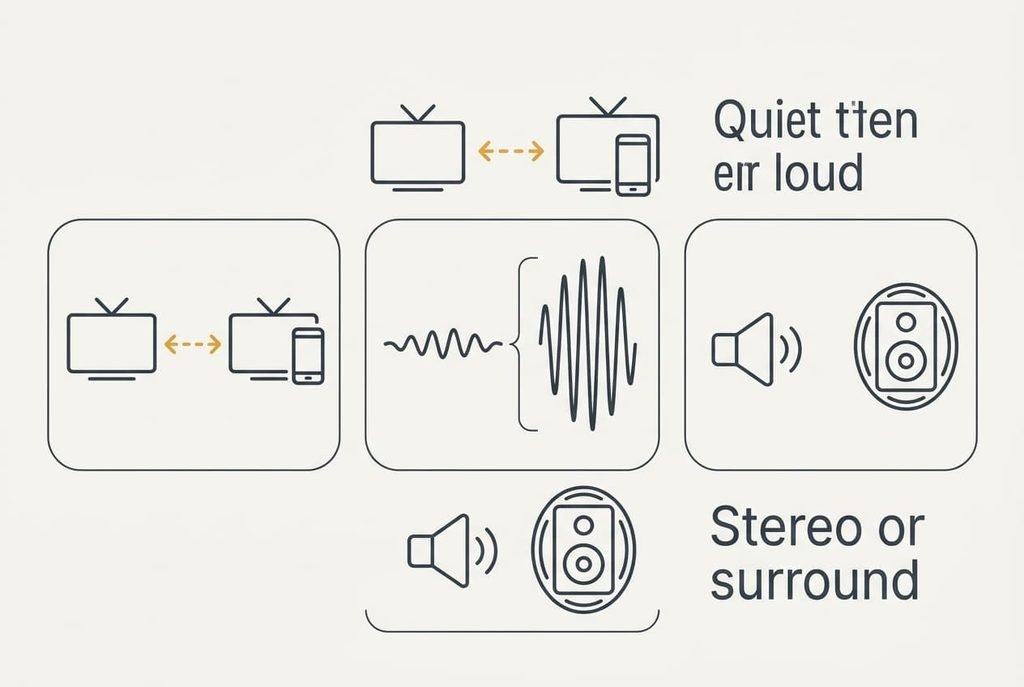
Each test below separates one cause from the others, so do them before touching any setting.
First, watch one live channel through an ad break, then a streamed programme through its breaks. If the jump is large on both, the squeezing itself explains it. If it appears only in one app, that service inserts its ads at a different level from its programmes, and the fix belongs with them and not with your TV.
Second, play a scene with a whispered conversation followed by a loud one. A big difference between the two scenes means the programme has a wide range, and a levelling setting will help a great deal.
Third, switch the audio output between stereo and surround for the same drama and listen to a single line of speech each time. If speech gets louder in one of them, the folding down is part of the cause. Switch back afterwards, and jot down what you heard. When adverts play much louder in all three tests, compression is the main cause, and the remedies below apply in order.
Four Fixes When the Adverts Play Louder Than Programmes
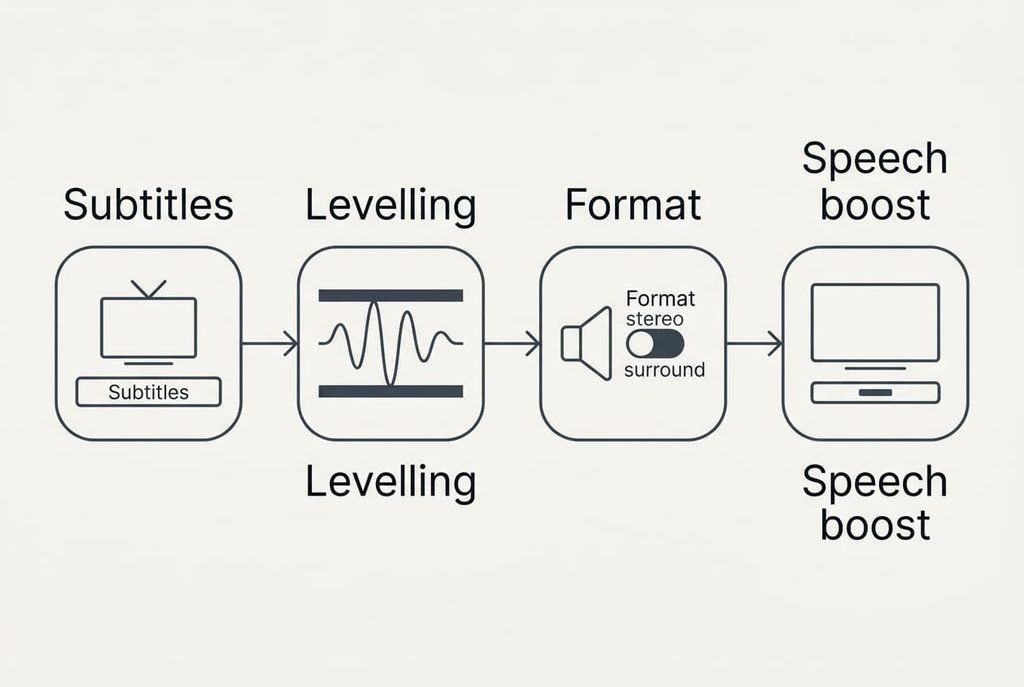
Set the volume for the ad, and let subtitles carry the whispers. Choose the level at which the ads feel comfortable and leave the remote alone for the evening. This answers the habit cause from the first section, because the level was only ever chosen for the quiet scenes. There’s no cost in money. The loss is easy listening to murmured dialogue, and the subtitles replace it. Try it for one evening: if you still reach for the remote, lower the level one notch. Most viewers stop noticing the text after two evenings.
Use the volume-levelling mode, which most TVs offer under a name such as night or late listening. It squeezes the programme as well. Quiet parts rise and peaks fall, which closes much of the 12 dB gap from the earlier example. The price is a few minutes in the sound menu and no money. The sacrifice is punch. Explosions sound smaller, and a film made for the cinema feels flatter than it should. Compare one quiet scene with and without the mode before you commit. Keep it for evenings, and switch it off when you want the full range.
Spend twenty minutes on the output format. Pick one programme and try stereo and surround in turn, as in the third test. Keep whichever makes speech clear without raising the ads, which tackles the folding cause. Write the winner down, so you don’t repeat the test after every update. It costs only your time. On stereo you lose some sense of space, though dialogue stays clear. A drama that’s mostly talking loses very little, while an action film loses more, so you may want a different choice for each.
Add a dialogue-boost device, such as a soundbar or a compact box with a speech mode that lifts the voice range specifically. Expect to pay, and expect it to claim shelf space. Measure the shelf first, since a soundbar of 90 cm needs a clear stretch beneath the screen. It also changes how every programme sounds, which can’t be reversed without removing it. Leave it until the end, after the first three have been tried and found short. It reaches the folding cause directly, but it leaves the compression untouched, so ads can still arrive hot.
If None of the Four Worked
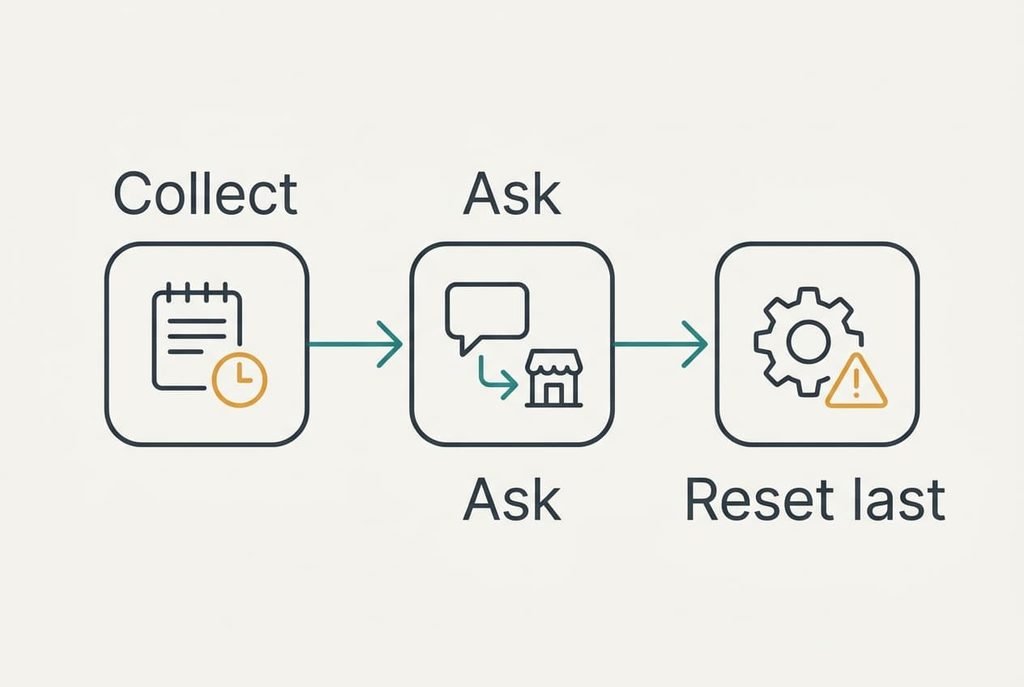
Collect the facts first. Note the channel or service. Then note the time of day and one example programme with its break. A clear note helps whoever you ask next, and it reveals whether the problem sits with you or with the source.
Write down the date of each test so that a pattern across several weeks becomes visible.
Then ask the provider or the maker, with that note in hand. Say plainly that adverts play much louder than the programme on that channel, and give the times. A report like that is easy for them to check, whereas a vague complaint gets a vague answer. If the same ad jumps on a friend’s TV, the source is to blame, and your set is fine.
A factory reset comes last, and it carries a warning. It wipes every setting you’ve made, such as saved networks, so note which ones you’d want to restore before you start.
The Fix That Stops Working Within a Week
Many viewers settle on riding the volume by hand through every break, and it fails for a simple reason. You must catch each ad, and you must remember at the right moment. It works tonight and wears thin by next weekend.
The effort is also easy to overlook. Each break costs a little attention, and across a season that adds up to hours. A levelling setting that squeezes the programme once saves all of it, so use that instead.
A related shortcut is muting every break and waiting for the programme to return. It protects your ears, but you can lose the plot when the story resumes mid-scene, and it needs the same constant attention. Neither habit is wrong in a pinch, and a quiet evening may need nothing more. A setting, though, treats the cause.
Whether adverts play much louder at your home comes down to compression and speaker folding, and the tests tell you which. Fix the cause once, and the remote can go back on the table. You’ll hear the quiet scenes and the breaks at a similar level, and the evening stops being a negotiation with the volume button. Check the setting again after any update, because updates sometimes restore the defaults.
Questions Readers Keep Asking
Can this be fixed at home?
Usually, yes. A volume-levelling setting and the output format cover most cases without buying anything. Try those first, and add a speech-boosting device only if the dialogue still sounds weak after both. Most households stop at the setting, because it removes the jump with little loss.
What causes the jump?
Ads are compressed, so their average level sits near their peak, while a drama keeps its quiet parts quiet. A second cause is the TV folding surround dialogue down to two speakers, which can make speech weaker. The two together produce the jump you hear in the living room.
Could this mean hardware failure?
Rarely. Louder ads alone point to the way the sound is made, and a broken speaker isn’t the explanation. Crackling would be a hardware sign, and so would a speaker that goes silent or a hum at any volume. If you hear those in a programme as well as in ads, have the set looked at.