A loyalty card app has four jobs at the till. It holds each card number and draws the barcode on your screen. It also shows your points and pushes offers your way. Alternatives to loyalty card apps can keep the first two jobs and drop part of the rest, which leaves one choice: which loss will you tolerate? Three routes follow, then how month three treats each, then the step to finish before you delete anything. The sums assume a household in Bristol with 12 cards, of which 5 get used every week. Every figure is a sample.
What Carries Over With Alternatives to Loyalty Card Apps
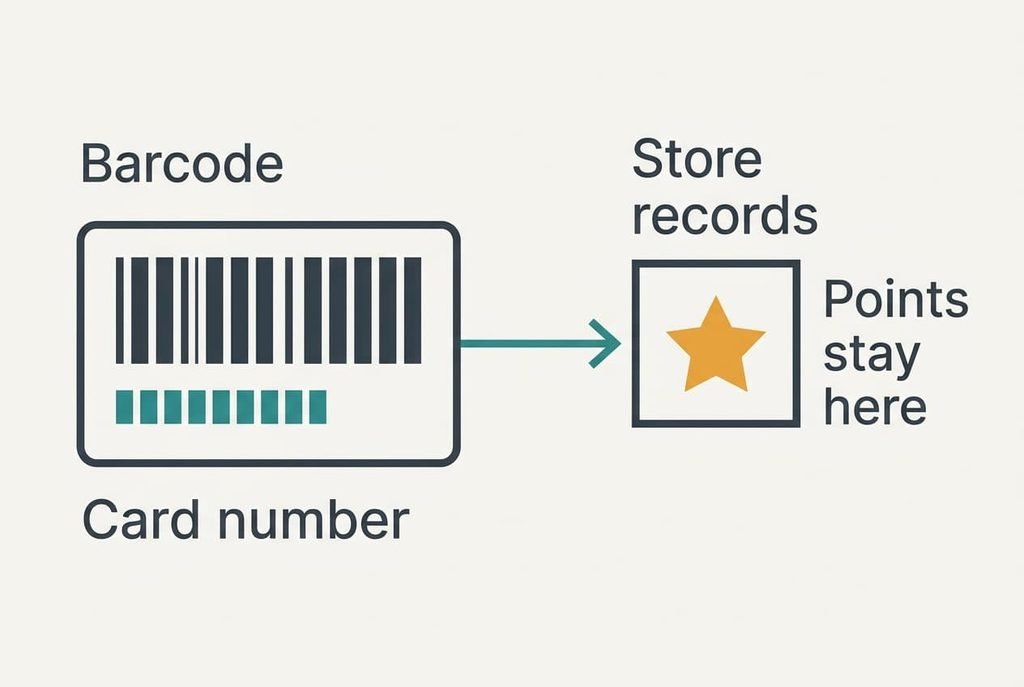
You’re moving 12 card numbers, each with its barcode, and the app is merely one place they sit. A scanner reads the bars as digits, and the digits printed beneath them are the same data. That’s why a cashier can type the number in when a scan fails, and why the number is the part worth saving. Square codes work the same way, since they usually hold just that number.
Your points usually live in the store’s own records under that number, so they stay put when the app leaves your phone. The offers and the points display stay behind as well, because they’re the store’s messages to you, drawn afresh whenever you open it. A photo can’t refresh them, and neither can a printed card.
Paper has one advantage: a card is already complete. Twelve cards at 0.76 mm each stack to 12 × 0.76 = 9.1 mm, which is why wallets bulge. The 5 you use weekly, 42% of the set, stack to 3.8 mm.
What to Use in Place of Loyalty Card Apps
Each route gives something up, so choose the loss you’d notice last.
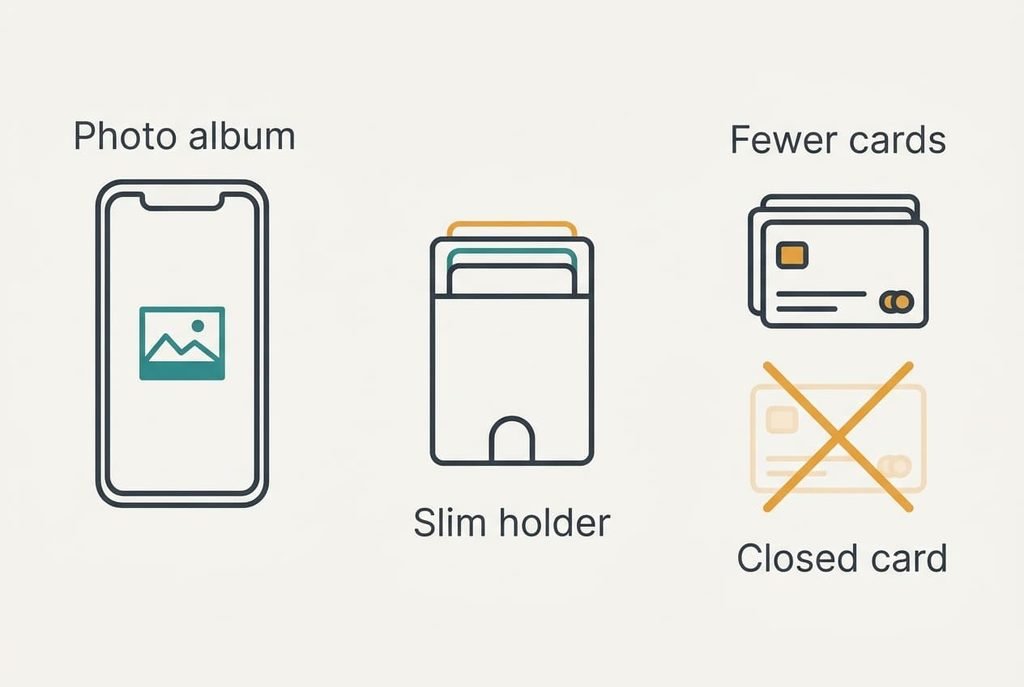
1. Money: photograph every barcode into one album called Cards. It’s free and fits anyone who carries a phone to the shop anyway. You lose the offers and the points display. Twelve photos at 15 seconds each take 180 seconds, which is 3 minutes. Name each photo for its store, so the right one turns up fast in a queue. Each lands as an image that the till scanner reads off your screen once you raise the brightness. It fails when the scan does. If 1 in 10 is rejected and you shop 5 times a week, that’s 26 failed scans a year, each with a queue behind you.
2. Effort: carry a slim holder with the five weekly cards and keep the other seven in a drawer. This suits someone who would rather hold a card than tap a screen. You lose nothing at the till, because the printed barcode is the original, and nothing has to be copied. Sorting the twelve takes 12 × 30 s = 360 s, about 6 minutes, once. It fails on the day the right card is at home, and the seven in the drawer help nobody while they sit there. Keep a note of their numbers in your phone for exactly those days.
3. Feature loss: keep only the stores you visit at least monthly and close the rest. Five weekly stores plus three monthly ones leave 8 cards, so 4 of the 12 go, which is 33%. This suits a shopper whose spending sits in a few places. You lose points at the dropped stores, so spend any balance near a reward before you close them. The numbers of the eight survivors go into a notes file as eight short lines. It fails if you close a card that was two visits from a reward, so check each balance first.
How Month Three Changes the Offers
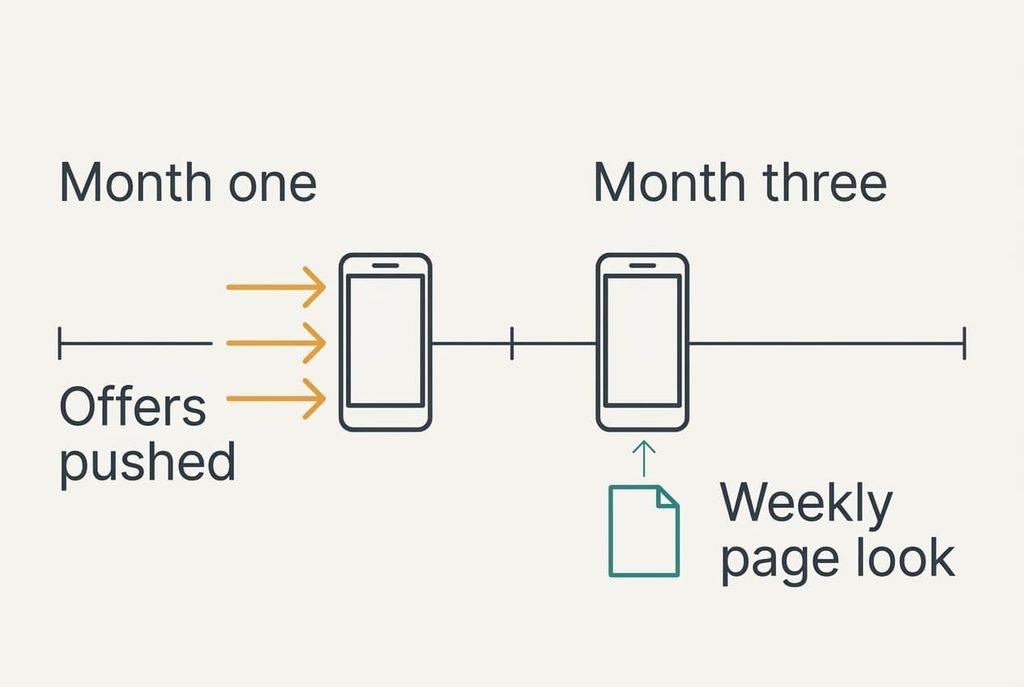
By month three, the offers have stopped finding you. The app used to show about 3 a week and you used 1. Now nothing is pushed, and an offer you never see is one you never use. Losing 1 a week means 52 a year.
You can win some back by reading the store’s own page once a week. At 2 minutes a visit that’s 2 × 52 = 104 minutes a year, about 1.7 hours. Whether one offer a week repays two minutes is the sum to run.
Photo users feel the change least, since they still open the phone at the till and can glance at what’s on offer. Paper holders feel it most. With alternatives to loyalty card apps, try the weekly page habit for a month before deleting anything.
Choose the route whose weekly look you’d really keep.
Moving Your Cards Without Missing a Shop
Begin with the five cards you use every week and leave the other seven for later, because a mistake with the weekly ones shows itself within seven days. Open the app, note the number under each barcode and photograph each screen into the album, naming every photo for its store. Then run the app and the photos side by side for two weekly shops, using the photo at the till both times. If a scanner rejects a photo, raise the brightness before you blame the card.
After the second clean scan, bring in the remaining seven. At 90 seconds a card that’s 7 × 90 = 630 seconds, about 10 minutes. Check each balance as you go, and write down any reward that sits close. Remove the app last, once nothing at the till has needed it for a fortnight.
When Staying With the App Makes Sense
If the offers do real work for you, keep the app. Say you use 3 a week. Dropping the app then forfeits 3 × 52 = 156 offers a year, and a weekly look at a web page won’t recover them. A shopper who spends most of the weekly shop in one or two stores benefits most, since those offers follow what you buy there, and rebuilding that history elsewhere takes months.
Stay too if a store’s scan-as-you-shop feature spares you the queue, as it runs only inside the app. Count your own use for a month before deciding, because a tally of offers used is a better guide than memory. Leaving gains little if all twelve cards were already tidy on your phone and nothing about them annoys you. Weigh alternatives to loyalty card apps against the offers you’d lose, and stay put whenever that sum goes against moving.
Get the Card Numbers Out First
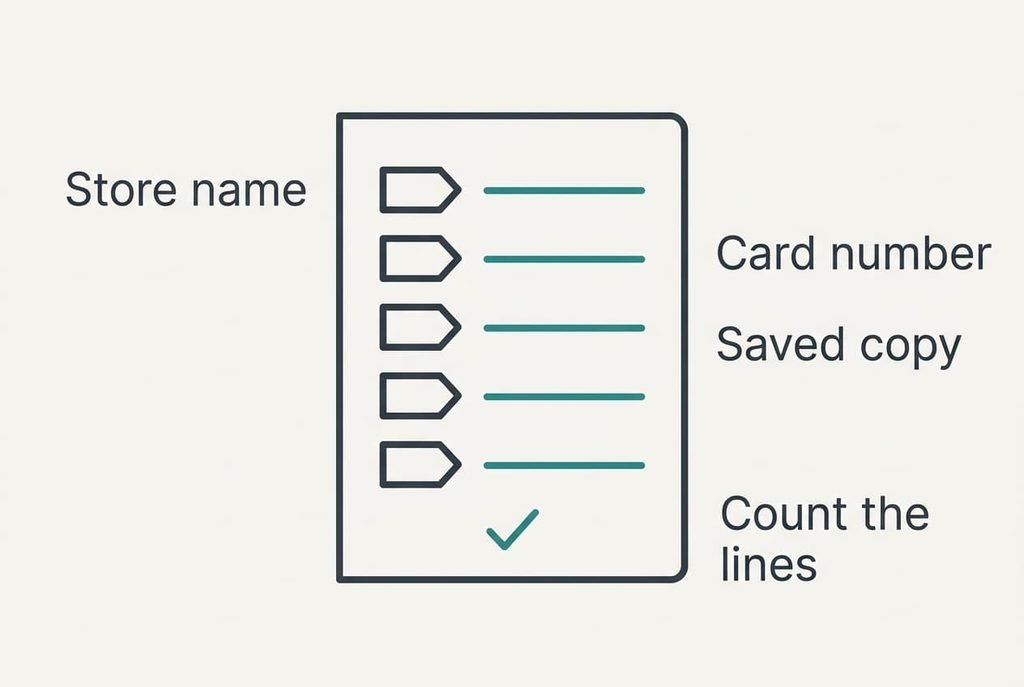
Deleting an app can sign you out and wipe the barcode screens, so note every number before anything is removed. Type the number under each barcode into a notes file, one card per line with the store’s name beside it. Photos alone can fail when a screen was dim as you took them, while typed numbers let the cashier key the card in by hand.
Then count the lines. Twelve cards should give 12 lines, and fewer means a card was skipped. Pick one at random and have a cashier key it in at your next shop to prove the number is right.
Do the whole job in one evening and save the file somewhere the phone backs up. Weigh alternatives to loyalty card apps only after the numbers sit in two places, because a lost phone holding the only copy takes every card with it. Then tell the household where the file lives.
Questions Readers Keep Asking
Will my points and card numbers carry over?
The numbers do, because they’re printed under every barcode. Points usually sit with the store, attached to that number, so they should still be waiting. Check one balance at a till before you delete the app, since a store can reissue a card and change the number.
How do these routes compare with the app on price?
The photo album and the notes file need nothing, and a card holder costs little. Time is the real price: 3 minutes for twelve photos, 6 minutes for sorting cards and about 104 minutes a year for checking offers by hand.
Is moving worth the disruption?
For most shoppers, yes. The numbers survive and only the pushed offers go, and the move takes one evening. If you use three offers every week, the loss outweighs the tidiness, so sticking with the app is the sounder call. That’s the case where leaving takes more than it gives.