For everyday typing at a home desk, a mechanical keyboard suits long sessions and a membrane keyboard suits shared rooms and light use. The property that decides is where in the key’s travel the press registers. Pick a mechanical board if you type for a couple of hours a day and will learn to press lightly. Pick a membrane board if the keys are heard through a wall or you type in short bursts. A flat scissor-style board wins when neither suits. This comparison uses a 4 mm key travel and 24,000 presses a day as assumed examples, and it names no brands.
What Separates a Mechanical or a Membrane Keyboard at the Keys
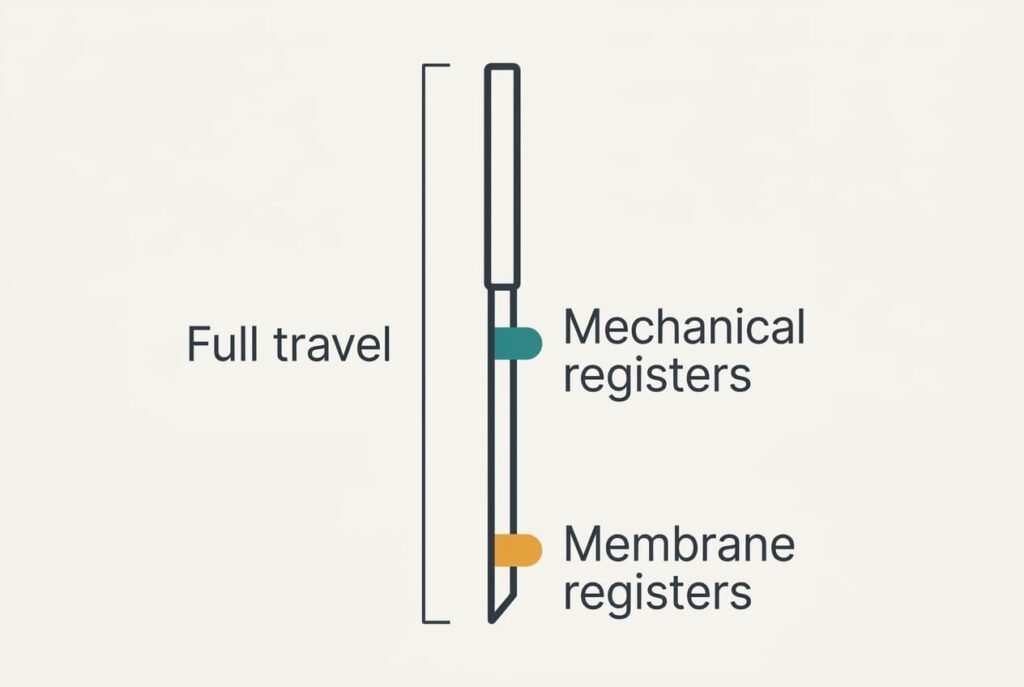
Every key has a travel, the distance it moves from rest to the bottom. Assume 4 mm for both boards. The real question is how far down the key has to go before the keyboard notices the press.
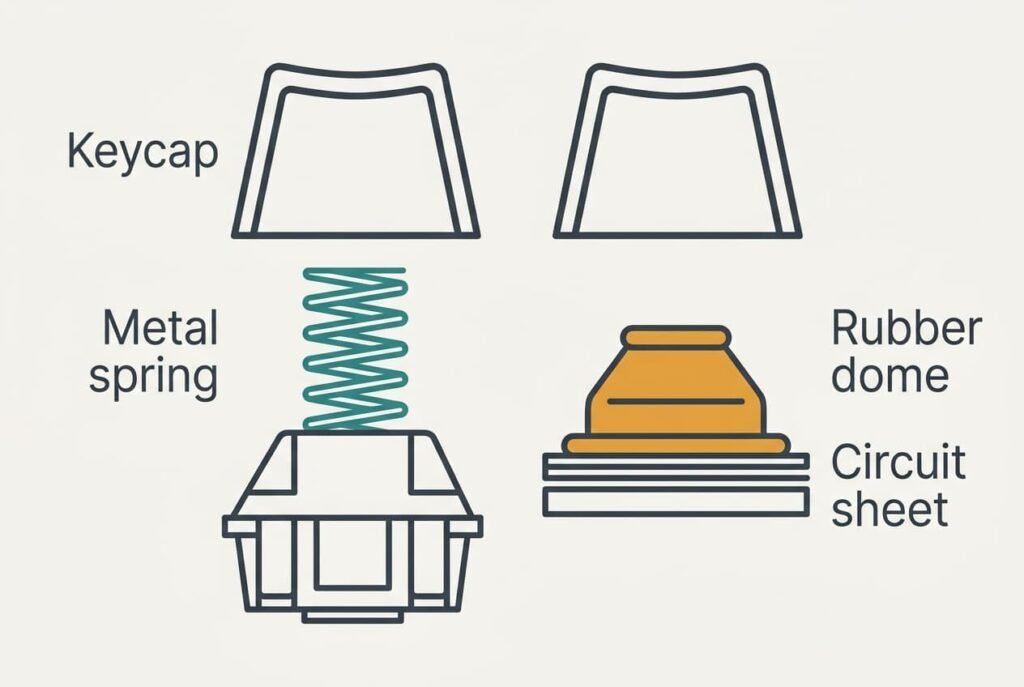
A membrane board hides a sheet of printed circuit under a rubber dome. Pressing the key collapses the dome onto the sheet, and the circuit closes. The dome needs a long push before it gives way. Assume it registers at 3.5 mm.
A mechanical board gives each key its own switch with a metal contact and a spring. The contact closes part-way down. Assume it registers at 2 mm. The remaining 2 mm are travel your finger doesn’t need.
Typing 40 words a minute at five keystrokes a word makes 200 presses a minute, which is 12,000 an hour. Two hours a day gives 24,000 presses. The membrane board needs 24,000 × 3.5 mm = 84 m of finger travel a day. A mechanical board needs 24,000 × 2 mm = 48 m if you stop at the registering point. That difference is 36 m, which is 43% less finger movement.
Most typists press every key to the bottom anyway, and then both boards ask for 96 m. The saving exists only for people who learn to stop early, and that is a habit rather than a feature.
Mechanical and Membrane Boards Side by Side
Every point in this table can be tested at a desk or read off a spec sheet, and you won’t have to trust a sales claim. We assume the same 4 mm of travel on both boards. Any difference therefore comes from the mechanism and not from the size of the key. Try pressing a key slowly with one fingertip and feel where it gives.
| Point | Mechanical | Membrane |
|---|---|---|
| Registers at | about half-way down | near the bottom |
| Feel when pressed gently | clear bump or firm stop | soft and cushioned |
| What returns the key | own metal spring | rubber dome |
| Noise when pressed hard | clack from switch and base | thud from the dome and base |
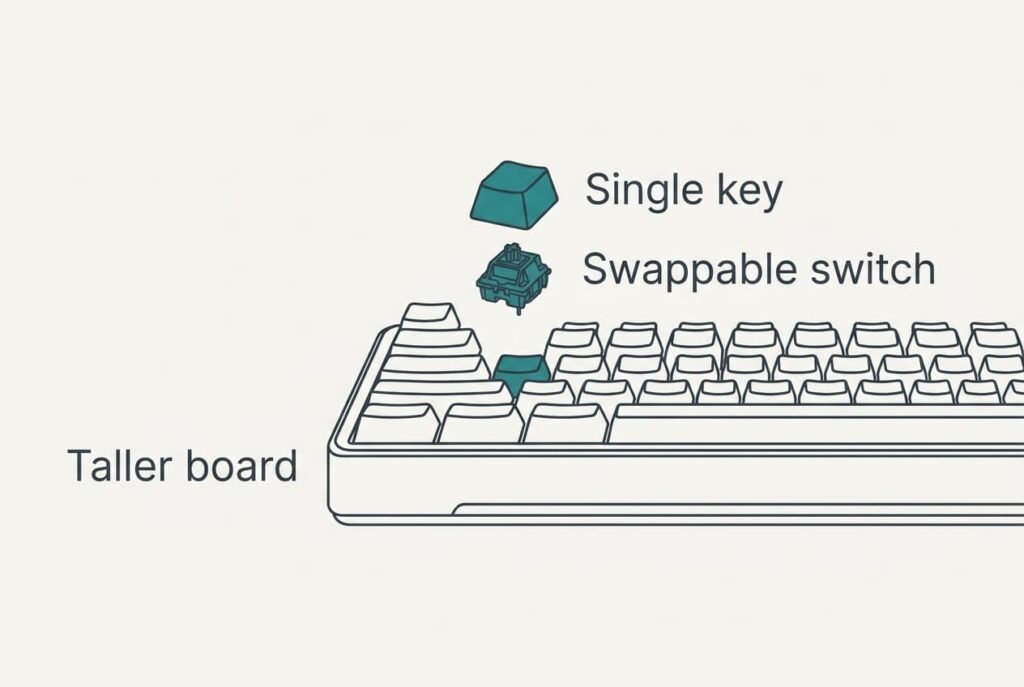
| Repair | one switch can be swapped | the whole sheet usually goes |
| Thickness | taller | flatter |
| Crumbs and spills | gaps let them reach the switch | sealed sheet resists them |
Noise holds the surprise. Much of a keyboard’s sound comes from the key hitting its base rather than from the switch itself. A hard typist is loud on either type. A light touch on a mechanical board can be quieter than a heavy one on a membrane board.
Read the row that bothers you most and let it break the tie. When you must choose a mechanical or a membrane keyboard for a shared room, the noise row deserves the most weight, since it affects other people.
Where a Mechanical Keyboard Wins
A mechanical board wins when you type for hours and want the keyboard to last. The early registering point lets you rest your fingers on top of the keys, and a board that is easy to repair keeps working when one switch wears out.
It also suits typists who want to feel a clear signal that a press has registered. A defined bump or click under the finger tells you the key has done its job before it reaches the bottom. You can ease off at that point. That cuts the hammering that tires the hands.
There are costs too. The board is taller, and many people need a wrist rest to keep their hands level. Noise travels through desks and walls. Crumbs can drop into the gaps around the keys and reach the switch contacts. Occasional cleaning therefore matters more here than on a sealed sheet.
Check before buying whether the board takes switches by hand or needs a soldering iron, since that decides how real the repair advantage is for you.
Where a Membrane Keyboard Wins
A membrane board wins in a shared flat and for short, light sessions. The soft dome absorbs some of the impact. A typist who hits the bottom hard still makes a duller sound than a mechanical clack. A flat profile also keeps the wrists level without extra gear.
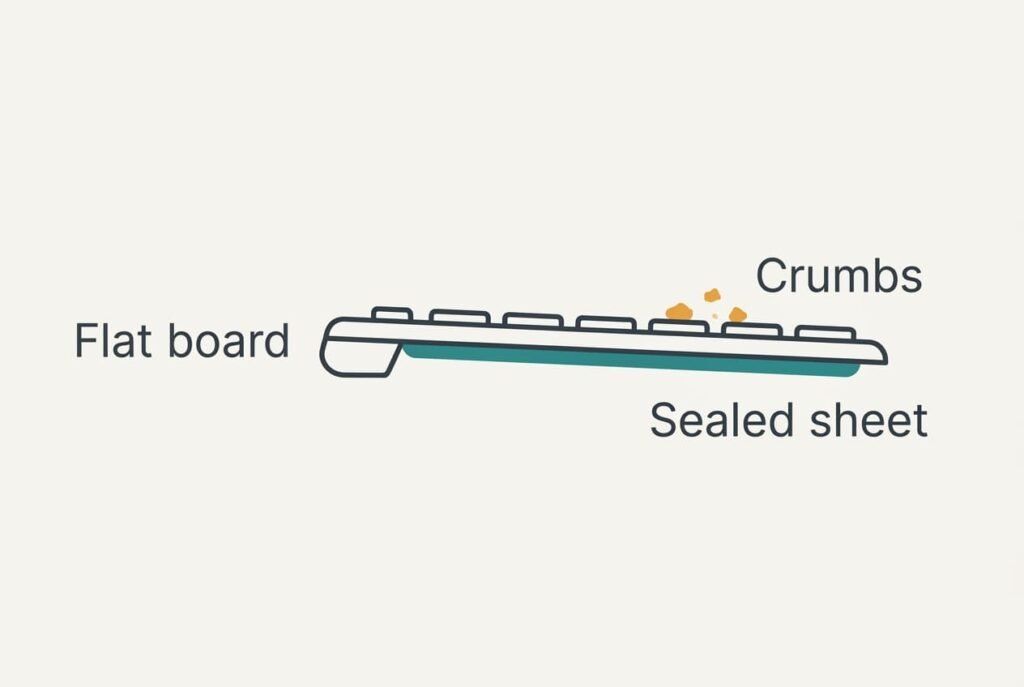
It copes better with mess. The sealed sheet under the rubber stops crumbs and splashes reaching the circuit as easily, and wiping the top is enough most weeks. It’s lighter in a bag too. Assume a slim membrane board weighs 450 g against 900 g for a full mechanical one, and a rucksack feels that difference on a daily commute. A single sheet is also simple to replace as a whole, which suits a spare board kept for travel.
The weak spots show up later. A worn dome feels mushy before it fails, and a dead zone on the sheet usually means the board is finished. Nothing inside can be fixed by hand.
When Neither Is the Answer
A low-profile board with scissor-style keys sits between the two. Before you choose a mechanical or a membrane keyboard, ask whether your typing is long enough to matter. If you type in short bursts on a laptop most of the day, a flat scissor-style board is often the better pick. Its keys travel only 2 mm or so, which leaves little to save. It stays quiet and thin, and you keep the habit you already have. Keys are low and light, with a soft tap for a sound.
Ten-minute sessions follow the same logic. Gains from a mechanical board build over thousands of presses. Ten minutes at 200 presses a minute is 2,000 presses, about 8% of the 24,000 in our long day. Few of them add up in a short session, and a plain board that works needs no replacing.
If your current board still feels comfortable after an hour of typing, the problem this comparison solves isn’t yours.
Which Keyboard to Pick: Membrane or Mechanical
Two situations settle it. If you type for two hours or more a day and you live alone or with tolerant neighbours, buy a mechanical keyboard and practise stopping at the registering point. That’s where the 36 m of saved finger travel comes from, and a board that can be repaired keeps earning it.
If walls are thin or you type in short bursts, buy a membrane keyboard and spend the effort elsewhere. A softer sound and a sealed sheet matter more than a saving you would never collect. Choosing a mechanical or a membrane keyboard comes down to who hears it and how long you type.
Test the keys with the same text for five minutes before committing, whichever board you lean towards. Judge the sound at your usual typing speed rather than at a gentle test, and ask someone in the next room how it carries. If the keyboard annoys the people around you within a week, return it. A keyboard you avoid costs more than one you swap, and a proper trial takes about an hour.
Questions Readers Keep Asking
Is a mechanical keyboard harder to look after?
A little. Crumbs fall into the gaps around the keys. A quick brush every few weeks helps. A membrane board needs only a wipe. The mechanical board repays the extra care with parts that can be swapped one at a time.
Which one fails first?
A membrane board usually fails as a whole when a dome or the sheet wears out, and a repair isn’t practical. A mechanical board fails one key at a time, and a switch can be replaced. Spills hurt either type. Keep drinks away from both.
Which suits a shared flat?
A membrane board in most cases. The soft dome and the lack of a clack make less noise through a wall. A mechanical board with a gentle touch can be quiet too, but it asks you to type lightly all day. A hard keystroke carries through a shared wall on either type.