A catalogue app for a growing collection is easy to love and awkward to leave, because the entries took years to type and the app holds the only copy. Priya in Leeds has just read an email saying the free plan will cap at 1,000 entries from March. She holds 640 books and 210 records, which makes 850 entries. This guide compares three alternatives and shows what each one carries across. Each number is a made-up sample for one UK household. Swap in the totals from your own app. No tool is named, and none is ranked.
What survives of a growing collection
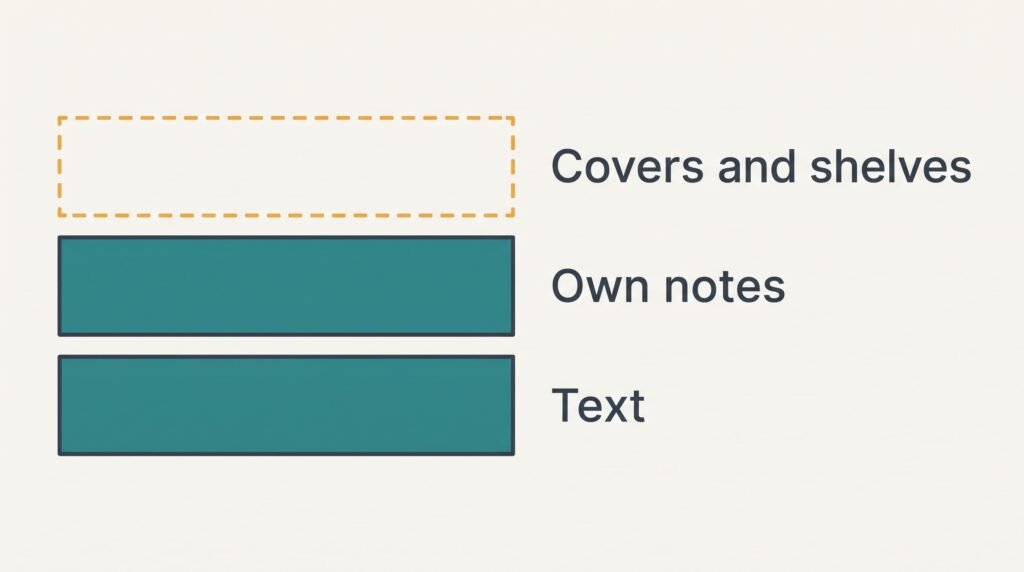
Start by asking what a catalogue app for a growing collection actually stores. Each entry has three layers. At the bottom sits plain text, which means the title with its creator and the year with its format. Above that sits your own writing, such as a condition note or the name of whoever borrowed a book. At the top sit the app’s own comforts: cover pictures and barcode lookup, plus virtual shelves.
Priya’s 850 entries carry 8 fields each, which means her file holds 6,800 cells. Her covers add 850 pictures of about 40 KB each, around 34 MB in all. Fourteen entries carry a note saying who borrowed them.
A spreadsheet file holds rows and cells. The bottom layer leaves as plain rows, and the middle layer follows only when the export includes a notes column. Covers and shelves rarely come along. Some exports may also carry deleted or half-finished entries, which you’ll want to remove before counting rows.
Ask which layer you would miss, since the answer steers everything below.
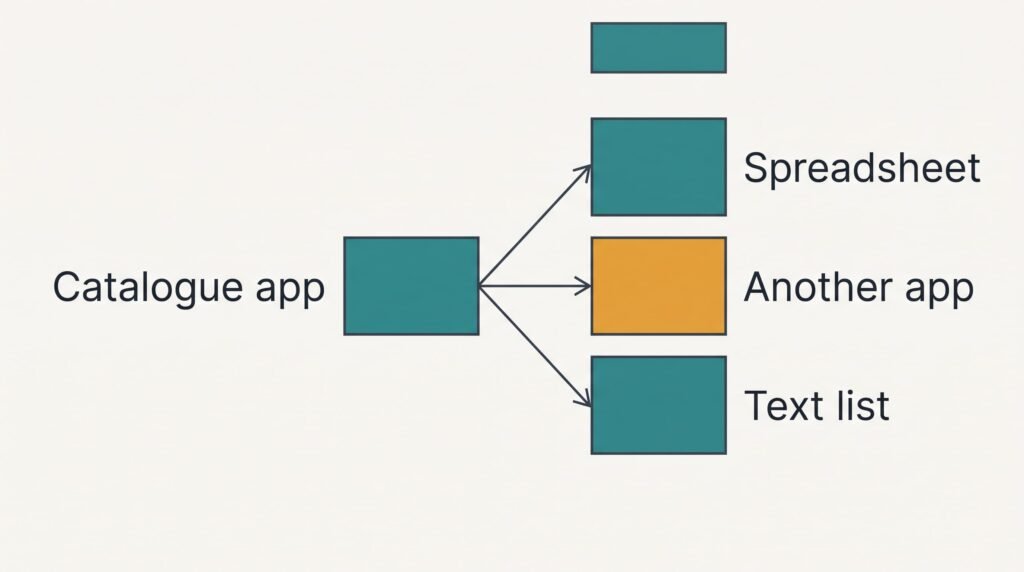
Three routes away from a catalogue app for a growing collection
1. A spreadsheet you own. This suits people who add entries in one sitting each week and want the data in a file for good. No fee applies, and the import takes about 45 minutes of tidying. Any spreadsheet program will still read that file in ten years. You give up barcode scanning and covers, yet gain sorting by creator and a count by format, which would show 640 books and 210 records at a glance. Each entry lands as a row with 8 columns, and the borrowers’ notes get a column of their own. The common fault is an export that garbles accented letters. An author’s name then turns into odd symbols. Read the first twenty rows before relying on it.
2. Another catalogue app that accepts an import. This suits people who scan every purchase and want covers back. A free tier often caps the entry count. Don’t commit before you compare its cap with 850. Some free tiers stop at a few hundred entries. The transfer takes about 40 minutes, and a preview screen should show how your columns map. You lose any custom field that the new app has no column for. The weak spot is a mapping that drops notes into the wrong column, which hides the fourteen borrowers’ names without any error message.
3. A plain text list with photographs of the shelves. This suits people who only need to answer one question: do I already own this? Twelve photographs, one per shelf, cover about 70 items each, and the list itself is 850 lines of roughly 40 characters, around 34 KB. Setting it up needs 20 minutes and any free text editor. You give up ratings and sorting, along with every field beyond title and creator. The usual trap is duplicates, since no alert appears when the same book is typed twice. A search in the text file finds a title in seconds.
What the third month looks like
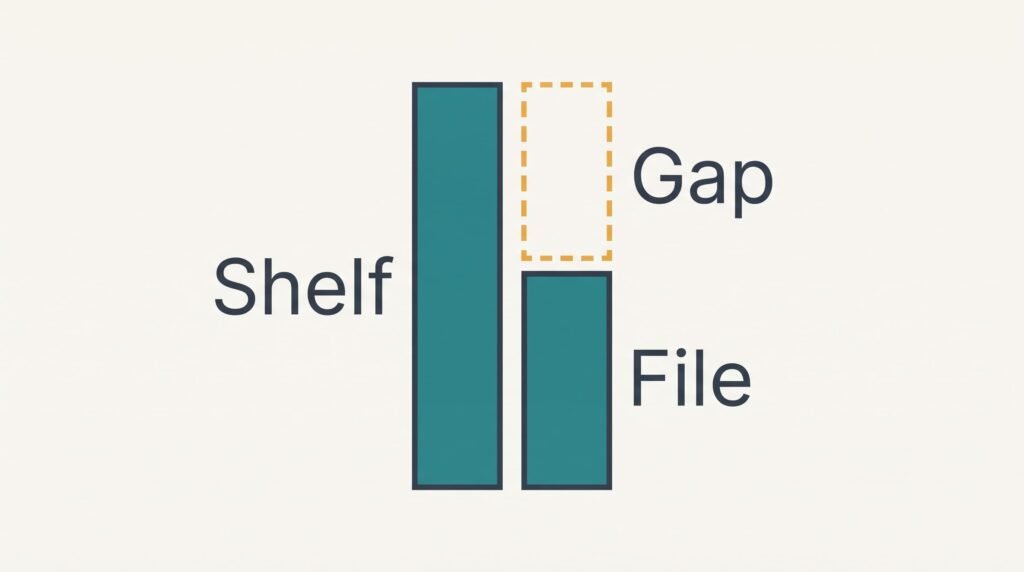
Without a scanner, the free route is the route most prone to going stale by month three. In a catalogue app for a growing collection the barcode scan is what keeps the habit alive. Priya buys about 6 items a month. Typing one entry takes 40 seconds against 5 seconds with a scan. Across 18 new items that’s 12 minutes by hand against 90 seconds by scan.
Someone who loves cataloguing keeps typing. Someone who doesn’t enters 6 of the 18 and quits, and by summer the file lags the shelves by a dozen books. That’s what the free route really costs, and it doesn’t show on the day you choose it. A list of purchases kept in a phone note and emptied into the file each Sunday narrows the gap, but the Sunday chore is yours to keep.
A migration sequence that keeps both copies alive
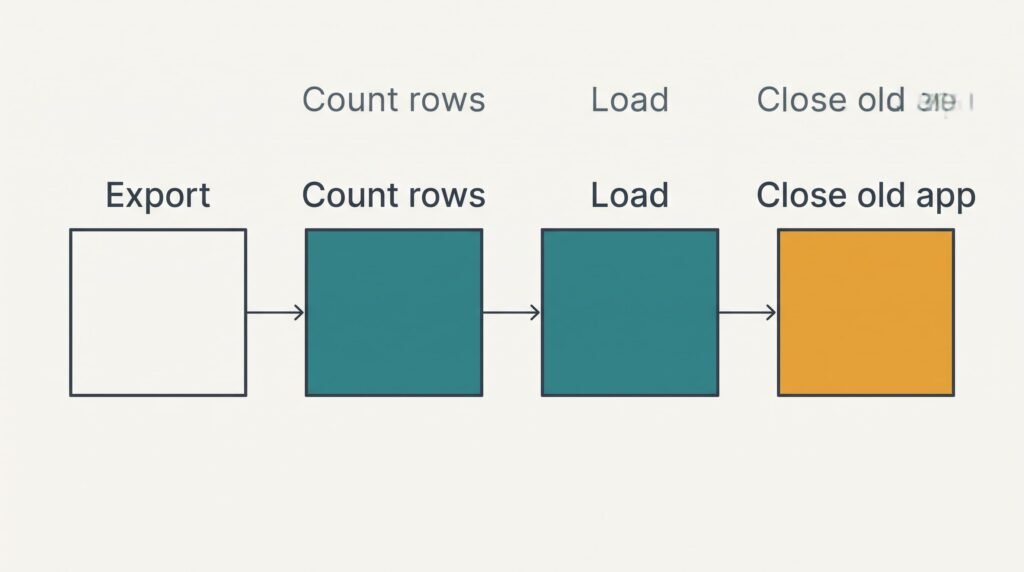
Keep the old app untouched until the new home passes a count. Export before anything else, because the export feature can vanish when a plan changes. Open the exported file and tally the rows: 850 rows means every entry left. Load the file into its new home, then count again.
Next check ten entries spread across the list, and add all fourteen borrowed ones. A missing borrower’s name means the column mapping needs repair before anything else happens. Add a column recording where the data came from and the day of the export, which tells a future you how old the copy is.
Only then pause the old app. Leave the account running for one month, because a missed entry is easiest to spot while both copies exist. Delete the account last, and only once a second export sits in two places.
When to stay where you are
Staying wins while the export works and the cap is far away. Priya adds 6 entries a month, which stretches the 150 spare slots between 850 and 1,000 over 25 months. In that time she can export once a quarter and decide at her leisure. Moving now would cost her 45 minutes, plus a third-month slump she can avoid.
Staying is a valid choice and often the right one.
The email may feel urgent, yet it describes a limit and says nothing about a deadline for her data. For a catalogue app for a growing collection, three conditions favour staying: the export button already exists, the cap sits well above your count, and you still enjoy scanning new purchases. If any one of these fails, the sum shifts towards moving. A collection of 990 entries leaves two months, and then migrating becomes the better answer.
How to export a growing collection from a catalogue app
Find the export feature in the app’s settings and choose a spreadsheet file as the format. Look for a button labelled export or download. Tick every field the app offers, notes included. Save the file somewhere other than the phone.
Open it and count 850 rows. Read a few accented names to confirm they display correctly. A file of 850 rows with 8 fields is small, usually well under a megabyte. A file of a few kilobytes means something was left out. Put another copy on a memory stick or a different computer.
Run the export again before any big change. Two minutes buys a new file, while a lost one costs years of typing. Date each file name so the newest is obvious.
One copy is a hostage rather than a backup. Two copies in different places make a backup, and that is the standard to meet before you leave the app. Label both copies with the export date. Open the second copy once now, because a file you can’t open is no use in ten years.
Questions and Answers
Will my cover pictures and borrowing notes transfer?
Borrowing notes usually do when the export includes a notes column. Tick it. Cover pictures rarely do, because they are images instead of rows, and a new app fetches its own from the barcode or title. Check ten borrowed entries after the move.
What does each route cost compared with the others?
The spreadsheet and the plain list cost nothing in money and take 45 and 20 minutes of work. A new app may carry a small plan fee once your count passes its free cap. Compare that cap with 850 before choosing, because a cap below your count makes the free tier meaningless.
Is it worth the disruption right now?
Only if the cap is near or the export option is at risk. With 25 months of room, Priya can leave things alone and export each quarter. Moving later costs the same 45 minutes. Waiting loses nothing while the limit stays distant and the export works.