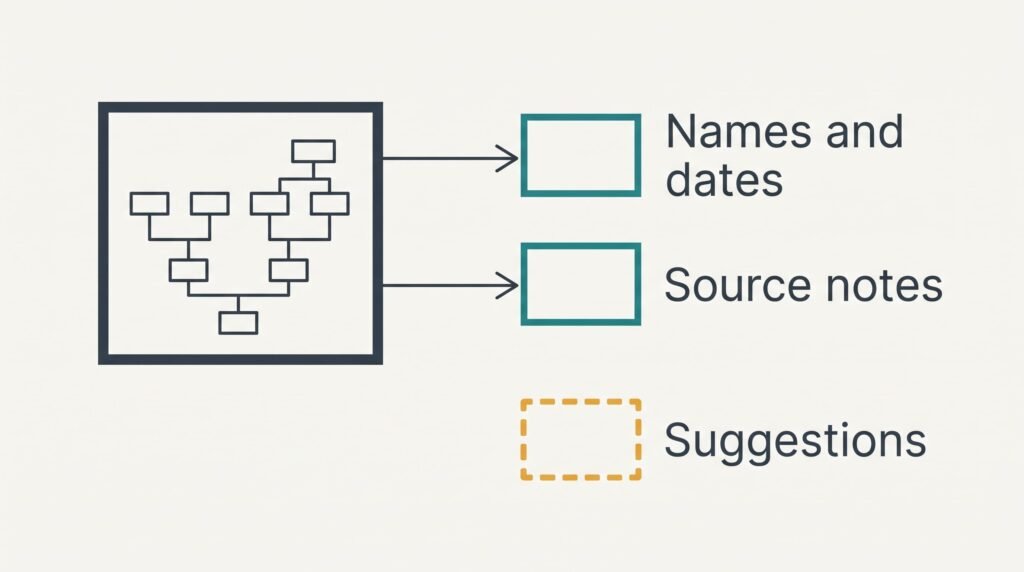
Alternatives to a family tree app all begin with one question: which parts of six years’ research can leave the app intact? Names and dates travel well, and parent links come with them. Photos and source notes travel less well, and the app’s match suggestions can’t travel at all. Marion, a retired teacher in Sheffield, has a tree of 412 people in 148 families, backed by 640 source citations. Another 380 photos sit alongside. Three routes come first. Afterwards come the third month, then the moving order, then a final check. No app is named, and these figures are samples. Count your own.
What Survives When You Look for Alternatives to a Family Tree App
The tree holds five kinds of material. Names and dates are the first kind. Parent-and-child links are the second. Source citations, which record where each fact came from, are the third. Free-text notes make the fourth, and photos with scanned documents make the fifth.
Most apps can write the first four into a plain-text exchange file, often called GEDCOM, which other programs read. Open it in any text editor and the names and dates appear line by line. Marion’s file for 412 people would be small enough to email, though the exact size varies. Photos usually don’t travel inside it, because the file points to them instead of holding them. Marion’s 380 photos average 2.5 MB each, which comes to 950 MB in a folder that must be copied separately.
Some detail can still slip, since an app may shorten a long note when it writes the file. Place names are the usual casualty, because an app that stores a place as a map point may write only the typed text. You can’t know until you compare, because what survives is settled by a test import.
The match suggestions that found three of her ancestors last spring stay behind.
Three Routes Out and What Each One Costs You
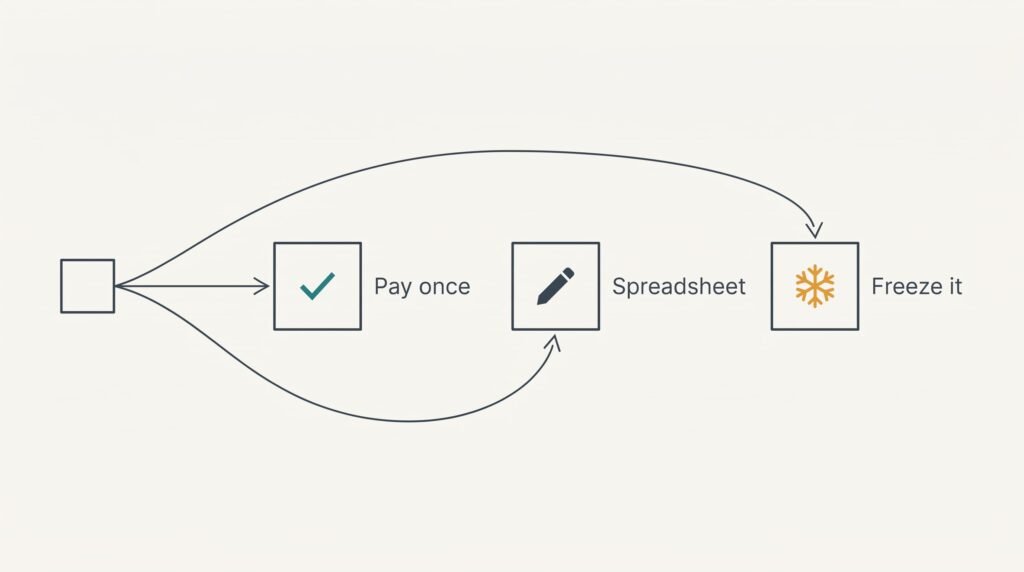
Alternatives to a family tree app fall into three routes, and each spends something different. Match the spend to what you can bear. Let one month of the subscription equal 1 unit, which makes a year 12 units.
1. Money: a one-off desktop programme that reads the exchange file. It suits someone who means to keep researching, because it costs about 10 units one time and then nothing more. You lose the match suggestions while the tree moves onto your own disk. Names and dates ride along with the links between them. Most notes and citations come too. The photo folder is copied alongside. Some programmes allow a trial import before you pay, which is worth asking about. The failure to watch for is an import that quietly drops a detail from a source. Compare counts and read a sample afterwards.
2. Effort: a spreadsheet and a set of folders. It costs no money and suits someone who enjoys tidy systems. Each row holds one person’s name and birth year plus the row numbers of both parents, and each family gets a folder of scans. Photos stay in those folders and need no importing. Typing those essentials for 412 people at one minute per person adds up to nearly 7 hours. You give up chart drawing and find relatives by sorting. The risk is a mistyped row number that breaks a parent link. Check a sample of rows against the old tree.
3. Feature loss: freeze the tree. It costs one evening and no money, and it suits someone whose research has reached a natural pause. Keep the exchange file and the photo folder. Print one chart for the wall. Then stop editing. A printed chart also helps relatives who never open a screen. Nothing new can be added, and the tree slowly stops matching the family. It fails in the first month, when a cousin sends a certificate and there’s nowhere to put it.
What Month Three Does to Your Research
Think about what changes once the suggestions stop. Marion adds about 5 people a month, and about 2 of them, or 40%, come from the app’s match suggestions. The other 3 come from her own searches of certificates and census pages.
Her own searches continue without the suggestions, while the app’s 2 stop. Over a quarter she adds 15 people on the plan and 9 off it, which means the tree trails by six people at the end of month three. A frozen tree adds none, which widens the gap to 15. Route two feels the slowdown differently, since each new person costs a spreadsheet row and a folder. Whichever route you choose among alternatives to a family tree app, the slowdown arrives in the research rather than in the bill.
Few people notice until a rainy Sunday arrives and the usual shortcut isn’t there.
Moving a Family Tree to Another App: The Order
Begin with the export. Write the exchange file. Then copy the photo and scan folders beside it. Do this before the subscription ends, because many apps limit the export once the subscription lapses.
Next comes an empty tree in the new home, where you import the file. Compare the old and new totals for people, then families, then sources. Open a sample of people and check dates and citations. Look at a few photos as well, to see that the links still resolve.
Keep the old account untouched for at least 30 days. A gap that appears in the second week is easy to mend while the original still opens. Turn off auto-renewal rather than cancelling early, and note the date the plan ends. Tell any relatives who share the tree where the new copy lives before anything changes.
When the App Should Stay
The plan wins when the suggestions do most of the finding. Alternatives to a family tree app only make sense when your own searches do that work, and the rule is simple: stay if suggestions supply over half of your new people. Marion’s share is 40%, which leaves her free to go. A researcher at 70% would give up most of the discoveries by leaving.
Stay too when cousins edit the same tree in the app. The shared tree is the data’s second life, and an exported copy can’t follow their edits. If you expect to research for under 10 months, the plan costs no more than the one-off programme, which means the move buys little.
Check the share of new people from suggestions. Ask who else edits the tree. Estimate how long you’ll carry on. Log each new person’s source for three months to see the true share. Whichever way the answer falls, the exchange file should exist anyway.
Export and Count Before You Cancel
Complete this before the plan lapses, and record the counts before you export anything, because a comparison needs a number to compare against. Marion’s figures read people 412, families 148, sources 640. Export the exchange file and copy the 950 MB photo folder. Then import into an empty test tree. The three counts must match. If one falls short, re-export before you investigate, since an interrupted file is a likely cause. Even one missing family matters, because it may carry a whole branch of relatives.
Open about 25 people at random, roughly 6% of the tree. Read their dates and citations against the original. At two minutes each that’s 50 minutes. Fix any difference before the plan ends.
A tree you can read in ten years is worth the evening it takes. Date the folder and keep it in two places. Keep the old export and the new tree next to each other for a month after the move. Open the file yearly to confirm it still loads. A copy nobody can open is just a file.
Questions and Answers
Will my photos and sources move with the tree?
Sources usually move inside the exchange file, though some detail may be shortened, which is why you compare a sample afterwards. Photos usually don’t, because the file points to them. Copy the photo folder yourself, and test that the links still open in the new home.
What does leaving cost in relative terms?
If a month equals 1 unit, the plan costs 12 units a year. A one-off programme costs about 10 units once, and it pays back inside a year of research. The spreadsheet costs nothing but about 7 hours of typing. A frozen tree costs one evening and stops growing.
Is it worth the disruption?
For a researcher who finds under half of new people through suggestions and works alone, usually yes. Moving takes one evening for exporting and counting, plus another for a sample check. If cousins edit the tree with you, or suggestions do most of the finding, then keep the plan.