Why do phone photos take hours to back up over Wi-Fi? Plug the phone in and keep the backup screen open tonight. Most people are finished there, and everyone else can read on to find the slow link in their own setup.
Our example is an invented UK home. The phone holds 9,600 photos averaging 3.5 MB each, and the broadband line uploads at 8 Mbit/s. Nothing here is a brand recommendation or a price quote. Put your own counts in place of ours as you read, because the arithmetic carries over to any phone and any plan.
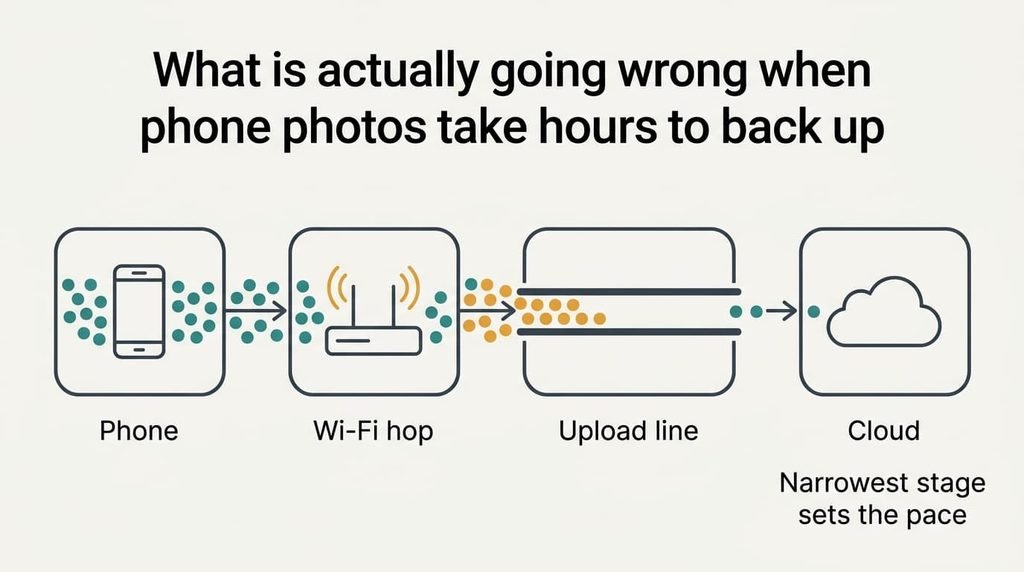
What is actually going wrong when phone photos take hours to back up
Every photo crosses four stages in turn. First comes the Wi-Fi hop to the router, then the broadband line out to the internet. The cloud’s receiving end follows, and the phone’s own permission decides whether any of it may run. The slowest stage sets the pace for every photo, and the line is usually that stage, because home broadband is sold with an upload rate far below its download rate.
Take our figures. 9,600 photos at 3.5 MB make 33,600 MB. A line that uploads 8 Mbit/s moves 1 MB each second, so the bytes alone need 33,600 s, or 9.3 hours.
Two further costs get added. Each file needs its own handshake of one request and one confirmation. At 0.6 s per file, that adds 5,760 s, or 1.6 hours. The phone also decides when the app may run. Many phones allow heavy background work only while charging and idle, so six quiet hours a night turn 10.9 hours into two nights.
Sharing the line stretches it further. A video call using 3 Mbit/s of upload leaves 5, and the bytes then need 14.9 hours.
The phone reports the total and never the stage.
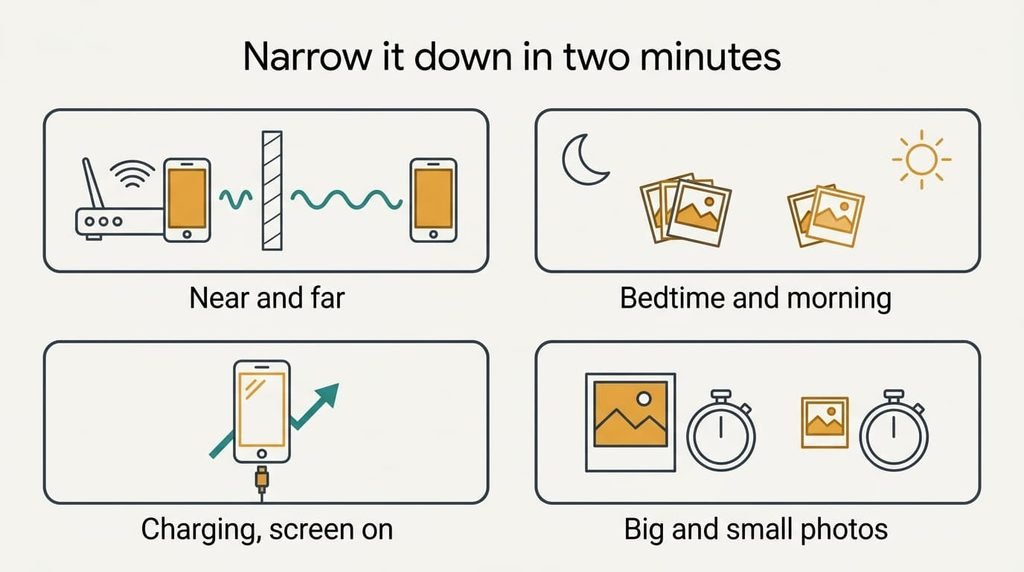
Narrow it down in two minutes
When phone photos take hours to back up, four short tests separate the causes. Run an upload speed test with the phone beside the router, then again in the room where it usually sits. If both results are low and close together, the line is the limit. If the near result is much higher, the Wi-Fi hop is the weak stage.
Next, note the remaining photo count at bedtime and again in the morning. Our figures predict about 880 photos an hour. If the real number is a quarter of that, the phone’s permission is throttling the app, since the line alone would deliver more.
Then keep the phone charging with the screen on and the backup app in front for ten minutes, and count again. A jump of three or four times means permission was the limit. If the rate barely changes, it wasn’t.
Last, compare big photos with small ones. If screenshots go through at about the same files per hour as full photos, the cost per file dominates. If big photos take proportionally longer, the line’s bytes set the pace.
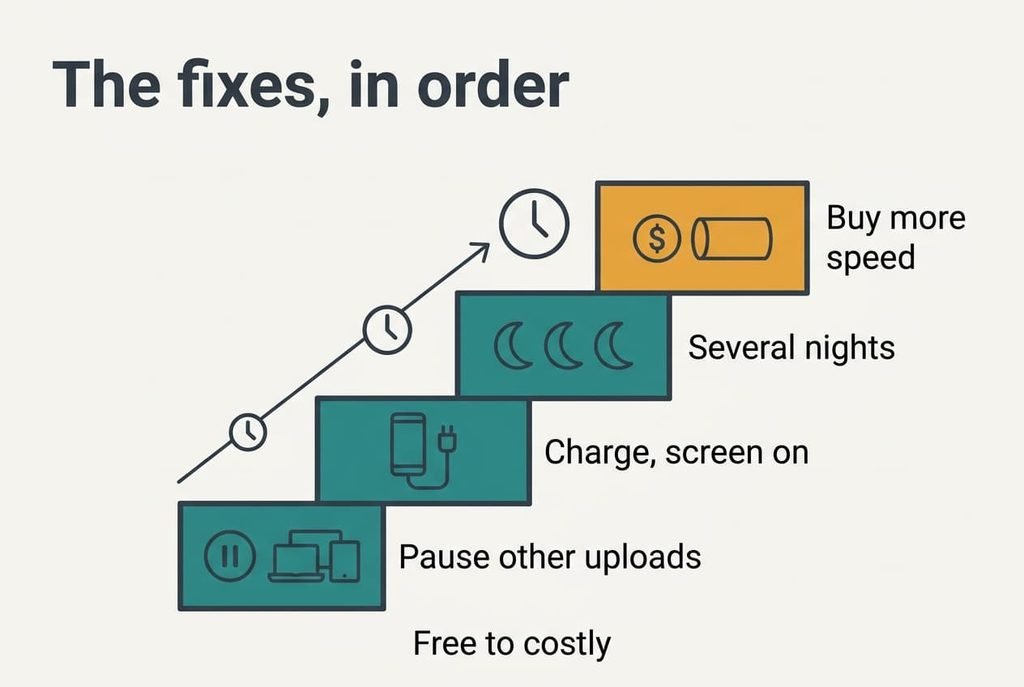
The fixes, in order
Every fix here targets one stage. They run from cheapest to dearest when phone photos take hours to back up.
Pause everything else that uploads. This addresses the shared line. It costs nothing, and resuming undoes it. All it loses is a little convenience. The call or the second backup simply waits its turn. Our 5 Mbit/s left during a call stretches 9.3 hours of bytes to 14.9, so a quiet line saves more than five hours. Check other phones and laptops in the house as well, because any of them can be the sharer, and a tablet left updating overnight counts.
Let the app run while charging. This addresses the phone’s permission. The phone’s scheduler decides whether an idle app may use the radio, and charging with the screen on is the state in which it says yes most readily. The fix costs a little battery during that window plus a setting you can flip back. It loses the saving a strict battery mode gives that app, which matters only until the first backup ends. Afterwards you can restore the strict setting and let the app fall back to small nightly top-ups.
Spread the first backup over several nights. This addresses the line and the cost per file together, since both are fixed totals that only time can pay. It costs days and loses nothing, because each night’s progress is kept. With six quiet hours a night, our 10.9 hours finish on the second night, and later backups carry only new photos. Leave the phone beside the router and the charger so the Wi-Fi hop stays at its best, and check the count each morning to confirm the pace matches the prediction.
Buy more upload speed. This addresses the line alone. It costs money and often a longer contract, and it loses the flexibility of a rolling plan. The download rate that came with your plan won’t help, since only the upload side is slow. I’d pay for it only if you send large files every week, because a first backup is a one-off job that two nights solve for free. Ask what upload rate the new plan sets, since the headline number usually describes download, and ask whether it can be cancelled without a fee.
If phone photos still take so long to back up
If every local fix fails, the fault lies upstream. It may also sit in the account. Write down the upload result from the near test. Then note the remaining photo count at two times twelve hours apart, along with how many photos the phone holds. Those three numbers let someone else work out the stage in a few minutes.
Ask your provider what upload rate your line is set to, and whether it’s shared with other users at peak hours. Ask the backup service whether the account’s storage is full, because a full account stops uploads altogether. A fast test on other devices and a slow one on this phone points to the phone, so say so in the first minute. If support asks you to wipe the phone’s network settings, know that it erases every saved network and its key, so write yours down first.
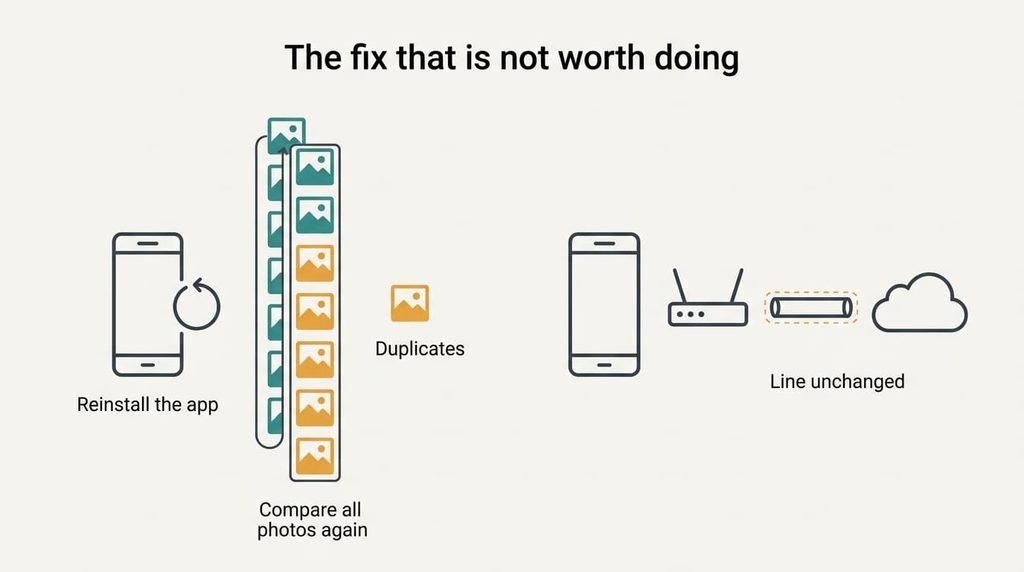
The fix that is not worth doing
Many people reach for reinstalling the backup app when phone photos take hours to back up, because it looks like a clean start. It deletes the phone’s record of what the app has already sent, so the app may need to compare all 9,600 photos against the cloud again. That comparison costs hours of overhead before any new byte moves, and in some apps it risks duplicates that you then spend an evening deleting by hand, photo by photo.
It leaves the line untouched. The Wi-Fi hop and the phone’s permission remain exactly as before, and those stages set the pace. Resetting the router changes none of them either. Both feel like action, and both suit a connection that has stopped better than one that’s merely slow.
Skip it unless the app shows an error of its own.
A backup is a pipeline, and its narrowest stage sets the pace for every photo. The quickest way to find that stage is an upload test beside the router and another in the usual room, then ten minutes of counting with the phone charging. In our home the line is the narrowest stage, so the fix is two quiet nights and a charger. Try that before you pay or reinstall anything.
Questions readers keep asking
Can you speed up a phone photo backup at home?
Often, yes. Keep the phone charging with the screen on, and sit it beside the router. Pausing other uploads helps too. These changes target the permission and the Wi-Fi hop, and the pause removes the sharing. They can’t beat the line’s own upload rate, so a slow line still needs nights, not minutes.
Why is uploading slower than downloading on broadband?
Most home lines are sold with upload set far below download, because people mostly receive data. On some connections the two are equal. A backup only sends data, so it meets the smaller number. Check the upload result in a speed test, which usually lists it separately.
Does a slow photo backup mean something is failing?
Rarely. Slow backups come from the line or the permission, or else from the file count. Suspect a fault if the upload test is low on every device, or if the count doesn’t move at all for a day while the test is fast. In that case contact the provider or the backup service.