A router lets a dozen devices share one internet address by rewriting every outgoing request so that it seems to come from the router itself. It then uses a table it keeps to hand each reply back to the device that asked. That table is the whole trick. The addresses and counts below are invented for a typical home, and they come from blocks reserved for examples, so none of them points at a real connection. Read the short answer first, then ride along with one web request as it leaves a phone and returns.
How a router lets devices share one internet address
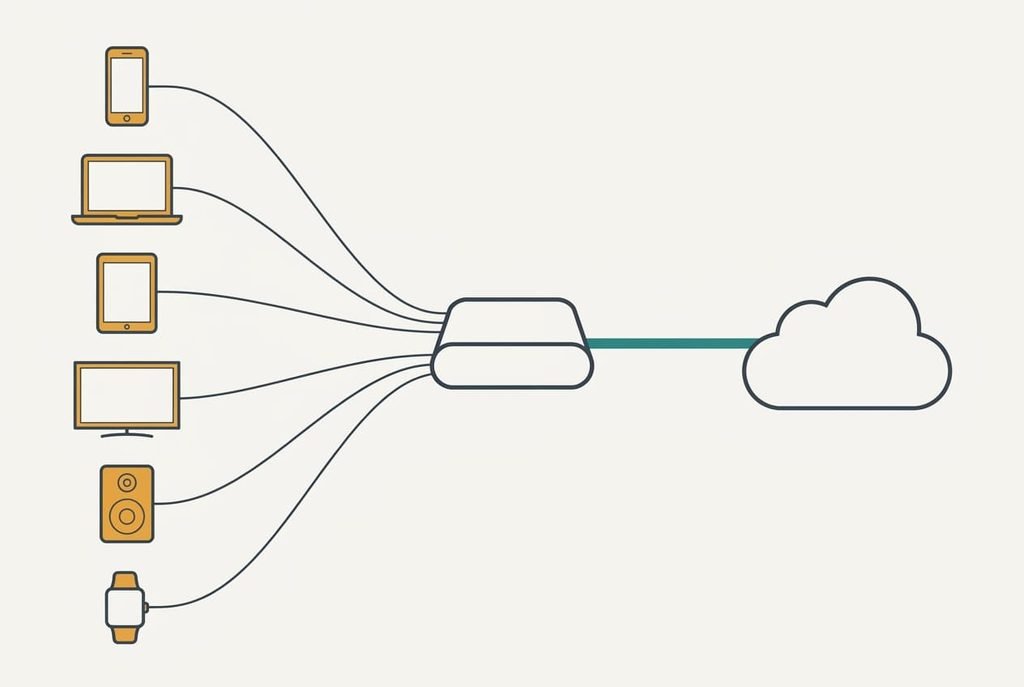
In short, the router swaps each device’s private address for its own public one and remembers who asked. Inside the home every device holds a private address that only the home network understands. The outside world sees a single public address, and it belongs to the router. When a device sends a request, the router replaces the private address with the public one and writes a row in a table. When the reply arrives, the row says where to deliver it.
That summary skips three things. It doesn’t say how the router separates two devices that happen to use the same port number, how long a row survives, or what becomes of a message that nobody requested. It also skips the reason all this exists. IPv4 holds only about 4.3 billion addresses. That’s fewer than the number of people alive, so no household could ever give each phone and television its own. Sharing one address stretched the supply far enough to cover everybody.
Following one web request through the router
Take a phone with the private address 192.168.1.23. The home’s public address is 198.51.100.7, and the server it wants to reach is 203.0.113.50. All three come from blocks set aside for examples.
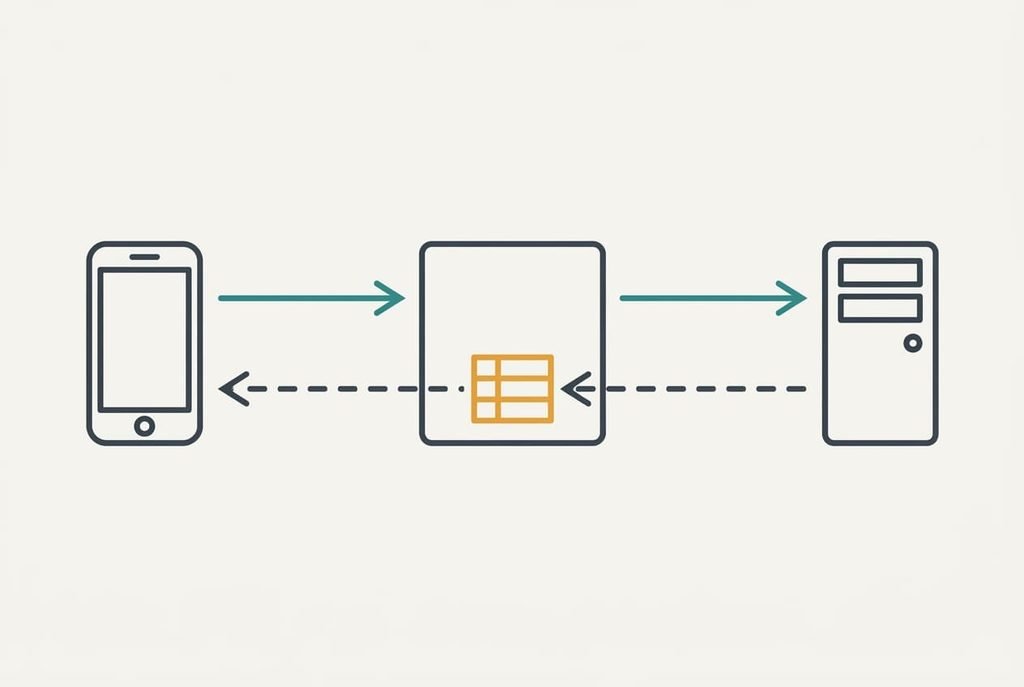
The phone opens a connection from its own port, say 50312, to port 443 on the server. The packet reaches the router, which keeps the destination. It rewrites the sender and picks an unused port on its public side, say 61044, so the packet now claims to come from 198.51.100.7 on that port. Then the router writes one row. It ties the phone’s port 50312 to its own port 61044 and to that server.
Answering whatever address it can see, the server sends its reply to 198.51.100.7 on port 61044, which it believes belongs to the sender. On arrival, the router matches the packet to the row. It then rewrites the destination back to 192.168.1.23 on port 50312 and passes it along. The phone never learns that anything changed.
Each row pairs the phone’s address and port with two others: the router’s public port and the server’s address and port. A reply that matches none of them is discarded. Open a second tab on the phone and the router adds a second row with a new public port, such as 61046. A video call adds several more. A timer on each row restarts whenever a packet passes, which decides when the row retires.
Now a laptop at 192.168.1.31 opens its own connection from the same port, 50312. The router gives it port 61045, so the two rows never collide. A dozen devices holding 40 connections each fill 480 rows. A router with about 16,000 ports to hand out has used 480 ÷ 16,384 ≈ 3% of them. The lookup for each packet takes roughly a millionth of a second, while a round trip to a far server takes about 20 thousandths, so nobody feels it. Rows for idle web connections expire after minutes, which keeps the table small. This is how a dozen devices can share one internet address without a clash.
A hotel front desk, and where the comparison breaks
Picture a hotel with one outside phone number. Guests dial out through the desk, the clerk notes the room beside each call, and when a call comes back with the right reference the clerk puts it through to that room. The desk is the router, the room numbers are the private addresses, and the clerk’s log is the table.
The analogy fails in two places. A hotel keeps its register for days, whereas a router forgets a row after minutes of silence. That’s why a connection left idle can stop working. Clerks, too, will forward a call from a stranger who asks for a guest by name. Routers have no row for an unsolicited message and drop it.
Routers can’t be talked round the way clerks can.
Where a shared internet address stops being enough
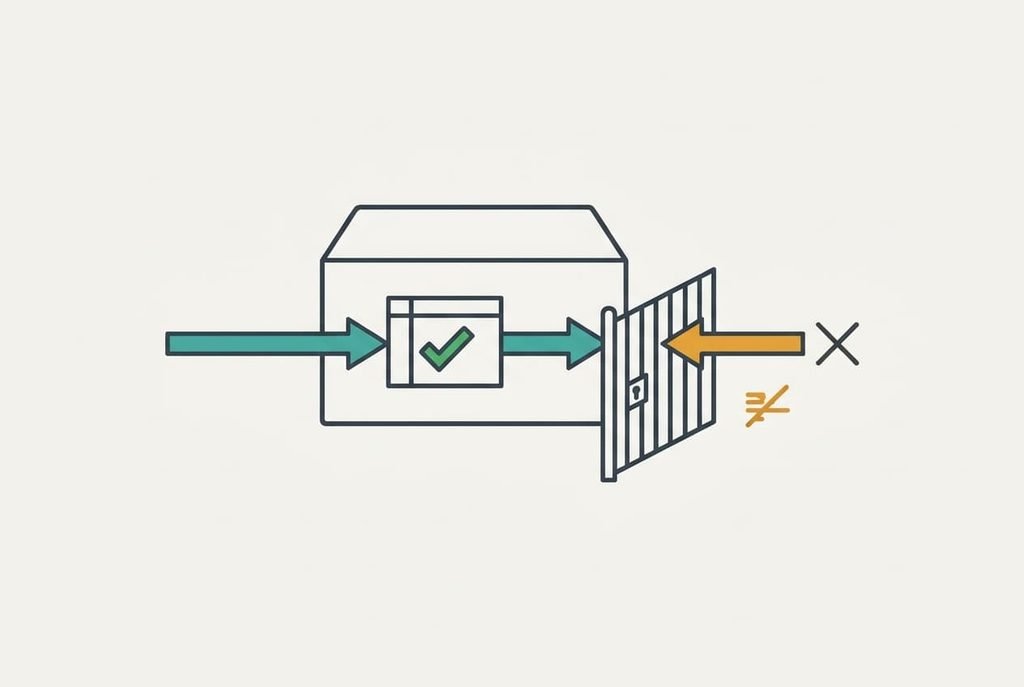
The misunderstood limit is that a shared address blocks unrequested incoming traffic as a side effect and not as a designed defence. Nothing in the table was built to keep intruders out. Unsolicited packets fail only because no row matches them. That protection ends the moment a device opens a connection to something hostile. Ask whether your device or the outside world speaks first, because that one question predicts whether a feature will work behind a shared address.
Three limits follow. Anything that must receive a connection first, such as a game server or a camera you want to view remotely, has no row to match, so the router needs a rule called a port forward. Rows also expire, so a connection that sits quiet for long enough breaks without warning. Some providers even share one public address across many homes, which leaves a port forward on your router with nothing to attach to.
What people get wrong about sharing an address
The belief worth fixing first is that every device in the house has its own address on the internet. It formed because each device does show an address of its own, on the home network, in its settings. Those are the private ones. The public address sits only on the router. The devices behind it all appear to the outside as that one.
Another belief says sharing slows the connection. It formed because rewriting sounds like extra work. The lookup costs about a millionth of a second, set against 20 thousandths for the trip itself, so the saving from removing it would be too small to measure.
A third belief says your traffic mixes with your neighbours’. The word shared suggests it. In an ordinary home it’s only your own devices that share one internet address, and the neighbours have another.
How to decide when you need to open a port
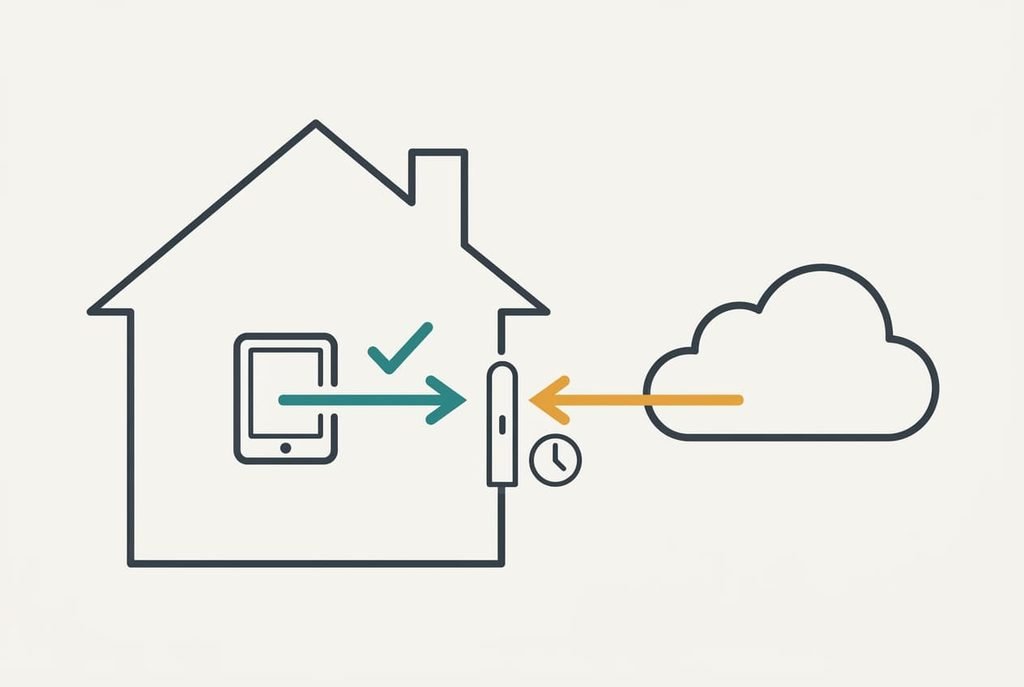
The rule is to open a port only when something outside has to start the conversation with a device inside. Browsing and video calls both start from inside, so they need nothing. Hosting a game or reaching a home camera are the exceptions, because the first message comes from outside and meets a table with no row to match. A forward left open after the game ends keeps a gap in the table for no benefit.
If you do need one, forward the single port the service uses, to the single device that runs it, and close it when you’re done.
A router lets devices share one internet address because the table remembers who asked, and every rule above follows from that. Before you change anything, ask which side starts the conversation. If it’s your device, the table copes alone. If it’s something outside, you need one deliberate exception and a plan to remove it. The same question works for a printer or a speaker, and in each case the answer tells you whether anything needs changing.
Questions readers keep asking
Can two devices clash over the same port?
No. Each connection gets its own public port from the router, so two devices using the same number inside the home never meet outside. The table keeps them apart. A clash could happen only if the table filled completely. A home with a dozen devices rarely approaches that.
Do I have to set this up myself?
Almost never. Home routers do it automatically. Browsing and streaming need no changes. You step in only when something outside has to reach a device inside, such as a game host, and then a port forward is the tool. Everything else runs without you.
Is sharing an address the same as handing out local addresses?
No, they’re two separate jobs. One part of the router gives each device its private address, and another part translates those private addresses into the public one. Reserving a fixed local address changes the first job and leaves the translating untouched.