Many people leave a time-tracking app over one grumble: it charges every month for something a table could hold. Before you act on it, look at what billing clients by the hour really needs, which is a record that stays complete and a total you can trust. Our example is a freelance copywriter in Bristol who bills four clients and has one year of entries to carry away. Three routes can hold that year, and each one costs something different. The comparison counts lost hours as well as effort. Replace every figure with yours, because each one is an assumed round number.
What You’re Moving When Billing Clients by the Hour
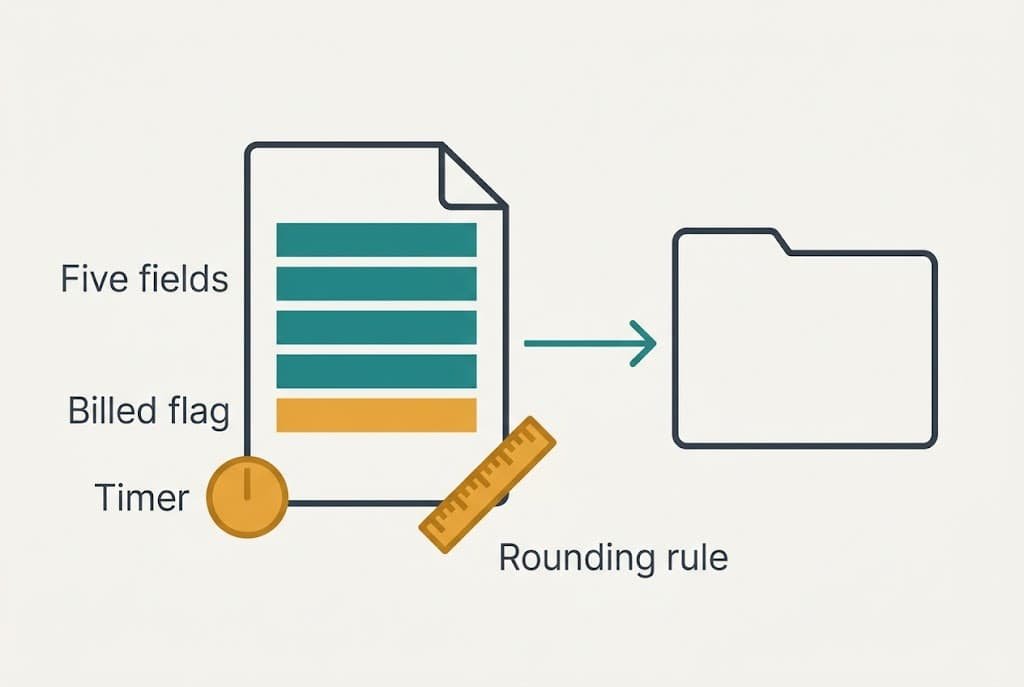
Our copywriter logs about 9 entries a week for 46 weeks, which makes 414 entries a year. Spread across four clients, that’s roughly 100 entries each. Each entry carries five fields. The date and the client come first. After them come the project and the duration, then a note. In all, that’s 2,070 values, and at an average of 1.8 hours each the year adds up to about 745 hours.
Two things live inside the app without looking like data. One is the billed flag, which records whether an entry has already gone onto an invoice. The other is the running timer that fills in durations while you work, and a rounding rule such as the nearest quarter hour sits in the settings beside it. Neither shows up in a sheet or on a calendar until you rebuild it yourself.
When the export arrives, the five plain fields usually travel together. Look for the billed flag, since it alone marks which of the 414 entries are already invoiced. The timer and the rounding rule belong to the app and stay behind. You’ll replace them with habits.
Three Ways Out and What Each One Costs
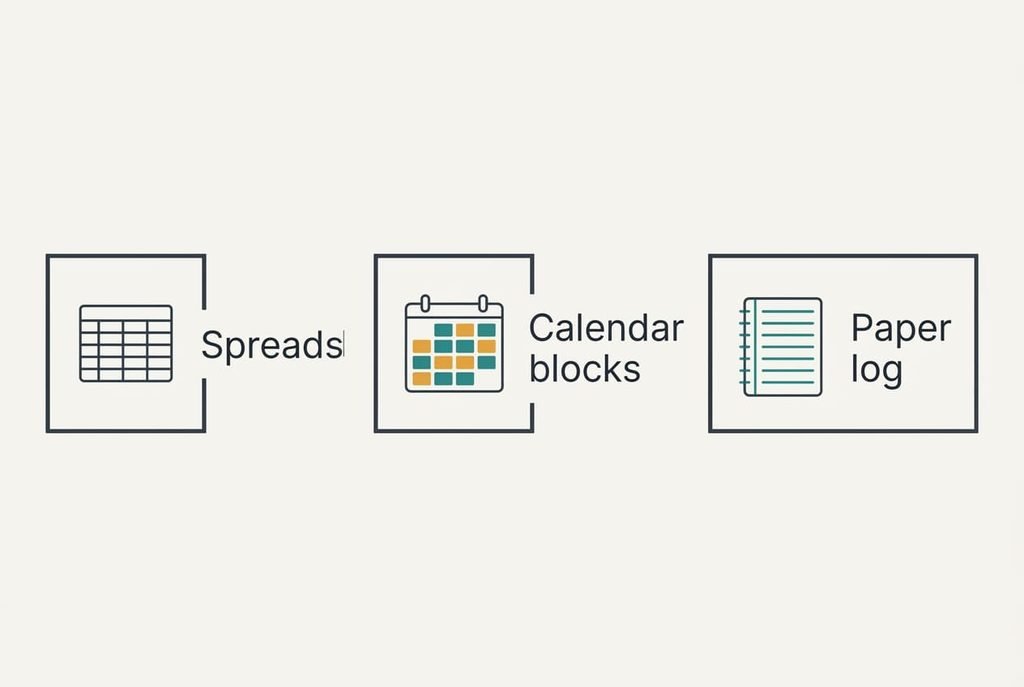
1. The money route is a spreadsheet, and it suits a freelancer who’s comfortable with a few formulas. It carries no monthly fee, but you pay in effort at the start because you build the totals yourself. The 414 entries land as 414 rows, and the billed flag becomes a column of yes and no. Billing clients by the hour from a sheet fails quietly when a total is set to rows 2 to 415, because row 416 onward is then left out of every figure. Anchor the total to a whole column instead of a fixed block, and the sheet keeps counting as the year grows.
2. The effort route is calendar blocks, a good fit for someone who already plans the day in a calendar. Each job becomes an event: the client names it and the note fills the description. The duration comes from the start and end times, which means you never type it. Colour-coding by client shows a week at a glance. A total still has to be added up somewhere else, usually in a sheet. Entries arrive as events only if the calendar can import a file, and the billed flag usually has no place to land. A dragged or stretched event changes its duration without warning, and an invoice built from it will be wrong.
3. The feature route is a paper log. It suits a freelancer with one or two clients, and it gives up the timer and every automatic total. A year of 414 entries fills about 9 pages at 46 lines a page, and the billed flag becomes a tick in the margin. It’s the gentlest route for anyone who dislikes screens, and the page in front of you makes forgetting visible. The cost is the monthly tally. At month end about 35 entries must be added by hand, and one slip changes a figure on an invoice.
What the Third Month Looks Like
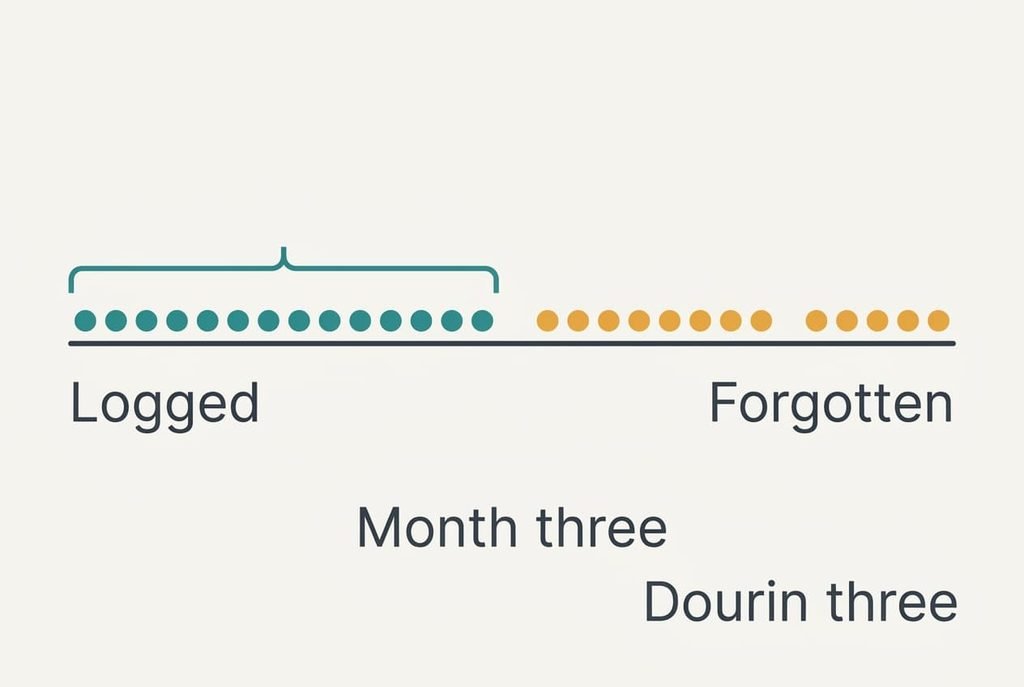
By month three the novelty has gone and the habit has to carry the work. On the spreadsheet route, typing an entry takes about 40 seconds. Nine entries a week cost six minutes, which is about 4.6 hours across 46 weeks. That’s small.
The cost that matters is forgetting. The app’s timer recorded work whether you remembered or not, and a manual log doesn’t. Suppose you forget one entry in ten. That’s 0.9 entries a week, or 1.62 hours, and it adds up to 74.5 hours of unbilled work over the year, about 10% of the 745 hours. Measured in hours, the gap is stark, since forgotten entries cost about sixteen times what typing does, and 74.5 divided by 4.6 confirms it.
Without a rule, the first leaked hours show up in month three.
The remedy is a rule that fits the route. Log before you close the laptop, or set one reminder at the end of each day.
The Order to Move Things In
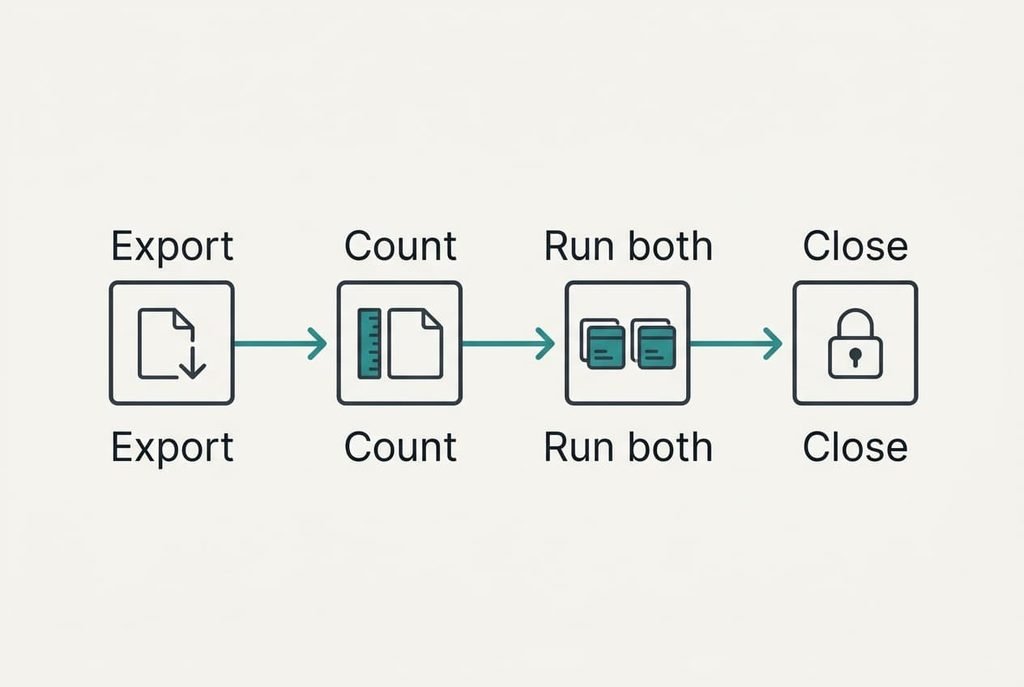
Begin with the export, and keep the old account running. Open the file and count the rows: you should find 414 plus a header. Next, finish this month’s invoicing in the old app, which makes every billed flag final. Then bring the entries across to the new home and compare the total hours with the old report, which should read about 745. Moving the history first is what keeps billing clients by the hour uninterrupted while you change tools.
Run both systems in parallel for two weeks. That’s 18 entries and about 32.4 hours, enough for the totals to disagree if something is wrong. Keep the export file with your accounts instead of on a desktop that might get wiped.
Never cancel anything until both totals match.
When Clients Billed by the Hour Should Keep the App
Stay when the timer does work you can’t replace. A simple test uses the two-week trial from the previous section. Tally the late ones among the 18 trial entries, meaning those logged more than an hour after finishing the job.
If two or more went in late, that’s over one in ten, which already matches the forgetting rate in the earlier example. The app is then protecting up to 74.5 hours a year, and moving would cost you more than it saves. Staying is also right when a client’s own portal asks for the app’s reports, because moving would break a link you need. A client who audits your hours may expect the app’s timestamps too, and a hand-typed log can’t offer them.
The reverse also holds. A freelancer who’s logged on time for months, with fewer than two late entries in 18, has little to fear from a manual log. Switching then removes a fee and costs one afternoon.
The Export File and What It Holds
Open the settings and export the whole history before you touch anything else, choosing all dates rather than the current month and a comma-separated file. Open it and check the row count, then confirm that there are six columns, the last being the billed flag. If a column is missing, export again with every field switched on. Pick one entry from each client and match the date and the duration against the old report. Do this before any cancellation date.
Save a copy with today’s date in its name. A clean file for billing clients by the hour is far easier to rely on than a half-empty one.
A time-tracking app is only a container for those 414 rows. If the rows are safe, you can choose any new home, and changing your mind later costs one afternoon. Keep the dated copy where your accounting records live. That’s the quiet advantage of leaving on your own terms, because a plain file proves the data was always yours.
Questions Readers Keep Asking
Does everything transfer to the new place?
Most of it does. A comma-separated file carries the dates and the durations easily because they’re plain text and numbers. The running timer and the rounding rule never transfer, and the billed flag appears only if the app exports it. Open the file before cancelling and confirm that all six columns are present.
How much does leaving cost?
In relative terms, a spreadsheet costs the most setup and nothing monthly. Calendar blocks cost little setup but need care, because stretched events change durations. A paper log costs the least to start and the most time at month end. None of them carries a fee, though each costs forgotten hours if the habit slips.
Is the disruption worth it?
Only if the app itself is the problem, for example a closing date or a plan change you can’t accept. If it works for you, the saving is small against the 74.5 hours that leak when habits slip. Run both systems for two weeks first, and count how many entries went in late.