Why does my smartwatch keep vibrating after answering a call? Often the watch has missed the message that ends the alert, and answering on the phone’s own screen, with the phone carried on the watch side of your body, tends to clear it. The watch only mirrors the call. It buzzes on its own timer until a stop message arrives. Our example is a commuter in Leeds with the watch on the left wrist and the phone in a right-hand coat pocket. Treat every number as a working guess, since your own devices will differ. Four tests lead the way, and four fixes follow in order.
What Makes a Smartwatch Keep Vibrating After Answering a Call?
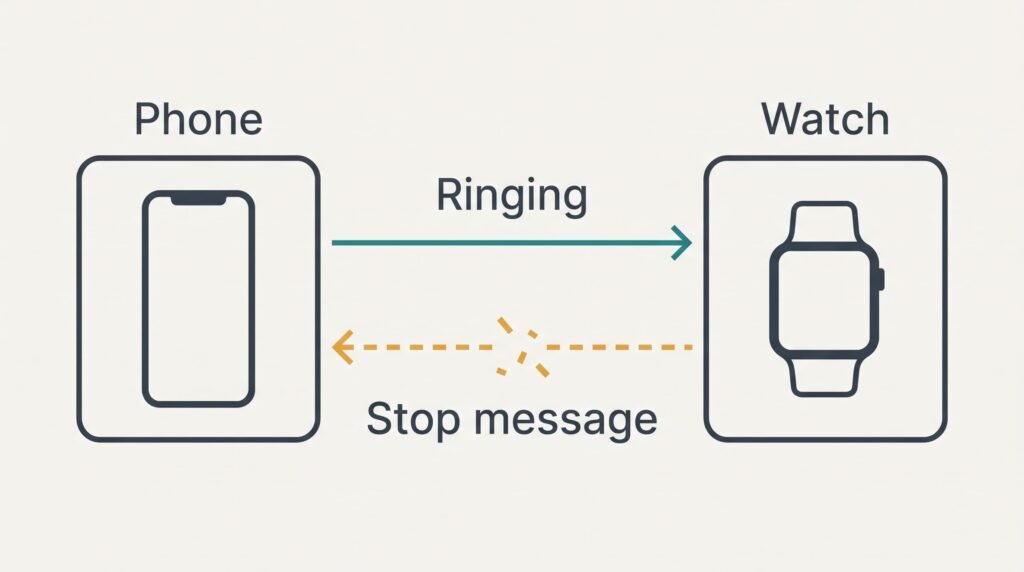
The call lives on the phone. The watch holds only a copy of the alert, and two short messages cross the radio link between them. One says the call is ringing, and the other says it has stopped. In between, the watch knows nothing about the call except what the last message told it.
Say the watch pulses every 2 seconds and gives up on its own after 30 seconds. You answer at the 6 second mark. If the stop message never arrives, 24 seconds of alert remain, which means 12 extra buzzes against your wrist. A message that turns up 8 seconds late costs 4 extra buzzes.
The link is a low-power radio, and a torso is a poor path for it. A phone that pauses background apps to save charge can also hold the stop message back for a while. Suppose the commuter loses one stop message in five while walking to the station. That’s about two stuck alerts across ten calls. The watch obeys its last message until a newer one turns up or its own timer expires.
Answering through earbuds or a car adds another hop. The phone hears the answer from the accessory, and some pairs of devices never pass that news on to the watch.
Four Tests for a Smartwatch That Will Keep Vibrating After Answering a Call
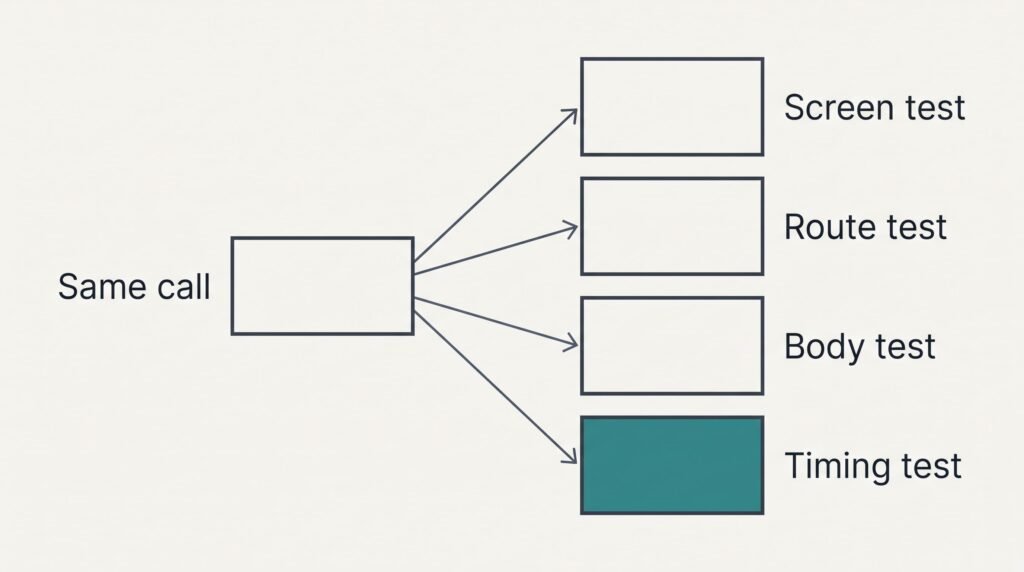
Ring yourself from another phone three times, and time every buzz with a stopwatch. Write each result down.
The screen test: rest the phone on a table. Put the watch on and answer on the glass. Does your smartwatch keep vibrating after answering a call from the screen as well? A buzz that ends within two seconds means the link and the software are coping. The trouble then lies in a route or a position.
The route test: leave the phone alone and answer through earbuds or the car’s hands-free system. Buzzing only here points at the accessory route.
The body test: carry the phone in the pocket opposite the watch and answer on its screen. A buzz that the table never produced shows your body blocking the link.
The timing test: measure any buzz that appears. One that always ends at about the same moment, such as 30 seconds, suggests the stop message never arrives and the watch is timing out alone. Lengths that wander suggest a message arriving late.
One call per test is plenty, and nothing here costs a penny.
Change nothing but one setting per round. Ring the phone again afterwards and repeat the original question: does your smartwatch keep vibrating after answering a call?
Answer on the phone’s screen. Carry the phone on the watch side too. It costs nothing, and a minute is enough to try it. Stay with it for a week of ordinary calls before you judge. It targets two causes the tests can expose: a route that never reports the answer and a body standing between the two devices. With a finger on the glass the phone registers the answer itself, and a same-side pocket shortens the path the radio must cross. You give up answering through earbuds or the car, and you lose your usual pocket.
Turn off call alerts on the watch. That means one setting and about two minutes. The watch then stops copying the ringing state. It never holds an alert it could strand. Messages and other alerts should carry on as before. The loss is genuine. A call ringing in another room won’t reach your wrist, and you must hear the phone yourself. Check the result with a real call: the phone should still ring as normal while the watch stays quiet.
Update the phone and the watch. Allow 30 minutes or longer, because both devices need enough charge and a steady connection. Start with the phone, because the watch’s software may expect a current phone. An update can repair how the pair hand over call state, which suits a buzz that always ends on the same timer. It may also rearrange other settings. Photograph your watch screens beforehand and leave the watch on its charger while the update runs. Nothing is promised, and an update is no use if the cause is your pocket.
Pair the watch again from scratch. Expect about 45 minutes. The step rebuilds the stored link record, which helps when an old pairing has gone stale over months of updates. It’s the one step you can’t undo. Workout history disappears from the watch. So do custom faces and app sign-ins that weren’t backed up. Take the backup before you start, and repeat the screen test straight afterwards, because a new pairing may start from default call settings.
If the Buzzing Carries On After All Four
Gather notes before writing to the maker. Record which answer routes leave the buzz and which stay quiet. Add the length from the timing test, and say if the trouble started with a software update. Include the model names shown on both devices, plus whether the phone pauses background apps to save charge.
Open the message with the symptom as a question: does your smartwatch keep vibrating after answering a call on earbuds only? Then ask whether the watch should receive the answer when an accessory takes the call. Designs differ at that point, and no agent can test it from a description.
Leave the factory reset of the watch until every other step has failed. It wipes whatever isn’t backed up and repeats the fourth fix in a harsher form, which gains little unless the pairing really is damaged.
Photograph every watch setting before any reset.
The Fix That Isn’t Worth Doing
Many people try turning the vibration strength down, and it only hides the symptom. The alert keeps its timing. All 12 extra buzzes still arrive, each one gentler. Putting the watch on silent changes the sound and leaves the stranded alert exactly where it was.
Buying a different watch before the tests is a gamble. A pocket on the wrong side or an earbud route will repeat the fault on the new device within the week, because neither lives inside the watch. A replacement also starts your history and pairing from nothing, and whatever caused the buzz would still be waiting in the pocket.
Switching the phone’s short-range radio off after every call forces a fresh connection each time. That clears the alert, yet every other connection drops with it. Earbuds and the car lose theirs too. Each call then gains a chore that never goes away.
One missing message explains the whole symptom. Run the tests, then take the fixes in order without skipping a step. Keep the stopwatch from the timing test, because a buzz that shrinks from 24 seconds to under two proves a fix worked, and a buzz that doesn’t tells you to move on. Repeat the winning call on a second day, since a link that fails one time in five can pass a single try.
Questions and Answers
Can I stop the buzzing without a repair shop?
In most cases. Answer on the phone’s screen, carry the phone on the watch side, turn off call alerts on the watch, then update both devices. Re-pairing comes last because it erases unsaved watch data. None of it needs tools, and a shop only makes sense if a fault shows up outside calls too.
What keeps the watch buzzing when the call has already ended?
It’s still holding the last message it received, which said the call was ringing. A weak link, an answer route that never reports to the watch, or a delayed update from the phone can all stop the end-of-call message arriving. The watch then buzzes until its own timer runs out.
Does the buzzing mean my watch is broken?
Rarely. A hardware fault shows up outside calls too: buzzing with no call at all, a motor that stays silent, or a link that drops for every kind of alert. A buzz that appears only after you’ve answered a call points to a lost message that settings and updates can usually repair.